
Amazon automatic vs manual targeting: which should you use?
Automatic targeting lets Amazon pick where your Sponsored Products ad shows; manual lets you choose keywords or products. When to use each, or both.
In Amazon Sponsored Products, automatic targeting lets Amazon choose the searches and product pages where your ad appears, based on your product's listing. Manual targeting lets you choose them yourself, as keywords or as products and categories, each with its own bid. Amazon recommends automatic targeting for a first campaign, and manual targeting once you know which terms sell.
Automatic targeting exists only in Sponsored Products. Checked against Amazon's help pages in October 2026.
Side by side
| Automatic | Manual | |
|---|---|---|
| Who picks the targets | Amazon, from your listing | You |
| What you bid on | One bid, or one per targeting group | Each keyword or product |
| Targets | 4 targeting groups | Keywords, or products and categories |
| Best for | A first campaign, finding new terms | Terms you know convert |
The four automatic targeting groups
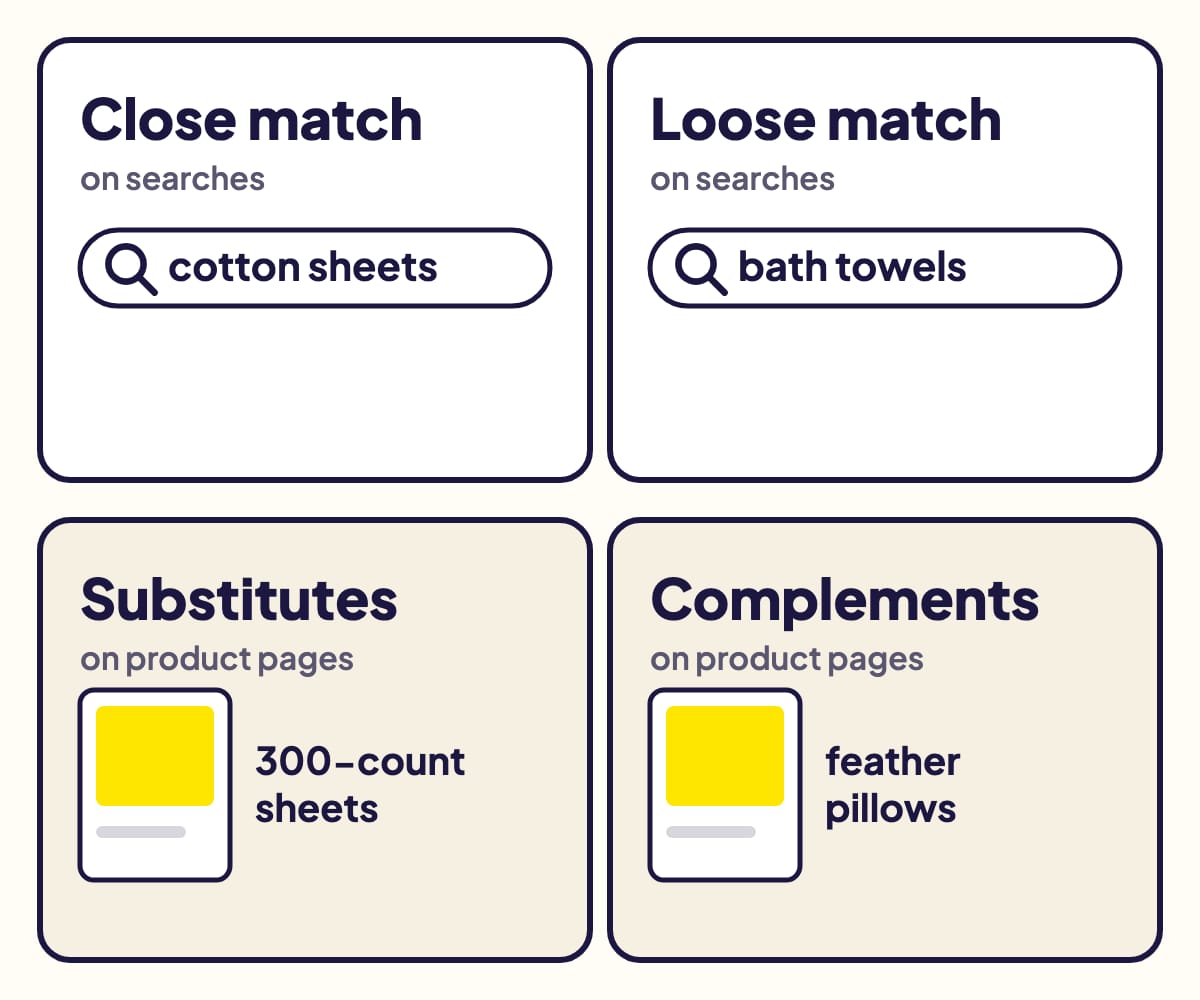
Amazon's own example, for a product called "Doppler 400-count Cotton Sheets".
| Group | Your ad shows… (Amazon's example) |
|---|---|
| Close match | on searches closely related to your product ("cotton sheets") |
| Loose match | on searches loosely related ("bath towels") |
| Substitutes | on pages of similar products ("300-count cotton sheets") |
| Complements | on pages of products that go with yours ("feather pillows") |
You can turn each group off, or give it its own bid, after the campaign starts.
Manual targeting: keywords or products
- Keywords: you choose the searches, each with a match type (broad, phrase or exact) and a bid. Match types explained.
- Products: you choose specific products (ASINs), or categories refined by brand, price, star rating and Prime delivery (genre for books). Amazon adds closely related products by default ("expanded" targeting).
Amazon suggests product targeting for a new marketplace, where you would otherwise depend on translated keywords.
Which one to choose
Amazon's own guidance:
- Automatic when it is your first Sponsored Products campaign, when you want to launch fast, and when you want your ad on similar or complementary products.
- Manual when you already know which keywords or products perform, want to pick them yourself, and want a different bid for each.
You cannot switch a campaign between automatic and manual later, not even when you copy it. To change, create a new campaign.
Use both: automatic to find, manual to scale
- Launch an automatic campaign and let it run for a few weeks.
- Read its search term report: it lists every search that got at least one click, with its sales.
- Move the terms that sell to a manual campaign, in exact match, with their own bid. Amazon's own tip.
- Add them as negative exact keywords in the automatic campaign, so the two campaigns stop competing for the same search. How negative keywords work.
Amazon's Target Promotion does steps 3 and 4 for you, from the Search terms page, for an automatic ad group that advertises a single product.
Sources
- Understand targeting, Amazon Ads
- Understand keyword match types (automatic targeting groups), Amazon Ads
- Bids by targeting, Amazon Ads
- Set up product targeting, Amazon Ads
- Sponsored Products set-up, Amazon Ads
- Target Promotion for Sponsored Products, Amazon Ads
- Copy a campaign, Amazon Ads
- Search term report for Sponsored Products, Amazon Ads
Gloriads is an Amazon Ads automation platform that creates, monitors and optimizes Sponsored Products campaigns for sellers, brands, authors and agencies, by rules you control. See how it works.