

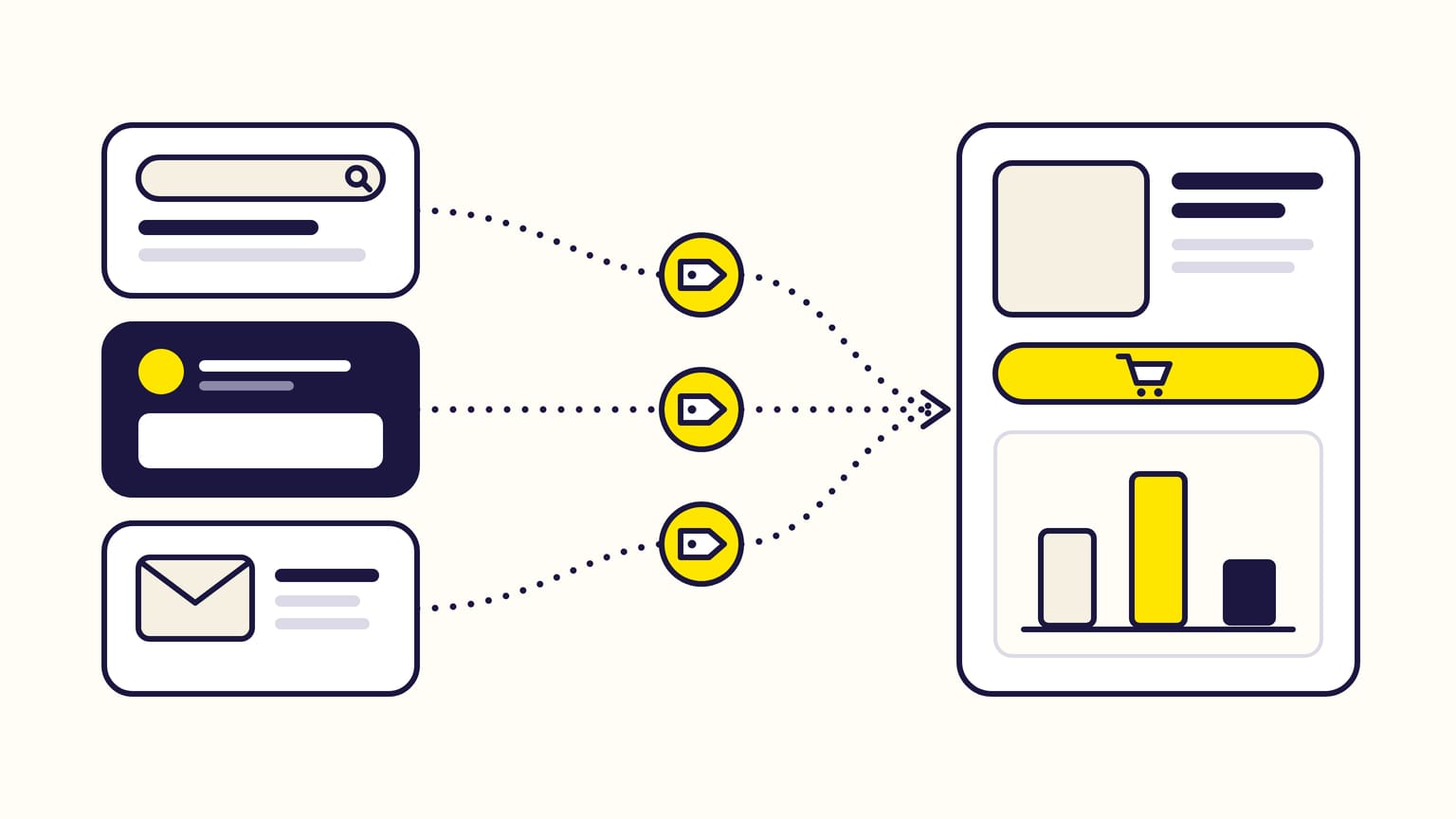
Amazon Attribution is Amazon's free measurement tool for the traffic you send to Amazon from elsewhere: Google ads, Meta ads, emails, influencers, your own site. You put an Amazon Attribution tag (a tracked link to your product page or Store) behind each ad, post or button, and Amazon reports the clicks, product page views, add-to-carts and sales that follow within 14 days. In the US, brand owners who sell on Amazon also earn a Brand Referral Bonus averaging 10% of those sales.
Gloriads does not read Amazon Attribution; it shows what your Sponsored ads spend and sell on Amazon, including what they spend outside Amazon. See it in the live demo.
For sellers in Brand Registry, vendors, KDP authors and agencies. Checked against Amazon's help pages in November 2026.
Gloriads runs Amazon's own ads (Sponsored Products, Sponsored Brands, Display and Streaming TV), not your Google or Meta ads, and it creates no Attribution tags. To see your Amazon ads of every marketplace in one dashboard, open the live demo, no sign-up.
Jump to:
- Who can use Amazon Attribution?
- What does Amazon Attribution measure?
- How do you create Amazon Attribution tags?
- What do the reports show?
- What is the Amazon Attribution window?
- What is the Brand Referral Bonus?
Amazon Attribution at a glance
| Question | Answer |
|---|---|
| Cost | Free |
| Who | Sellers in Brand Registry, vendors, KDP authors, agencies |
| What it measures | Clicks from outside Amazon, and what shoppers do next on Amazon |
| Window | 14 days after the click; the last click gets the credit |
| Countries | US, Canada, Mexico, UK, Germany, France, Italy, Spain, Netherlands |
| Bonus | Brand Referral Bonus: US sellers only, about 10% |
Who can use Amazon Attribution?
Amazon opens it to:
- professional sellers enrolled in Brand Registry, with the brand representative role (Brand Registry is Amazon's program for trademark owners);
- vendors;
- authors who advertise in the ads console, which covers KDP authors (Amazon Ads for KDP authors);
- agencies whose clients sell on Amazon.
It works for products sold in the nine countries above. An advertiser based elsewhere is eligible if it sells in one of them.
You find it in the ads console, now called Amazon Ads Agent: Measurement & Reporting in the left menu, then Amazon Attribution. Software vendors can also bring it into their own tools through the Amazon Ads API.
What does Amazon Attribution measure?
Any marketing that ends with a click to Amazon, paid or organic: search ads, social ads and posts, display, video, emails, affiliates and influencers.
What a tag can point to:
- Only a product detail page or your Brand Store, never another Amazon page.
- Only products in stock, with a photo and a price. A variation parent never appears in the product list; its children do.
- Not an Amazon Associates link: the two cannot be combined.
What it counts after the click:
| Metric | What it is |
|---|---|
| Clicks | Clicks on your tagged link |
| Detail page views | Views of the product's page |
| Add to cart | Times the product went into a cart |
| Purchases, units, sales | What was bought, and for how much |
| New-to-brand | Purchases by shoppers who bought nothing from your brand in 12 months |
Each conversion comes twice: for the promoted products you picked, and in total, with the brand halo: the other products of your brand that shoppers viewed or bought.
How do you create Amazon Attribution tags?
An Amazon Attribution tag, or Attribution link, is your Amazon URL with Amazon's tracking parameters added. To create one:
- In Amazon Attribution, open Campaigns and click Create campaign, then Create manually.
- Name the campaign (only you see it) and pick the products to measure, with their variations.
- Add one ad group per ad, post, link or button: a name, the publisher (Google, Facebook, a newsletter…), the channel (search, social, email…) and the click-through URL, a product page or your Store.
- Click Create. Each ad group gets its own tag: copy it, or download all the tags as a CSV file.
- Paste each tag, unchanged, as the destination URL in Google Ads, Meta Ads Manager, your email or your post. Never share one tag between two ads.
In bulk: for Google search and Facebook or Instagram ads, one upload file tags up to 100,000 keywords or 8,500 ads, and the tags are ready in about 10 minutes. You then import them back into Google Ads or Meta Ads Manager.
What do the reports show?
Wait 1 to 2 days after your ads go live. Then:
| Report | What it shows |
|---|---|
| Campaign | Each campaign and ad group, in total or day by day |
| Channel publisher | Results by channel and publisher |
| Keyword or ad | Each keyword or ad, for bulk-created campaigns only |
| Promoted product | Each product you picked, by ad group and day |
| Brand halo | Your brand's other products that sold |
Four things to know before you read them:
- Rows under 10 clicks show zero. Their figures appear within 48 hours once the tag reaches 10 clicks.
- A gap of 10 to 20% with Google's or Meta's clicks is normal: they count clicks differently. Above 20%, check the dates and that no tag is shared.
- Clicks inside social apps convert less on paper: in an app's own browser, Amazon only measures shoppers who are signed in or move to the Amazon app. Amazon suggests a deep-linking service, or judging those ads on page views and add-to-carts.
- Download your reports every month: Amazon recommends it to keep the figures.
What is the Amazon Attribution window?
14 days, last click. A purchase counts only if it happens within 14 days of a click on a tagged link, and the most recent click gets all the credit.
Amazon's example: a shopper clicks a video ad on May 1, a display ad on May 12 and a search ad on May 13, then buys on May 17. The search ad gets the sale; the video click is out of the window.
What is the Brand Referral Bonus?
A credit on your Amazon selling fees, averaging 10% of the sales your tagged off-Amazon marketing brings in.
- Who: sellers in Amazon's US store with a Professional selling plan, whose brand is in Brand Registry, enrolled in the Brand Referral Bonus program in Seller Central. Amazon names no vendor or author for it, and no other country.
- How much: about 10% on average, by product category. Amazon's examples: about 11% for clothing; for furniture, 10% of the price up to $200 and 7% above.
- What counts: sales measured by Amazon Attribution tags on marketing outside Amazon, including your brand's other products bought within 14 days of the click. Amazon's own ads (sponsored ads, video ads) never earn it.
- How it is paid: not in cash, but as a credit that lowers the referral fees of your next sales, after a wait of about two months for returns and cancellations.
- Where to see it: in Seller Central (Transaction details each month, or the weekly Brand Referral Bonus report), and in your Amazon Attribution reports.
Amazon's example: you sell a $100 backpack with a 14% referral fee ($14). A sale driven by your tagged ad earns a 7% bonus, a $7 credit. On a later sale of the backpack, the fee drops to $7, and what you keep rises from $86 to $93.
Can you retarget shoppers sent by Amazon Attribution?
Yes, in the US. Since September 2023, sellers whose tags sent enough shoppers to Amazon get an audience of those shoppers (the last 30 days) to target with Display or Amazon DSP ads (how Display retargeting works). Brand Referral Bonus sellers keep the bonus on eligible sales from that retargeting.
Frequently asked questions
Does Amazon Attribution measure Sponsored Products ads?
No. Amazon Attribution measures marketing outside Amazon. Sponsored Products, Sponsored Brands, Display and Streaming TV have their own reports in the ads console, and none of them earns the Brand Referral Bonus (what Amazon Ads includes).
Can KDP authors use Amazon Attribution?
Yes. Amazon lists authors who advertise in the ads console among the users of Amazon Attribution, so a KDP author can tag a newsletter or a social post to a book page. The Brand Referral Bonus, however, is for sellers.
Is Amazon Attribution the same as Amazon Associates?
No. Amazon Associates pays commissions, up to 10%, to people who recommend products on Amazon. Amazon Attribution measures your own marketing for your own products, and its tags cannot be combined with an Associates link.
Sources
14
- Amazon Attribution (who, cost, countries, metrics), Amazon Ads
- Your complete guide to Amazon Attribution, Amazon Ads
- Amazon Attribution (eligibility), Amazon Ads
- Create an Amazon Attribution campaign, Amazon Ads
- Apply an attribution tag, Amazon Ads
- Bulk upload campaign data, Amazon Ads
- Validate and troubleshoot attribution tag traffic, Amazon Ads
- Attribution methodology, Amazon Ads
- Amazon Attribution downloadable reports, Amazon Ads
- Amazon Attribution metric definition, Amazon Ads
- Report column definitions for Amazon Attribution, Amazon Ads
- Brand Referral Bonus: drive traffic and boost your bottom line, Sell on Amazon, October 20, 2023
- See your Brand Referral Bonus in Amazon Attribution reporting, Amazon Ads, August 5, 2022
- Amazon Attribution re-marketing, Amazon Ads, September 13, 2023