
Duplicate to another marketplace
Copy Sponsored Products campaigns from one Amazon marketplace to others, with your products checked, your keywords translated and your bids converted.
Toolkit → Duplicate to another marketplace copies Sponsored Products campaigns from one marketplace (for example Amazon.com) to others (Amazon.de, Amazon.co.uk…). Gloriads asks Amazon what each part of the campaign becomes over there, shows you a preview, and creates nothing until you approve.
Before you start
- Your Amazon Ads account is connected, with the marketplaces you want to copy to.
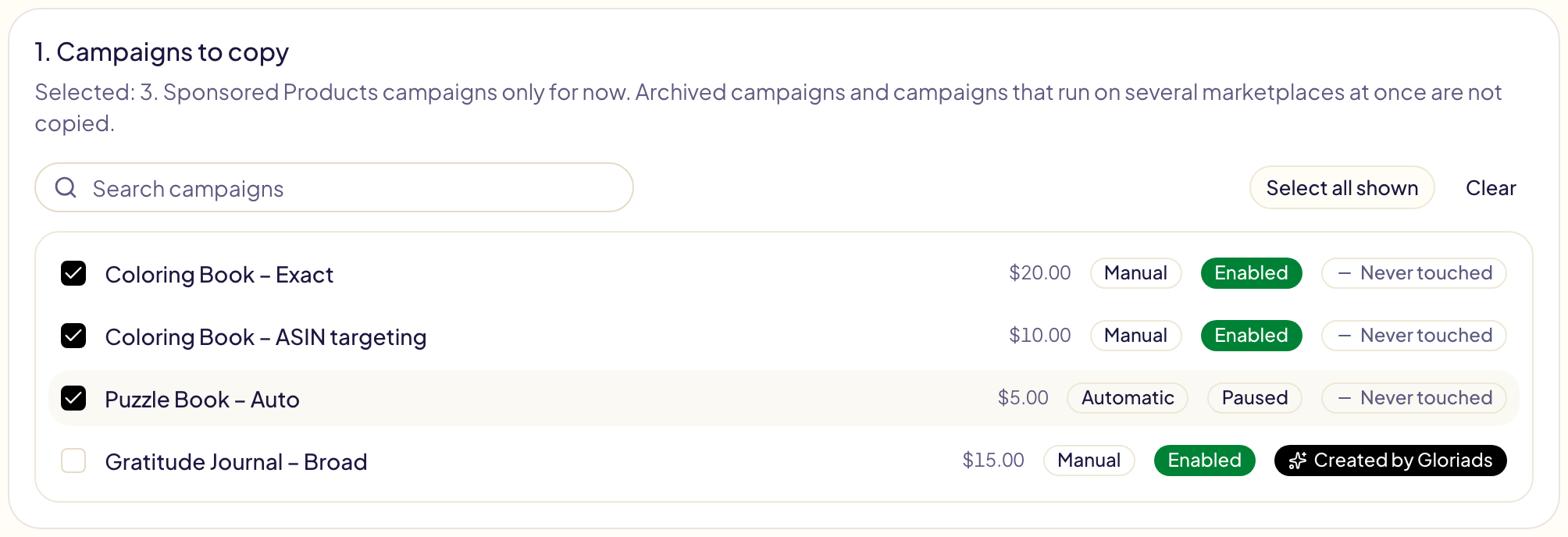
- Sponsored Products only for now: Sponsored Brands and Sponsored Display campaigns are not listed.
- Enabled and paused campaigns can be copied. Archived campaigns and campaigns that run on several marketplaces at once cannot.
1. Pick the campaigns
Choose the marketplace to copy from at the top of the page, then tick one or more of its campaigns.
2. Pick the marketplaces
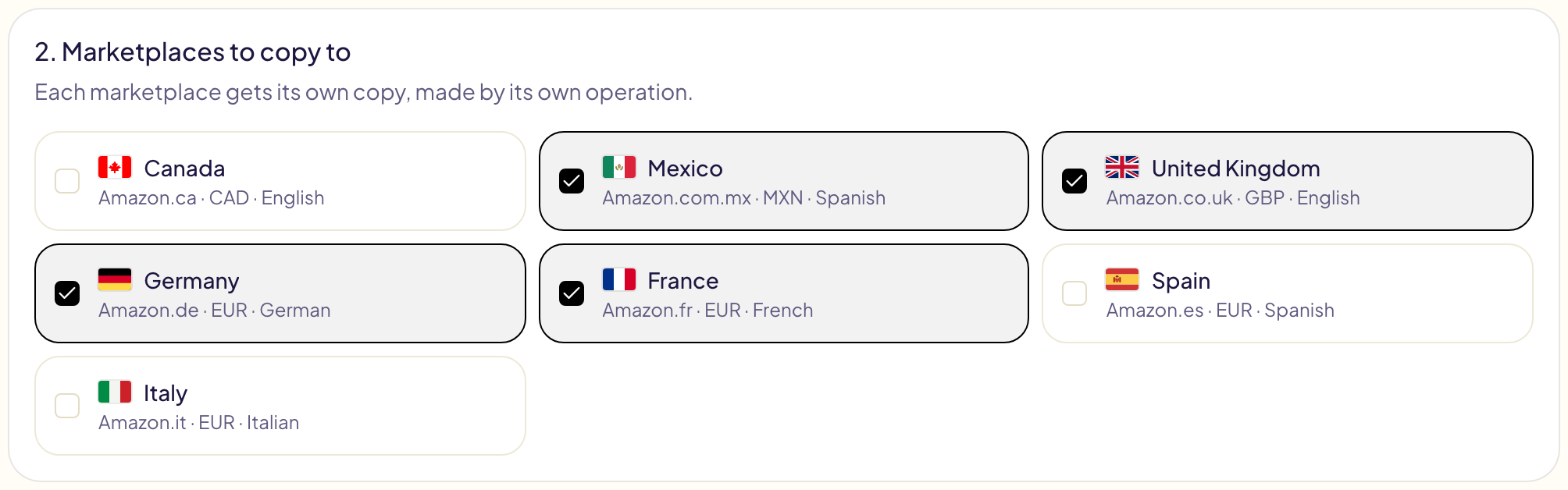
Every other marketplace of your account is listed with its currency and the language its shoppers search in. Tick as many as you like: each one gets its own copy.
3. Check with Amazon
Click Check with Amazon. In a few seconds Gloriads asks Amazon, for each marketplace you ticked:
| What is checked | What happens |
|---|---|
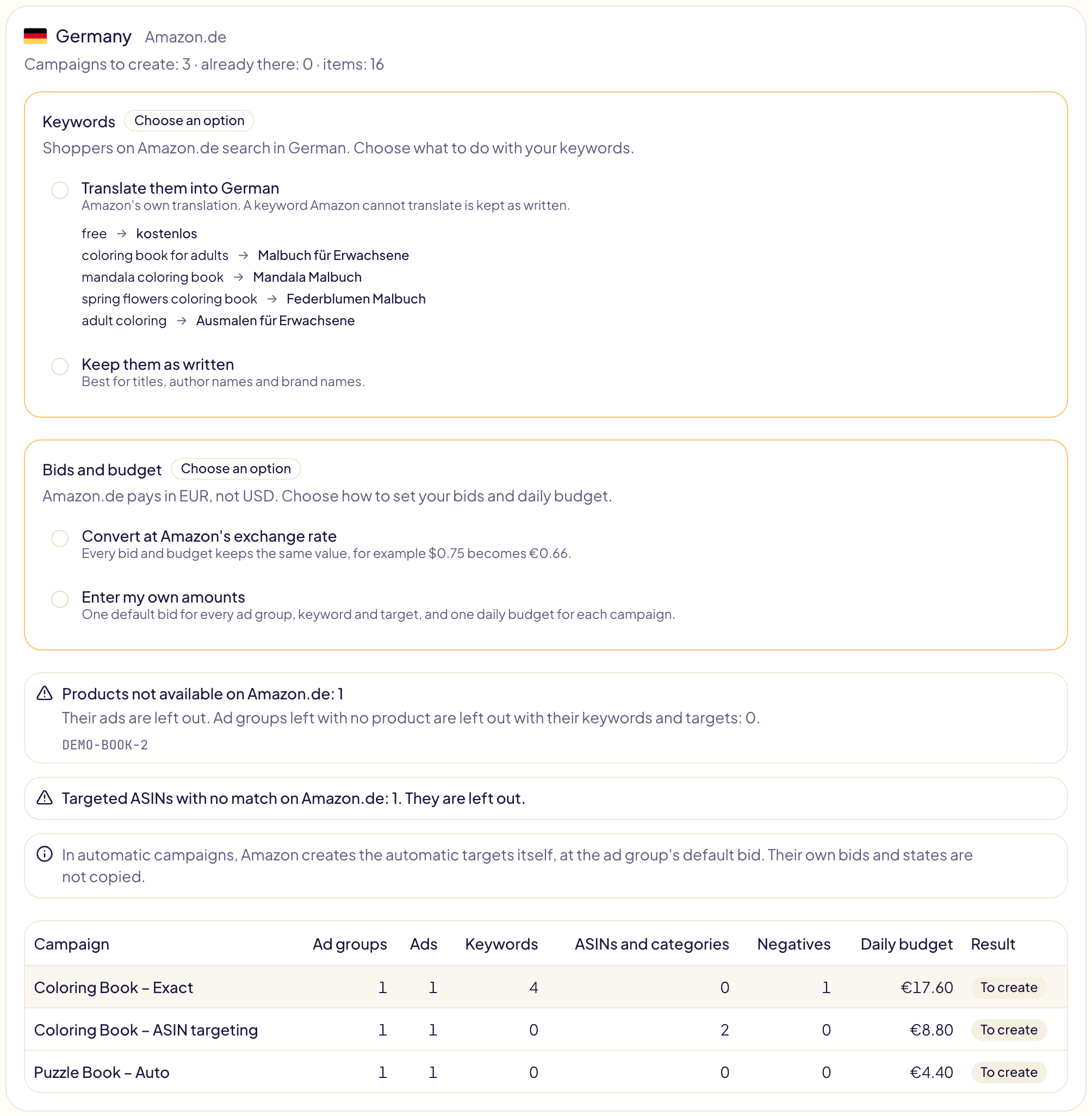
| Your advertised products | A product that does not exist there, or that you cannot advertise there, is left out and listed. An ad group with no product left is left out with its keywords and targets. A campaign with nothing left shows Nothing to copy. |
| Your targeted ASINs and categories | One with no equivalent on that marketplace is left out and counted. |
| Campaign names | A campaign whose name already exists there shows Already there and is skipped, so nothing is copied twice. |
| Bids and budgets | Kept within that marketplace's limits (minimum bid, minimum daily budget). The preview says how many amounts moved. |
Nothing is created at this stage. Each marketplace gets a card with its choices, what is left out, and the campaigns that will be created.
4. Make the choices each marketplace needs
When a marketplace differs from the one you copy from, you choose. Nothing is pre-selected, and Approve stays disabled until every marked choice is made.
Another language: your keywords
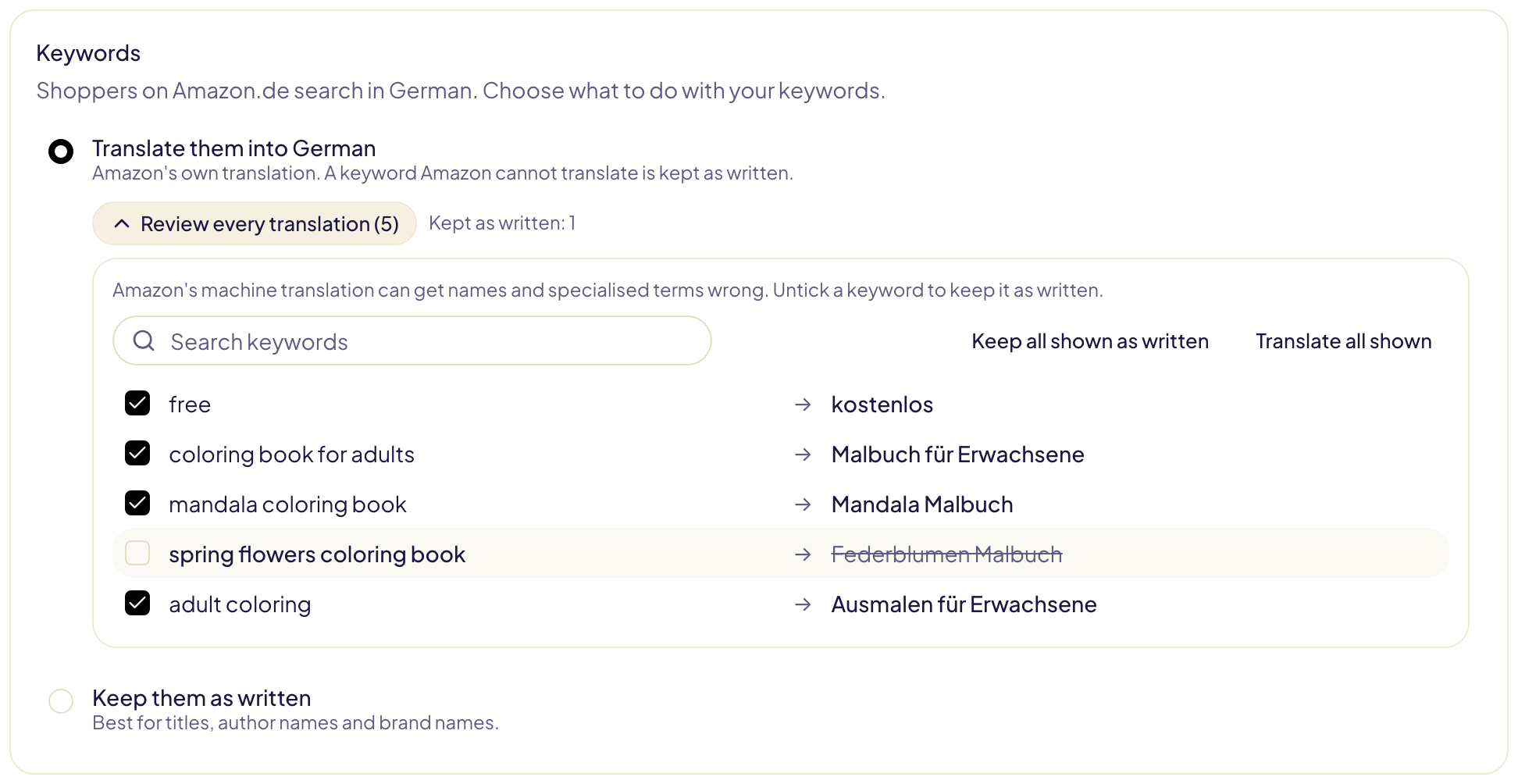
- Translate them — Amazon's own translation into the marketplace's language. A keyword Amazon cannot translate is kept as written.
- Keep them as written — best for titles, author names and brand names.
Machine translation can get a word wrong. Open Review every translation to read them all, and untick a keyword to keep it as written. To fix many at once, search for a word, then click Keep all shown as written.
Marketplaces that share a language (Amazon.com and Amazon.co.uk, Amazon.es and Amazon.com.mx) keep your keywords as written, with no question asked.
Another currency: your bids and budget
- Convert at Amazon's exchange rate — every bid and budget keeps the same value. The option shows what one of your bids becomes.
- Enter my own amounts — one default bid for every ad group, keyword and target, and one daily budget for each campaign, in the local currency. Amazon's limits for that marketplace are shown under the fields.
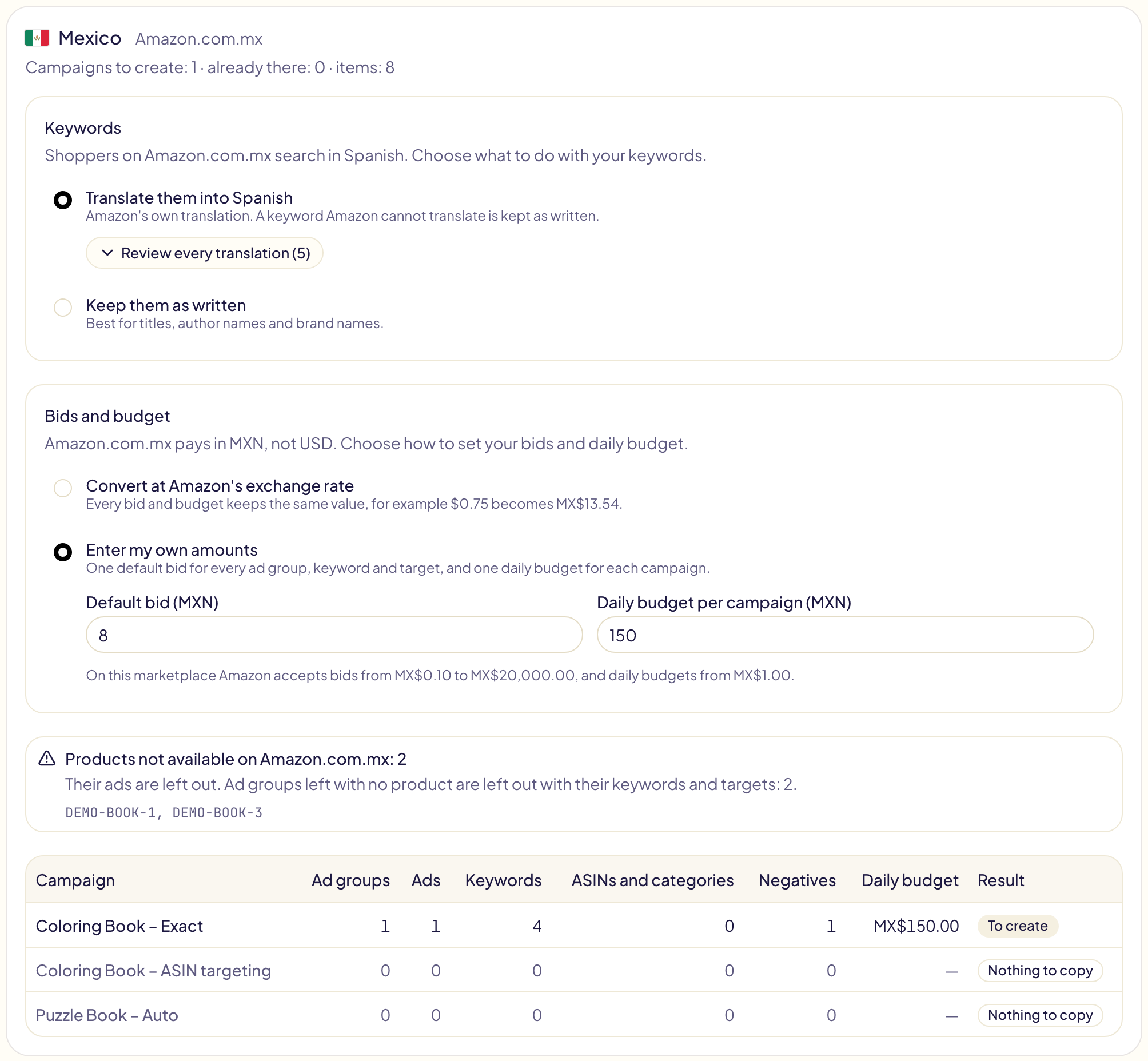
5. Approve
The last card adds up what will be created on every marketplace.

- New campaigns are created paused, unless you switch on Create the campaigns enabled. Ad groups, ads, keywords and targets keep the state they have in the original campaign.
- Each marketplace runs as its own operation. Follow it line by line in Activity, where each line opens in the Amazon Ads console.
- Amazon reviews every new ad. Gloriads checks that review for you and tells you in Notifications if an ad is not accepted or does not deliver.
What is not copied
| Part of the campaign | Why |
|---|---|
| Automatic targets (close match, loose match, substitutes, complements) | Amazon creates them itself in an automatic campaign, at the ad group's default bid. Their own bids and states are not copied. |
| Amazon Business placement adjustment | Not every marketplace has it. Top of search, product pages and rest of search are copied. |
| Bidding strategies other than fixed bids and dynamic bids (down only, or up and down) | Amazon's default strategy applies; the card tells you how many campaigns this affects. |
| Portfolio, end date and start date | A portfolio belongs to one marketplace. The copy starts when you approve it and has no end date. |
Limits
- Up to 200 campaigns at a time, and up to 5,000 items (campaigns, ad groups, ads, keywords and targets) per marketplace. Past that, copy fewer campaigns at a time.
- Translations and exchange rates are Amazon's. Gloriads uses exactly the ones shown in the preview when you approve.