
Rules
Automate any Sponsored Products task on a schedule - IF these conditions, THEN these actions - from every 3 hours to every 3 months.
A rule watches your campaigns and acts for you, on its own schedule. You write it like a sentence: IF these conditions are met, THEN do these actions. Open Rules in the sidebar.
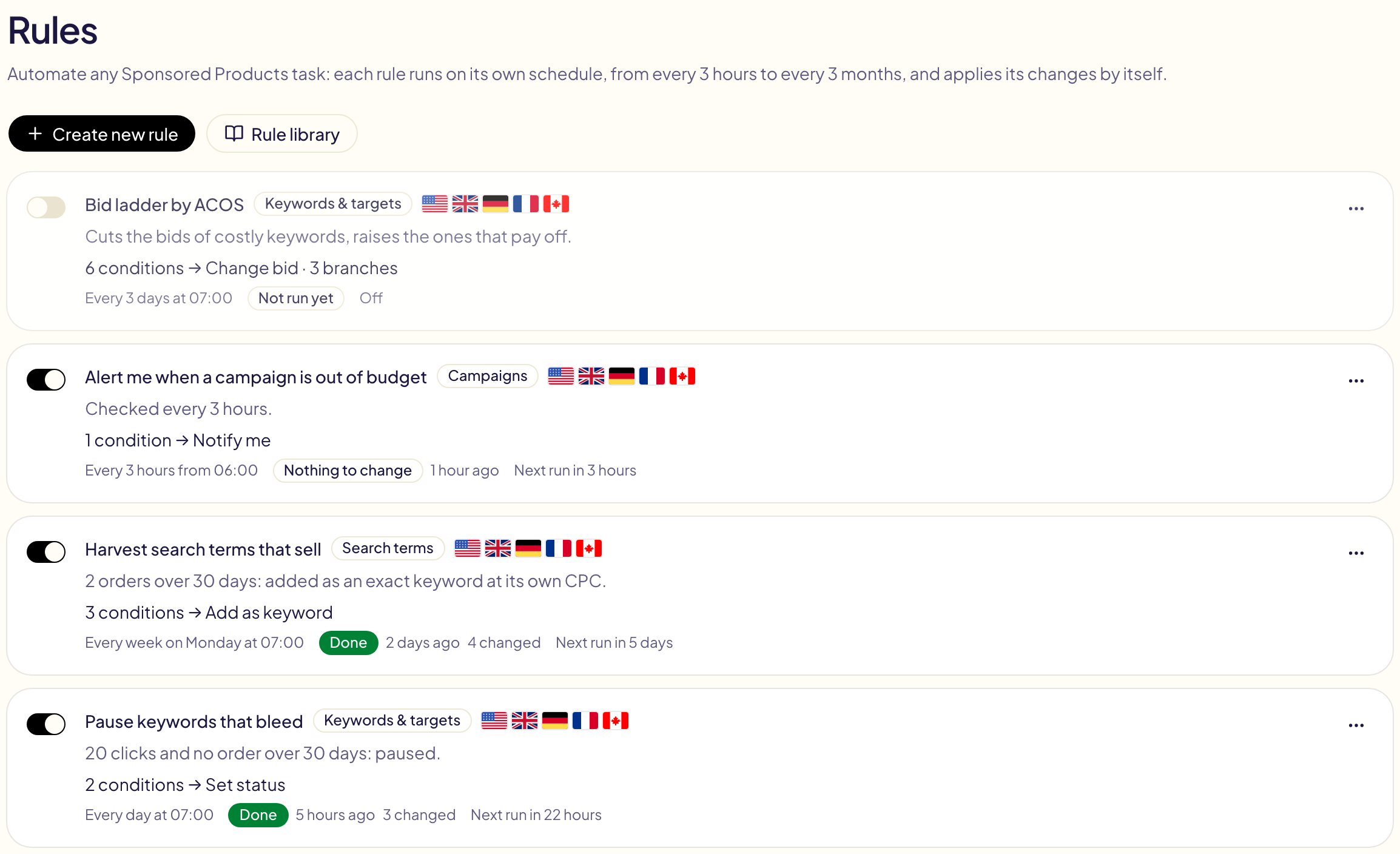
Each rule has an on/off switch. A rule that is on applies its changes by itself at each run; a rule that is off does nothing.
Create a rule
Click Create new rule, then either:
- write it in plain English — « If a keyword gets 20 clicks without a sale over the last 30 days, pause it. Every day at 7 am. » Gloriads drafts the rule below; you check it, complete what the sentence left out, and save it;
- build it in the editor, step by step;
- start from the library — ready-made rules you adjust before saving.
What it looks at
A rule reads and acts on one kind of object:
| Level | What it can do |
|---|---|
| Campaigns | Pause or enable, set or change the daily budget, bid strategy, placement adjustments. |
| Ad groups | Pause or enable, set or change the default bid. |
| Keywords & targets | Pause or enable, set or change the bid (keywords, ASIN and category targets, auto-targeting groups). |
| Product ads | Pause or enable. |
| Search terms | Add as a keyword, as a negative keyword, target the ASIN or add it as a negative ASIN. |
Every level can also notify you: you get a notification listing what the rule found, and nothing is changed.
Where it acts
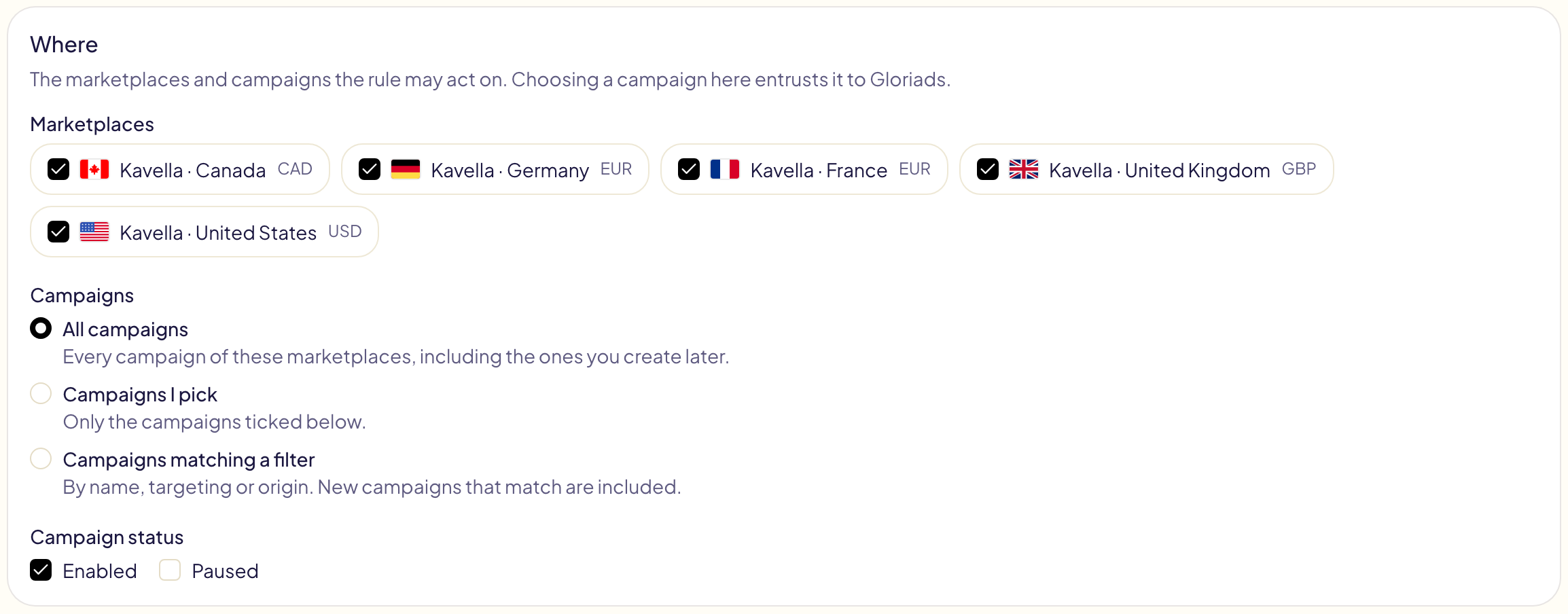
Pick the marketplaces, then the campaigns: all of them (including the ones you create later), the ones you tick, or the ones matching a filter (name, automatic or manual, created by Gloriads). Choosing a campaign here entrusts it to Gloriads.
When and what
Each condition reads a figure over a number of days (impressions, clicks, spend, sales, orders, units, CTR, CPC, conversion rate, ACOS, ROAS) or something of the object itself (status, bid, budget, match type, names, out of budget). Compare it with a value, an amount, or another figure: « CPC greater than 1.2 × bid ».
- AND / OR join the conditions. AND is read before OR: « A AND B OR C » means « (A AND B) OR C ». Use brackets for anything else.
- NOT turns a condition around.
- ELSE IF adds another case, ELSE handles everything left. Each object takes the first branch it matches.
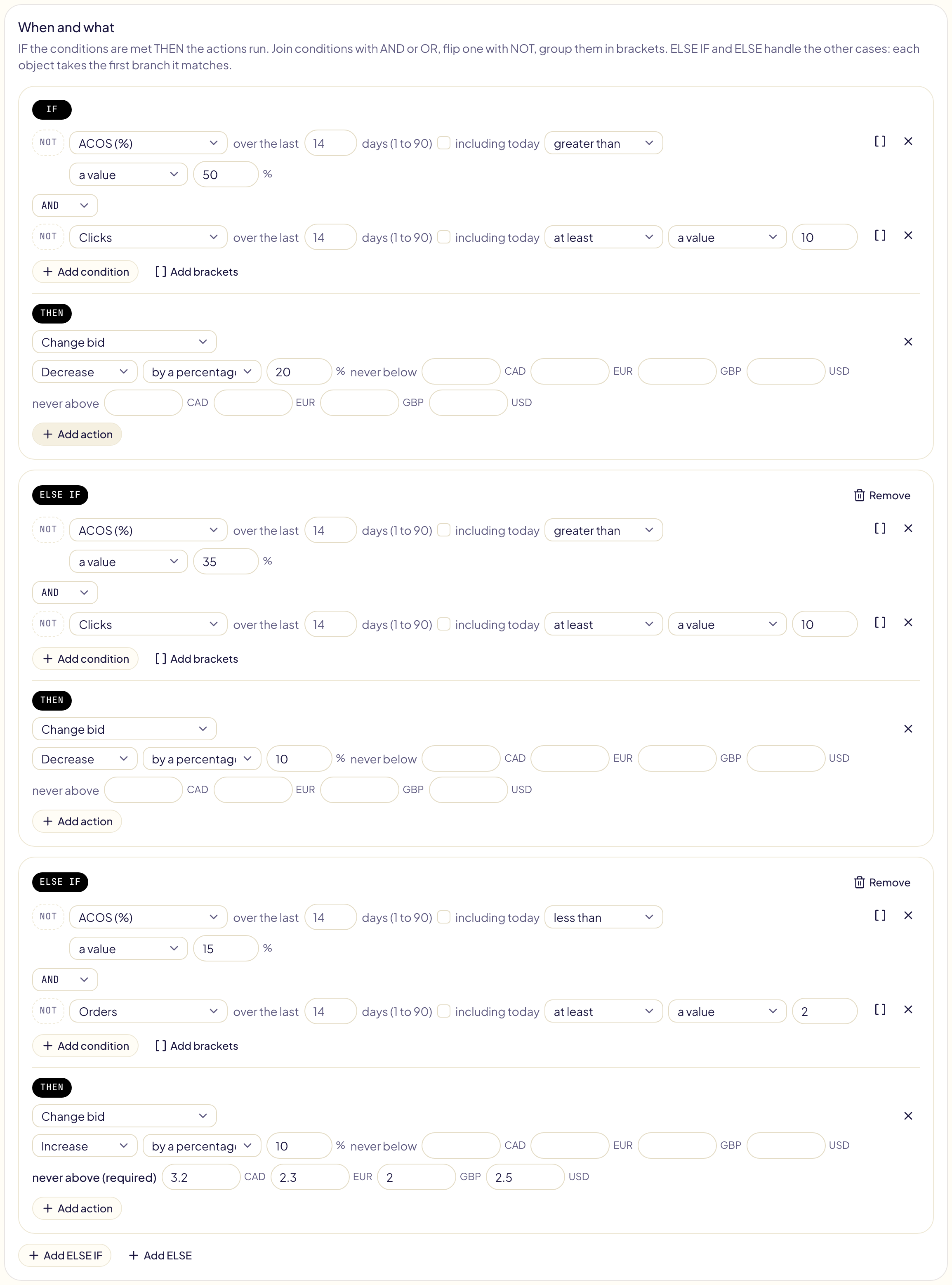
Amounts are asked in each marketplace's currency (dollars and euros for a rule on the US and Germany). Gloriads never converts them.
ACOS, ROAS, CPC, CTR and conversion rate have no value when there is nothing to divide by: a keyword with no sale has no ACOS. To find what spends without selling, use Orders equal to 0, with a clicks or spend threshold.
How often
From every 3 hours to every 3 months, at the time you choose, in your time zone. Amazon reports a day's figures with up to 12 hours of delay, so a window ending yesterday is the most reliable.

Safety
A rule that acts by itself keeps to its guardrails:
- Every increase needs a ceiling — « never above », in each currency.
- A pause after each change (72 hours by default), so a rule running every few hours does not change the same bid at every run.
- A limit of objects changed per run (200 by default), the biggest spenders first; the rest wait for the next run.
- A value already in place is not sent again, and a keyword or negative that already exists is not added twice.
Test before you turn it on
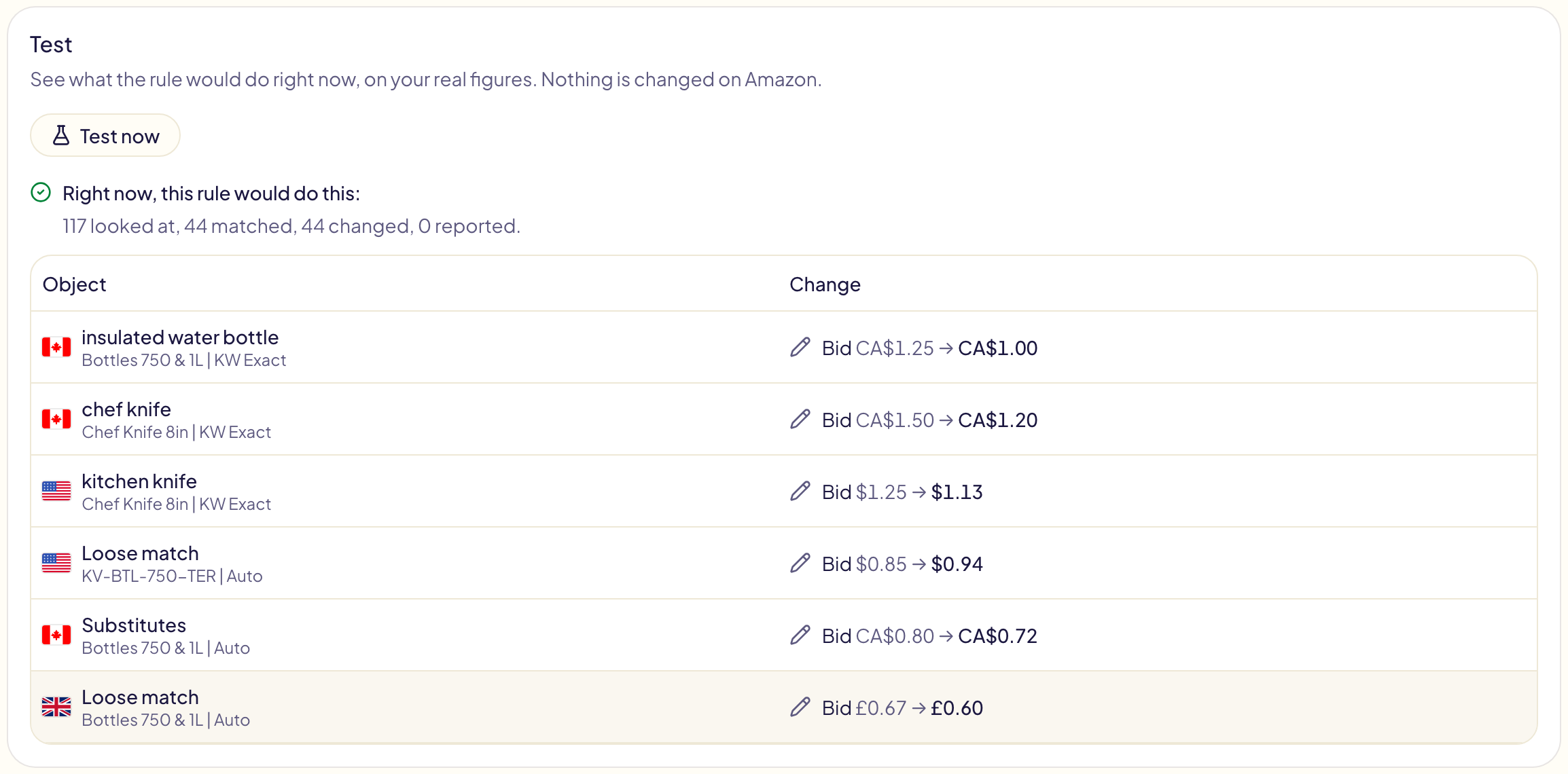
Test now shows what the rule would change right now, on your real figures. Nothing is changed on Amazon.
The library and your templates
The Rule library holds ready-made rules by theme: pause keywords that bleed, a bid ladder by ACOS, harvest search terms that sell, negate wasted search terms and ASINs, raise the budget of campaigns that pay off, alerts, pause campaigns at night. Their amounts are empty on purpose: you give them in your currencies.
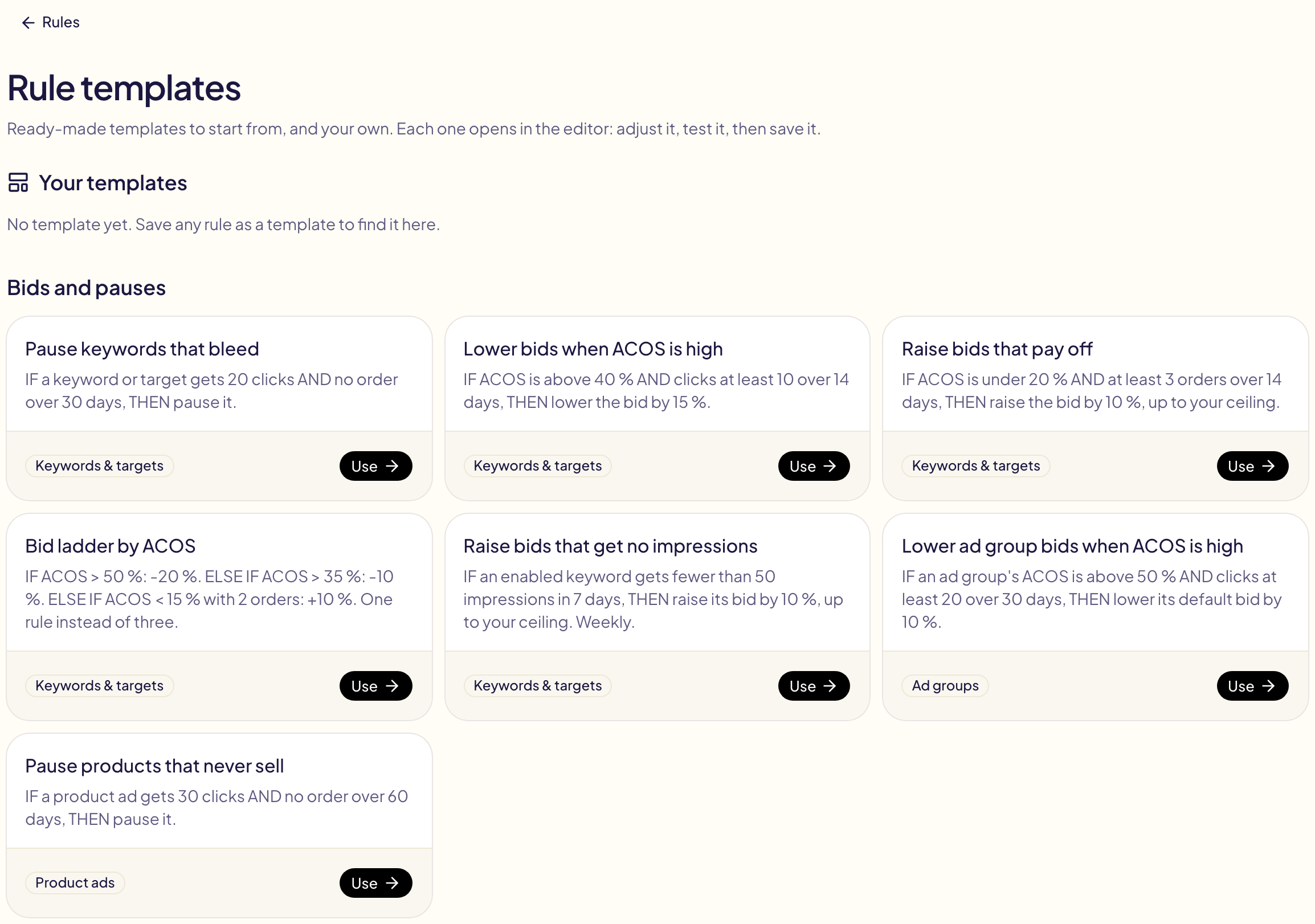
Save as template keeps any rule in Your templates, ready to start a new one.
Follow its runs
A rule's page lists its runs: when, what it looked at, what it changed. Each change opens in Activity, line by line, with the value before and after. A run that changed something, a Notify me that found something, and a run that failed also appear in your notifications.