

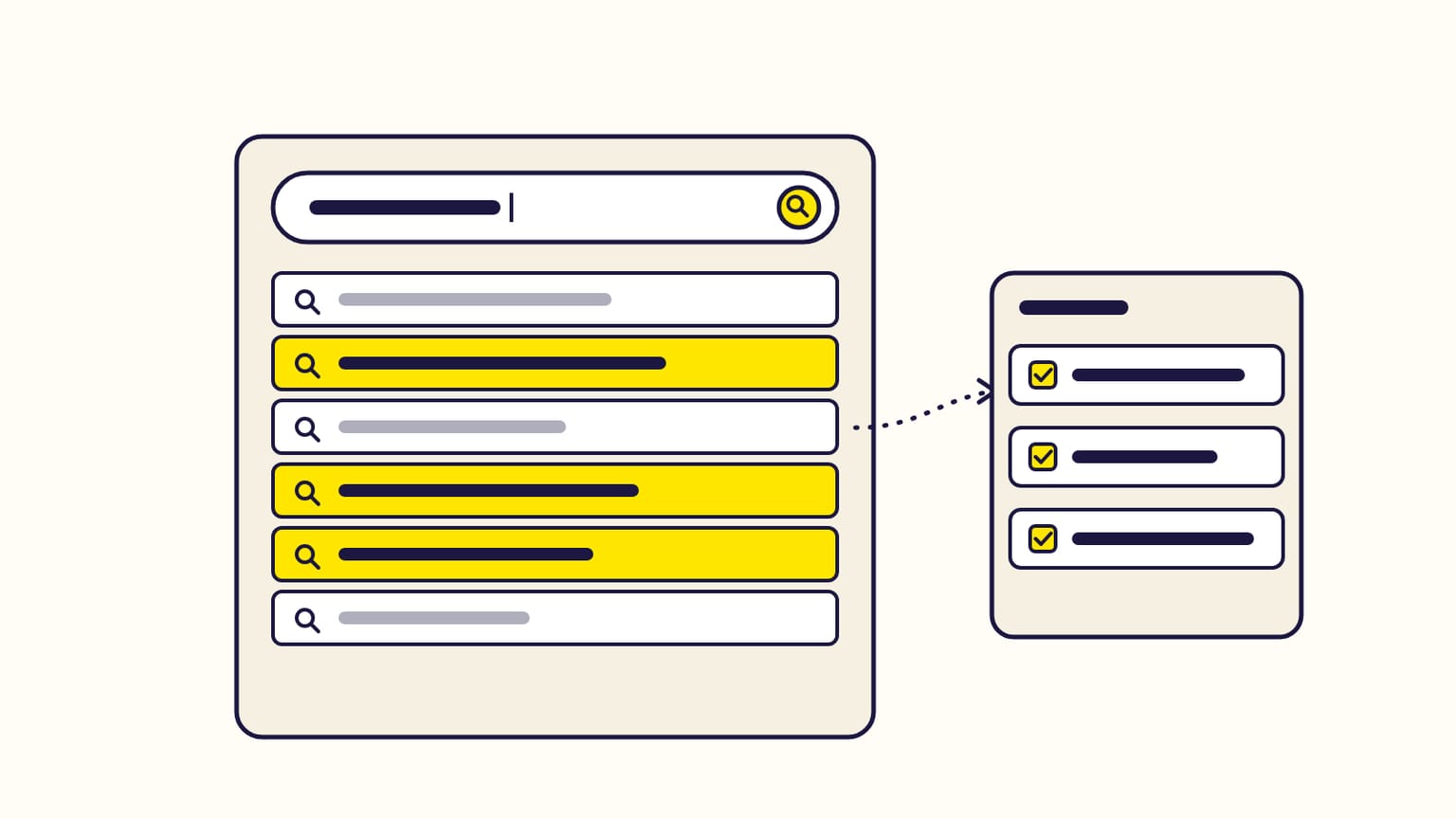
The best free source of keywords for Amazon ads is Amazon's own search bar, and the free Amazon keyword tool, a keyword grabber, scrapes it for you, live, on 23 marketplaces, without an account. The suggestions Amazon drops down while a shopper types are real searches made by shoppers on that marketplace.
Once your list is ready, Gloriads puts it to work: its Keyword & ASIN Finder saves the keywords you tick to a Library list or adds them to your ad groups. See it in the live demo.
For sellers, vendors, KDP authors and Merch on Demand creators. Checked against Amazon Ads' help page on keyword targeting (updated November 2, 2026).
Where Amazon keywords come from
| Source | What it gives | Cost |
|---|---|---|
| Amazon's search bar | Real shopper searches, live | Free |
| Suggested keywords | Amazon's ideas when you create a campaign | Free |
| Search term report | Searches that got clicks on your ads | Free, needs ads running |
| Brand Analytics | Top searches with a rank | Brand owners only |
| Paid keyword tools | Estimated monthly volumes | Subscription |
The search bar comes first because it is the only source that shows what shoppers type before you spend anything, on any marketplace, without an account. The search term report comes second: it shows what really sold, but only once ads have run (see How do you read the Amazon search term report?).
How to collect the search bar's suggestions
Amazon shows up to 10 suggestions for what is typed. Ten only show the head of a topic, so the method is to type many beginnings:
- Your product in 2 or 3 words: "yoga mat".
- Followed by each letter: "yoga mat a", "yoga mat b" … "yoga mat z". Each letter brings up to 10 other searches: the long tail behind your keyword.
- Followed by digits and small words: "yoga mat 6", "yoga mat for", "yoga mat with", "best yoga mat".
- On the marketplace you advertise on, in its language: amazon.de suggests German searches, amazon.co.jp Japanese ones. Suggestions are not the same from one marketplace to another.
Done by hand, that is 26 searches and up to 260 suggestions to copy for a single keyword. The free Amazon keyword tool types them for you, live, on 23 marketplaces, and lists every suggestion once, without an account.
How to sort the keywords you collected
Amazon gives no search volume in its search bar. Two honest signals replace it:
| Signal | What it means |
|---|---|
| Position in the drop-down | 1 is the first suggestion: usually a common search |
| How often it comes back | Reached from many beginnings: a common search |
| Number of words | 1 or 2: broad, often expensive. 4 or more: long tail |
Then keep only the searches your product answers. "Yoga mat for kids" is a good keyword for a children's mat and a wasted click for an adult one. Amazon's own example is the same idea: "Yorkie shampoo" brings fewer impressions than "shampoo" but sells better for a Yorkie shampoo.
A monthly volume printed by a keyword tool is an estimate: Amazon publishes none for search-bar searches.
How to use the keywords in your campaigns
| Keywords | Match type | Why |
|---|---|---|
| Most relevant, good position | Exact | You pay only for that search |
| 2 or 3 words | Phrase | Covers longer searches that contain them |
| A few core words | Broad | Lets Amazon find searches the bar never shows |
| Not your product | Negative | No click wasted on it |
Amazon's help advises at least 25 keywords per campaign and ad group, and a different bid for each match type of the same keyword. How each match type behaves is in What are Amazon keyword match types?, and which words to exclude in Amazon negative keywords.
Add complementary searches too: Amazon's example is "digital camera" for memory cards. And your brand's own name, so a competitor does not take those searches.
After two weeks: let the report decide
Amazon's help suggests letting a campaign run two weeks before judging its keywords. By then, the search term report shows the real searches behind each click and sale. Raise the bids on the searches that sell, add them as exact keywords, and negate the ones that spend without selling. The search bar finds your starting list; the report tells you which part of it earns money.
Finding keywords with Gloriads
| In Gloriads | What you do |
|---|---|
| Amazon keyword tool | Free, no account: suggestions from A to Z on 23 marketplaces, export to CSV or Excel |
| Keyword & ASIN Finder | The same in the app, then Add to a Library list or Add as keywords to your ad groups |
| Free Chrome extension | No hourly limit on searches |
| Search terms | The searches that cost without selling, turned into negatives in two clicks |
Frequently asked questions
Are Amazon search-bar suggestions real searches?
Yes. Amazon's autocomplete suggests searches drawn from what shoppers type on that marketplace. They are not generated by a tool or translated from another marketplace.
Can I find Amazon keywords without a paid tool?
Yes. The free Amazon keyword tool collects Amazon's search-bar suggestions from A to Z on 23 marketplaces, without an account. Amazon's suggested keywords and its search term report are free too. Paid tools add estimated volumes, which Amazon does not publish.
What is an Amazon keyword scraper?
An Amazon keyword scraper, also called a keyword grabber or extractor, collects the searches Amazon suggests in its search bar and lists them for you. The free Amazon keyword tool is one: it grabs Amazon's suggestions live, from A to Z. A keyword generator is different: it invents word combinations that shoppers may never type.
How many keywords should an Amazon ads campaign have?
Amazon's help advises at least 25 keywords per campaign and ad group. Relevance matters more than the count: a keyword your product does not answer only spends.
How do KDP authors find keywords for Amazon ads?
The same way: type the book's subject, genre or comparable titles into the search bar of the Kindle Store or Books department, letter by letter. Readers' searches ("cozy mystery with cats", "books like…") make good exact and phrase keywords for Kindle and paperback ads.
Are Amazon ad keywords the same on every marketplace?
No. Each marketplace has its own shoppers and its own language, so collect the suggestions of the marketplace you advertise on rather than translating your US keywords word for word.
Sources
2
- Set up keyword targeting, Amazon Ads (updated November 2, 2026)
- Understand keyword match types, Amazon Ads