

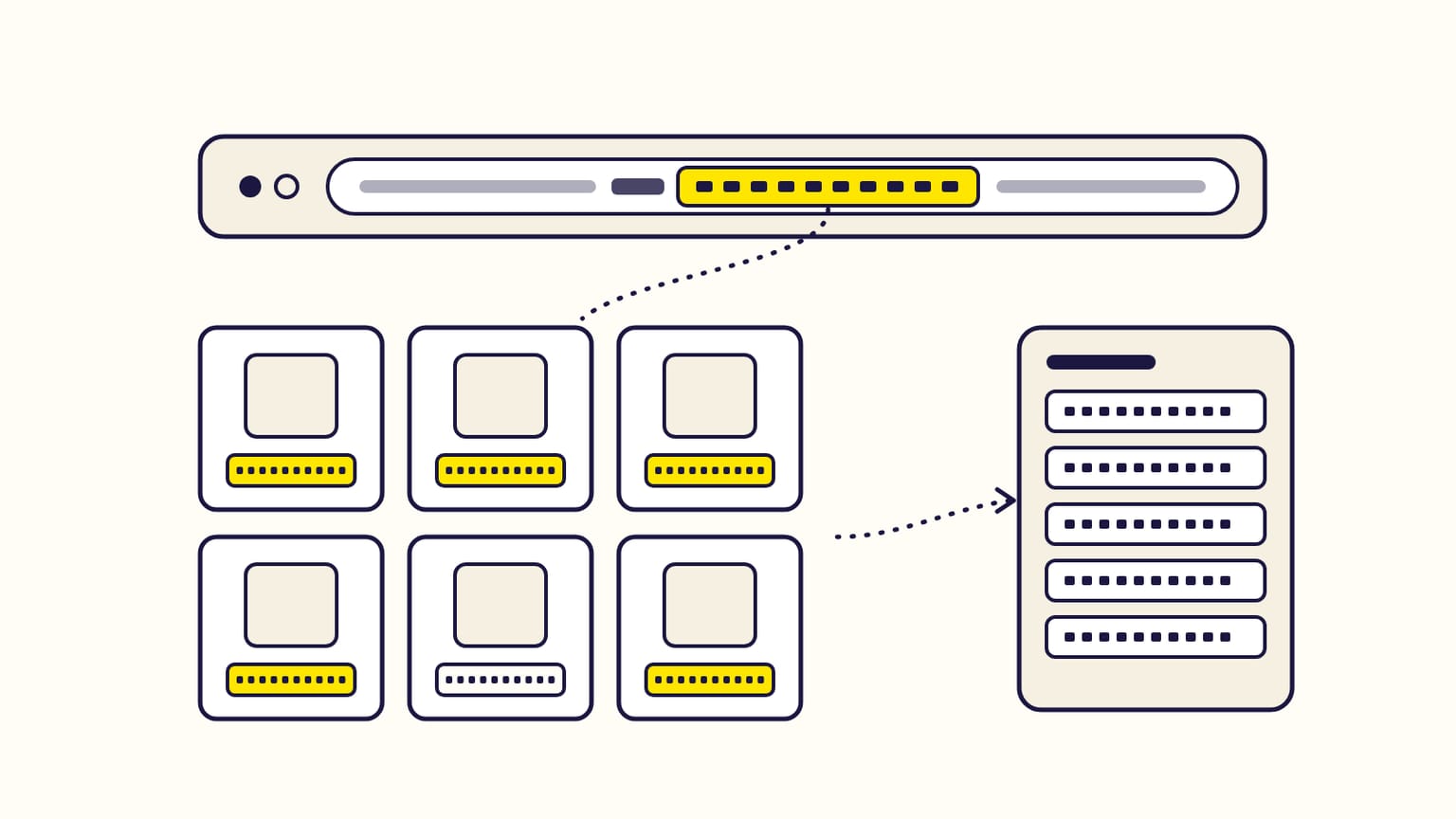
The fastest free way to grab ASINs from Amazon is the free
Amazon ASIN grabber, an ASIN scraper for
Chrome: it lists every product of
an Amazon search or best-seller list with its ASIN, organic or sponsored, and
copies them all in one click, one per line. By hand, you open each product and
copy the 10 characters after /dp/ in its address: one page per ASIN.
Then Gloriads puts them to work: its Keyword & ASIN Finder grabs the ASINs of up to 50 keywords at once and turns the ones you pick into product targets. See it in the live demo.
For sellers, vendors and KDP authors building product targeting campaigns. An ASIN (Amazon Standard Identification Number) is the 10-character code Amazon gives every product in its store, such as B07FZ8S74R.
Three ways to grab ASINs
| Method | ASINs per action | Cost |
|---|---|---|
| By hand, product by product | 1 | Free |
| ASIN grabber (extension) | A whole results page or list | Free |
| Keyword & ASIN Finder | Up to 50 keywords, 5 pages each | Gloriads app |
How to grab every ASIN of an Amazon search
- Install the free Gloriads extension from the Chrome Web Store. It works in Chrome, Edge, Brave, Opera and Arc.
- Search your keyword on Amazon as usual, on any of 23 marketplaces, signed in or not. A panel appears at the bottom right of the results page.
- Pick a filter: all products, organic only, or sponsored only.
- Take them all, or pick by hand: a box appears on each product; Shift + click picks a range. Picking never opens the product.
- Load more pages if you want more: 1 to 4 next result pages are added under the ones you see.
- Copy: the ASINs go to your clipboard, one per line.
The extension never clicks an ad, and the pages it loads carry no ad links or tracking, so no advertiser pays for a click because of it.
Organic or sponsored: which ASINs to keep?
| ASINs | What they tell you | Use them to |
|---|---|---|
| Organic | Products Amazon ranks for that search | Find who sells to your shoppers |
| Sponsored | Advertisers paying for that search now | Find who competes for your clicks |
The grabber tells them apart from Amazon's own markers on the page, not from the word "Sponsored", which a product title can contain. Organic products get their position in the search; products in sponsored carousels count as sponsored.
How to grab ASINs for many keywords at once
One search shows one angle. A product that comes up on several of your keywords is a direct competitor. In the Gloriads app, the Keyword & ASIN Finder:
- reads up to 50 keywords at once, 1 to 5 result pages each, on the marketplace you choose;
- lists every product with its best organic position, its sponsored placements and in how many of your searches it appears;
- reads at a shopper's pace, from your own browser: 10 keywords of 2 pages take about 11 minutes, while you keep working.
Can you grab ASINs from best-seller lists?
Yes. On Best Sellers, New Releases, Movers & Shakers, Most Wished For and Gift Ideas, the grabber takes the 50 ranks of the page at once, in rank order, and links the next page for ranks 51 to 100. A category's best sellers are the products your shoppers already buy.
What to do with the ASINs
| Use | Where |
|---|---|
| Show your ad on their product pages | Sponsored Products product targeting |
| Stop paying for clicks from a product | Negative product targets |
| Show a display ad on their pages | Sponsored Display product targeting |
Product targeting in the Amazon Ads console has an Enter list box that takes ASINs one per line: the grabber's format. How to choose and bid on them is in What is Amazon product targeting (ASIN targeting)?, and the searches behind those products in How to find keywords for Amazon ads, for free.
How to find one ASIN by hand
- In the address: in
amazon.com/Yoga-Mat-Non-Slip/dp/B07FZ8S74R/ref=sr_1_3, the ASIN is B07FZ8S74R, right after/dp/. - In the product details: a line named ASIN.
- For a printed book: the ASIN is a number, the 10-digit ISBN (Amazon's example: 0451524934). A Kindle edition has its own ASIN, starting with B0.
- For your own products: Seller Central, Manage All Inventory.
Each size or colour of a product has its own ASIN: the one in the address changes when you pick another variation.
Frequently asked questions
Is there a free Amazon ASIN grabber?
Yes. The Amazon ASIN grabber of the free Gloriads extension copies every ASIN of an Amazon search or best-seller list, on 23 marketplaces. Copying ASINs needs no account.
Is an ASIN scraper the same as an ASIN grabber?
Yes. ASIN scraper, ASIN grabber and ASIN extractor name the same tool: it collects the ASINs of the products Amazon shows on a page, so you can copy them in bulk. The free Amazon ASIN grabber does it from your own browser, organic and sponsored apart.
Does grabbing ASINs click on Amazon ads?
No. The Gloriads ASIN grabber never opens a product or clicks an ad, so no advertiser pays because of it. It reads only the results pages you look at.
Can I grab ASINs on Amazon marketplaces outside the US?
Yes. The grabber works on the 23 marketplaces where Amazon Ads runs, from amazon.de and amazon.co.uk to amazon.co.jp and amazon.com.br.
Is the ASIN the same as the ISBN?
For a printed book with a 10-digit ISBN, yes: Amazon uses that ISBN as the ASIN. A Kindle ebook has its own ASIN, starting with B0.
Is a product's ASIN the same on every Amazon marketplace?
Often, but not always. A product can be listed under the same ASIN on several marketplaces, or under another one, or not at all. Grab the ASINs on the marketplace you advertise on.
Sources
2
- Understanding ASIN numbers: your guide to Amazon's product identification system, Sell on Amazon (June 4, 2025)
- Set up product targeting, Amazon Ads (updated February 20, 2026)