

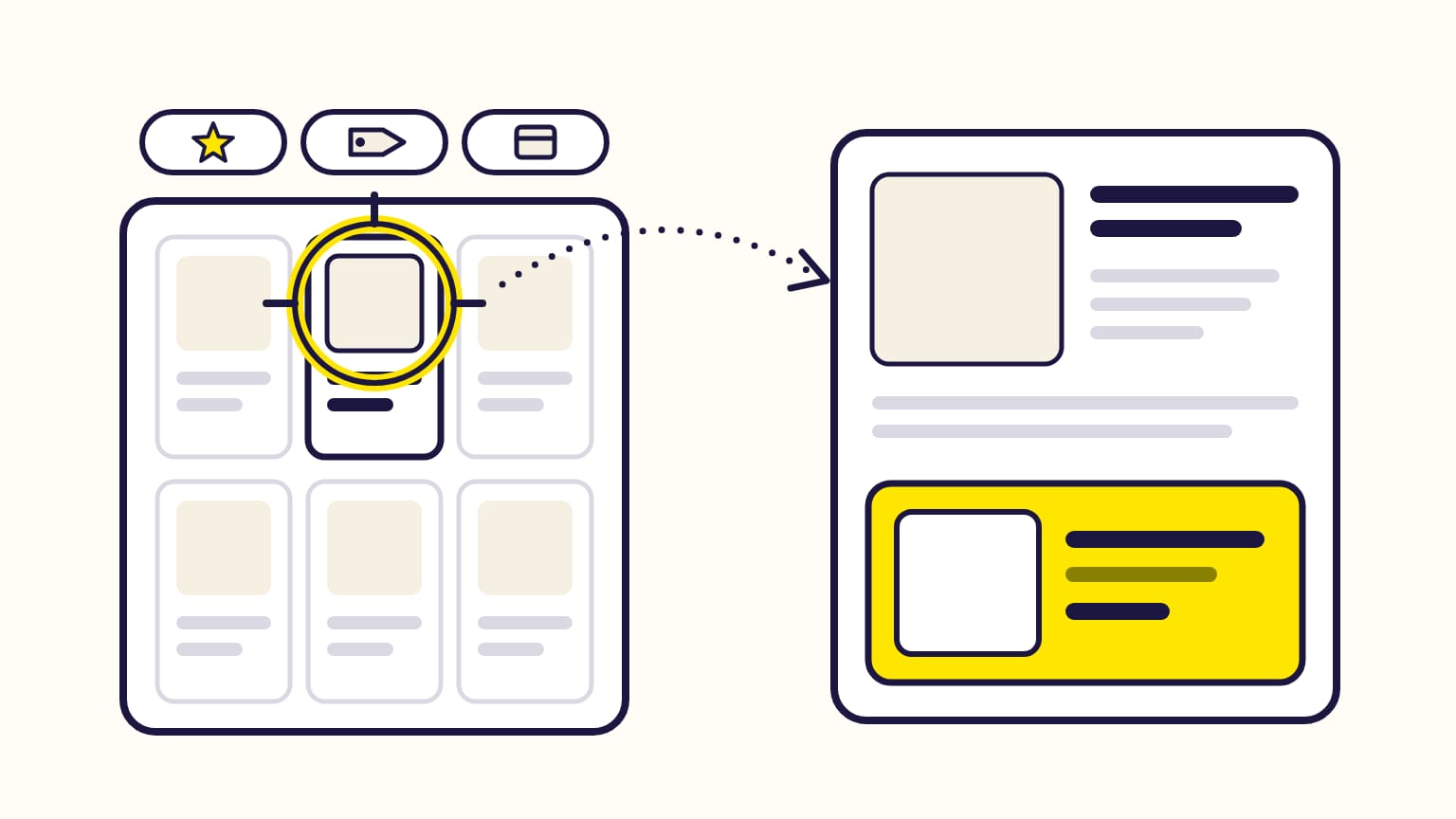
Amazon product targeting shows your ad to shoppers looking at products you choose, instead of searches you choose. You target single products by their ASIN (Amazon's product ID), or whole categories narrowed by brand, price, star rating and Prime delivery. Your ad then appears on those products' pages and in related search results. It exists in Sponsored Products (manual campaigns), Sponsored Brands and Display.
Gloriads collects the ASINs for you: its free Chrome extension grabs every ASIN of an Amazon results page, and « Add targets » puts them in your campaigns after a preview. Try it in the live demo.
For sellers, vendors and KDP authors. Checked against Amazon's help pages in October 2026.
Targeting the same ASINs in many campaigns? Gloriads adds one list of ASINs to every ad group you tick, after a preview. Open the live demo, no sign-up.
Product targeting by ad type
| Ad type | You can target | Where the ad shows |
|---|---|---|
| Sponsored Products | ASINs (exact or expanded), refined categories | Product pages and search results |
| Sponsored Brands | ASINs, refined categories | Search results and product pages |
| Display | ASINs, refined categories, similar products | Product pages, and off Amazon for broad targets |
| Streaming TV | No product targeting | — |
- Sponsored Products: in manual campaigns. An automatic campaign also shows on product pages, through its « substitutes » and « complements » groups, but Amazon picks the products. Automatic vs manual targeting.
- Sponsored Brands: you choose keyword or product targeting when you create the campaign. With the « Drive page visits » goal, paid per click, the ad can show on search pages, product pages and Amazon's home page.
- Display: Amazon calls it contextual targeting, and keeps it for advertisers who sell on Amazon. Single products and refined categories stay on Amazon; « similar to advertised products » and unrefined categories also reach sites and apps off Amazon. How Display targeting works.
An ad group targets keywords or products, never both. A copied campaign cannot switch from one to the other either: start a new campaign.
What can you target?
- Single products: any ASIN. Amazon suggests products similar to yours; you can also search for one or upload a list.
- Categories: Amazon suggests the ones relevant to your product. Refine them by brand, price range and star rating; in Sponsored Products and Display, by Prime delivery too. Books and eBooks refine by genre, Toys & Games by age range.
Amazon's example: for a women's shoe of « Brand A », target the « women's running shoes » category, or the similar « Brand B », or a price point or star rating.
Amazon recommends product targeting when you want broad reach rather than specific keywords, and when you launch in a new marketplace without relying on translated keywords.
Every target must be relevant to the product you advertise. Prescription drugs, offensive products and products Amazon does not accept in ads can be added as targets, but the ads never run on them.
Expanded vs exact ASIN targeting
In Sponsored Products, each ASIN target has an Expanded box, ticked by default.
- Ticked (expanded): Amazon adds a limited number of closely related products, picked from past shopper interactions and views, and updates them every day.
- Unticked: your ad targets that product only.
Expanded targets show in your reports with a « Product-expanded » prefix. Promote the ones that sell to their own target, and exclude the others with negative products.
Product targets have no broad, phrase or exact match type: those are for keywords. Keyword match types explained.
How to choose the ASINs
- Competitors' products like yours: a similar brand, price and rating. Amazon's automatic « substitutes » group does this for you: for 400-count cotton sheets, it shows the ad on pages of 300-count cotton sheets.
- Products that go with yours: for the same sheets, Amazon's « complements » group picks pages of feather pillows and quilts.
- Your own products: in Display, Amazon suggests your own pages, to show other products of your brand there.
- ASINs that already sell for you: your search term report lists the product pages where your automatic and product-targeted ads got clicks. Give the ones that sell their own target.
For Display, Amazon's tips are to add at least 10 products that already sell well, and to start with categories, then add the ASINs its matched target report shows working.
Negative product targeting
A negative product keeps your ad off a product's page. You can exclude single ASINs or a whole brand, your own or a competitor's.
- It blocks product targets and automatic targets only, in its ad group, or in the whole campaign when set on the campaign. It does nothing to keyword targets: use negative keywords for those.
- Amazon takes up to 96 hours to apply it.
- Up to 10,000 negative products per ad group.
- Sponsored Brands takes negative products too; Display, negative products and brands.
How to bid on product targets
- Each product or category target can have its own bid. Without one, it uses the ad group's default bid (Sponsored Products and Display).
- Amazon's suggested bid and range come from the winning bids of similar ads over the last 7 days, updated daily. Amazon advises starting at the suggested bid or higher in the range. Its example: suggested $0.70, range $0.40 to $1.40.
- You pay per click in Sponsored Products and Sponsored Brands. In Display, per click or per 1,000 viewable impressions, depending on the goal.
How to read the results
| Report | What it shows | Days back |
|---|---|---|
| Targeting | each target with 1+ impression | 90 |
| Search term | the ASINs where your ad got 1+ click | 65 |
| Matched target | the ASINs where your Display ad got 1+ click | 90 |
The targeting report covers Sponsored Products and Display; the search term
report, Sponsored Products and Sponsored Brands. In the search term report, an
ASIN shows up as a « search term » like b00ipgvvz4: the product page your ad
appeared on.
Amazon's tip: raise the bids of the targets that sell, and remove those that don't.
Product targeting at scale with Gloriads
- ASIN lists in the Library, added to many Sponsored Products, Sponsored Brands or Display ad groups at once, exact or expanded, with a bid, after a preview: Add targets.
- Your own ASINs are never negated: they go in a never-negate list when you connect Amazon Ads, and no rule or tool sends them as a negative: never-negate lists.
- An ASIN that sells in your search terms becomes an ASIN target from the Search terms page.
Frequently asked questions
Is product targeting the same as ASIN targeting?
Almost. ASIN targeting is product targeting aimed at single products, by their ASIN. Amazon product targeting also covers whole categories, refined by brand, price, rating or Prime delivery.
What is category targeting on Amazon?
Category targeting is product targeting aimed at a whole Amazon category, such as « women's running shoes », instead of single ASINs. Your ad can show on the pages and search results of products in that category, and you can narrow it by brand, price, star rating and, in Sponsored Products and Display, Prime delivery.
Can I use keywords and product targets in the same ad group?
No. In Sponsored Products and Sponsored Brands, an ad group targets keywords or products, never both. Run them in separate ad groups or campaigns.
Can KDP authors use product targeting?
Yes. KDP authors can target books by ASIN, and book categories refined by genre, in Sponsored Products. Sponsored Brands campaigns for authors offer product targeting too.
Does product targeting work in automatic campaigns?
Not as a choice of products. An automatic Sponsored Products campaign reaches product pages through its « substitutes » and « complements » groups, but Amazon picks the products. You can still exclude products and brands from it with negative products.
Sources
14
- Understand targeting, Amazon Ads
- Set up product targeting, Amazon Ads
- Add negative keywords or negative products targeting, Amazon Ads
- Understand contextual targeting in Display, Amazon Ads
- Understand keyword match types (automatic targeting groups), Amazon Ads
- Create a Sponsored Brands campaign, Amazon Ads
- Campaign goals for Sponsored Brands, Amazon Ads
- Understand ad groups, Amazon Ads
- Copy a campaign, Amazon Ads
- Understand bidding on Sponsored ads, Amazon Ads
- Sponsored ads campaign limits, Amazon Ads
- Targeting report for Sponsored Products, Amazon Ads
- Search term report for Sponsored Products, Amazon Ads
- Matched target report for Display, Amazon Ads