
Products
Your ad results product by product, the campaigns of each product with their role, and the searches several of them compete for, fixed in one click.
Products shows your ad results product by product (ASIN or SKU), on every marketplace, instead of campaign by campaign. Open it from the sidebar.
The list
One line per product: spend, sales, ACOS, purchases and clicks over the period you pick, each with its change against the period you compare to (the same Compare to as the dashboard). Filter by marketplace or ad type, search an ASIN, sort by any figure.
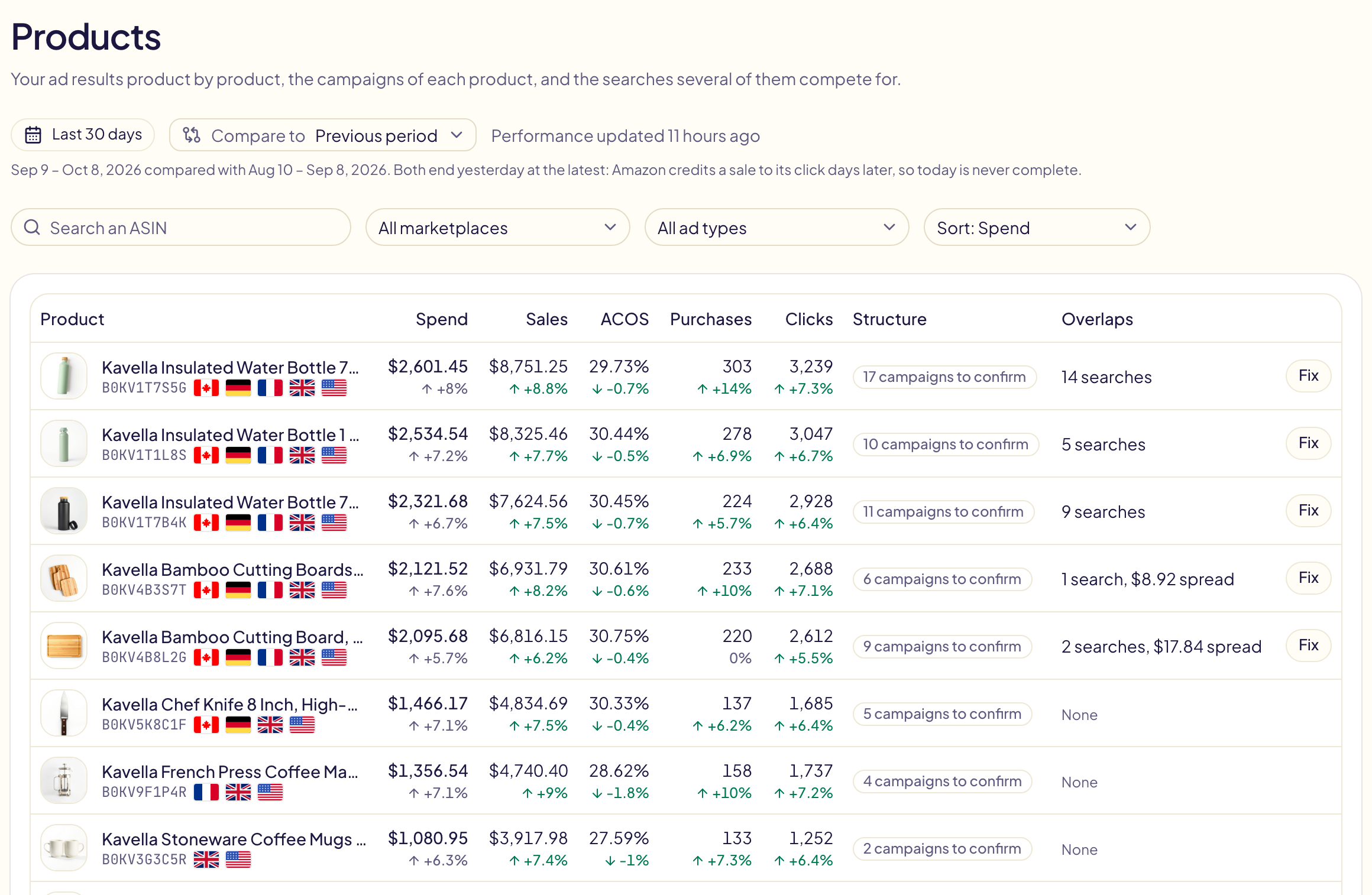
Two more columns:
| Column | Meaning |
|---|---|
| Structure | « 17 campaigns to confirm » until you confirm the role of the product's campaigns, then « Roles confirmed », or « Kept clean » when the switch below is on. |
| Overlaps | How many searches several campaigns of this product compete for, and the money spread across them. Fix opens the product on them. |
Some Sponsored Brands ads show several products at once: Amazon does not tie their spend to one product, so the page counts it apart, in a line under the list.
How fresh the figures are
The first time you open the page, Gloriads reads your results per product from Amazon: the last 30 days arrive within minutes, then the older history. After that, the figures are updated once a day. Refresh asks Amazon again, at most once an hour. If nobody opens the page for 14 days, Gloriads stops reading these figures until it is opened again.
A product's page
Click a product to see its figures, with their change, and the switch « Keep the structure clean ».
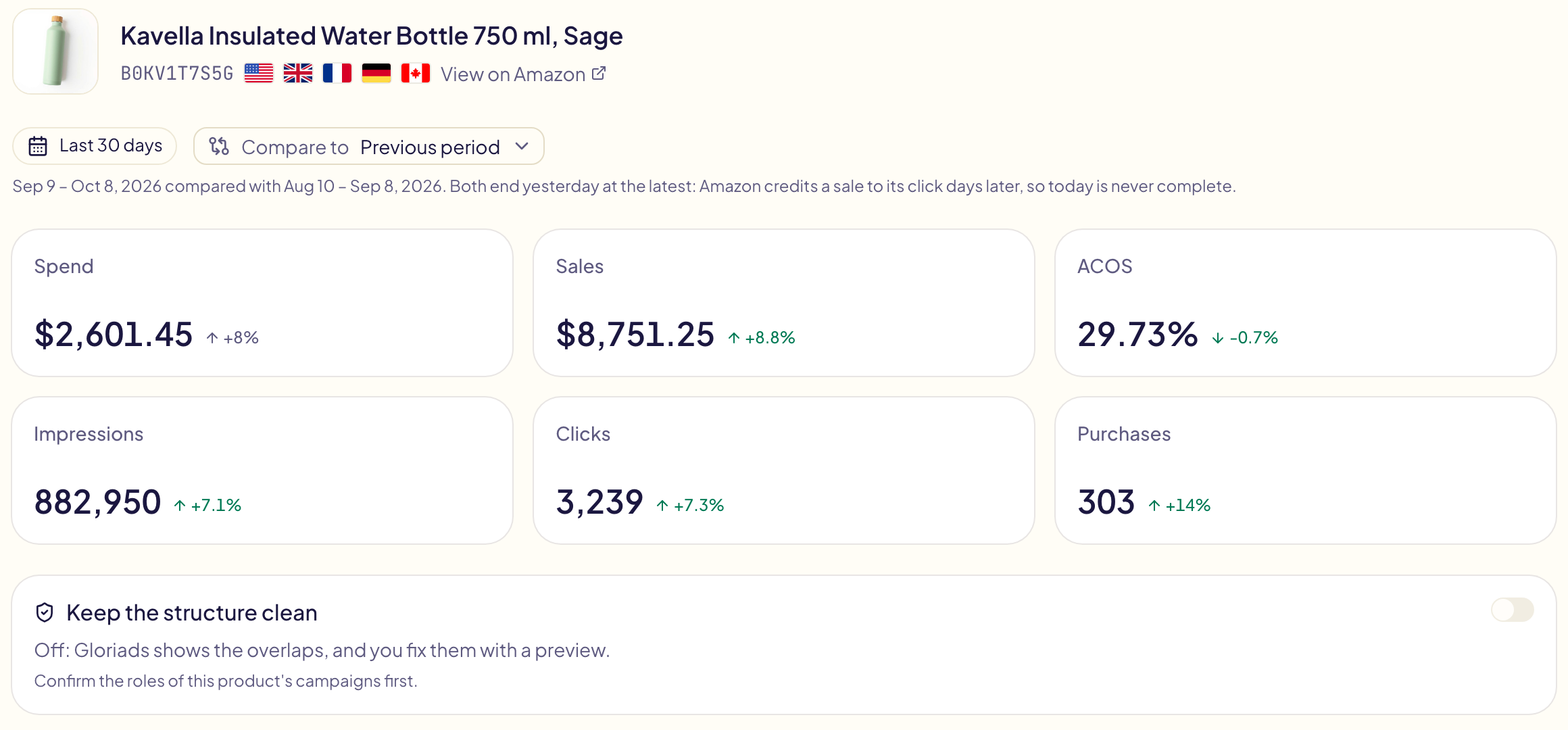
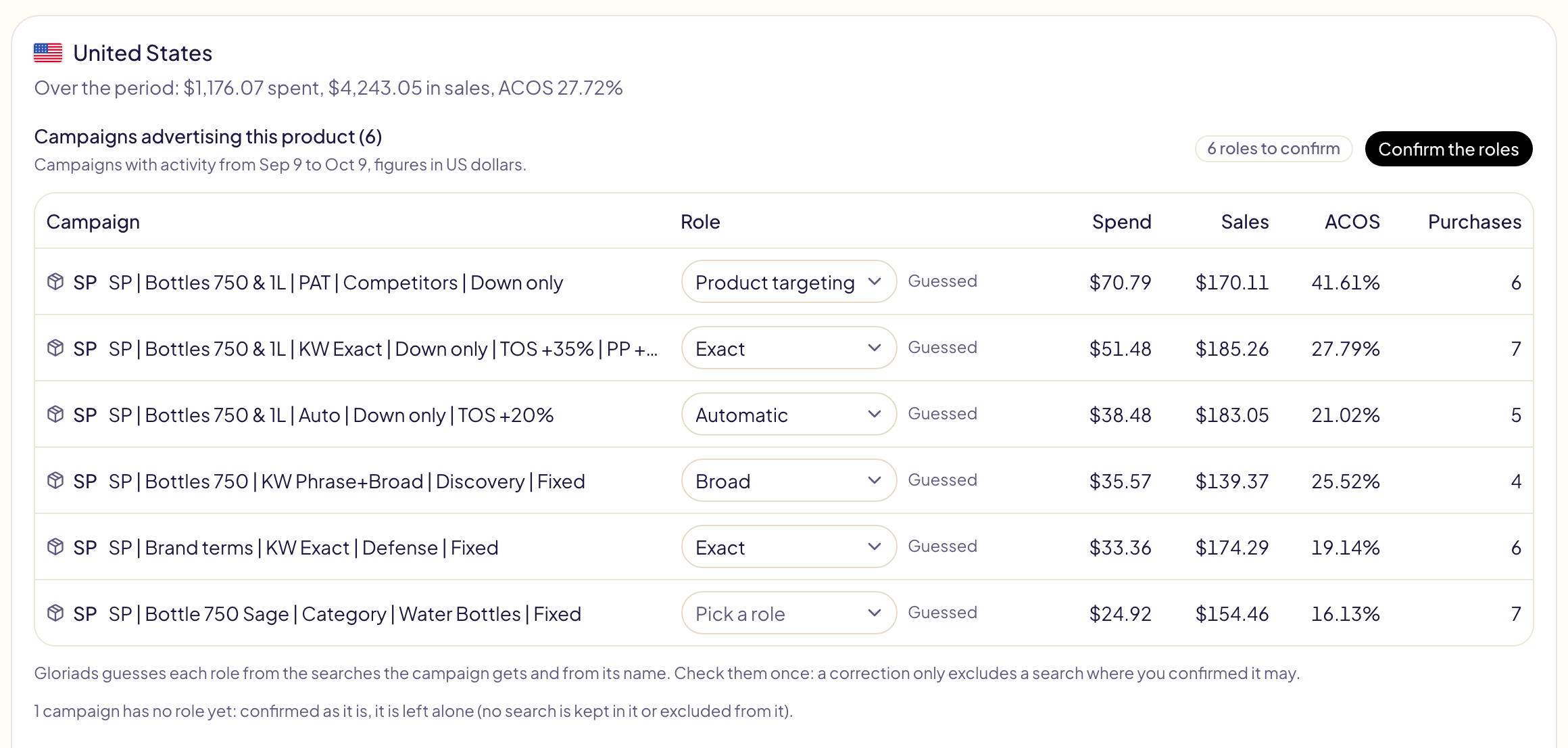
Then, one card per marketplace, with the campaigns that advertised the product over the last 30 days.
Campaign roles
Each campaign has a role in the product's structure:
| Role | The campaign |
|---|---|
| Automatic | lets Amazon pick the searches (automatic targeting) |
| Broad | targets keywords in broad match |
| Phrase | targets keywords in phrase match |
| Exact | targets keywords in exact match |
| Product targeting | targets products (ASINs) |
| Other (left alone) | anything else, such as a category or Display campaign: Gloriads never keeps a search in it nor excludes one from it |
Gloriads guesses each role from the searches the campaign gets and from its name. Check them once, change any that is wrong, then click Confirm the roles. Nothing is ever done automatically on a guessed role. A campaign created from a template gets its role from the template.
Overlaps: searches several campaigns compete for
When two campaigns of the same product serve the same search, they bid against each other: Amazon picks which one shows, not always the one with the bid you chose, and the search's results are split, so each campaign is judged on half the story.
Under the roles, each such search is listed with the campaigns that served it (spend and orders in each), the campaign that should keep it, and the money spread across the others.
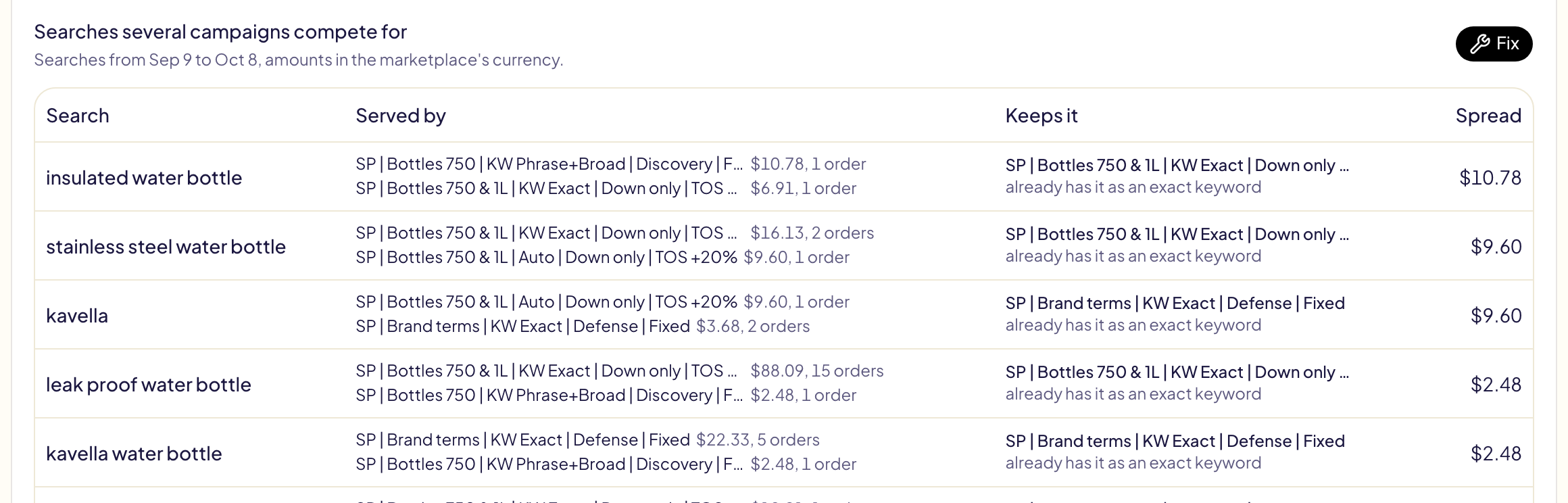
The campaign that keeps a search is, in this order:
- a campaign that already has it as an exact keyword;
- else the product's exact campaign, where it is added as an exact keyword;
- else the campaign that sold it best.
Fix the overlaps
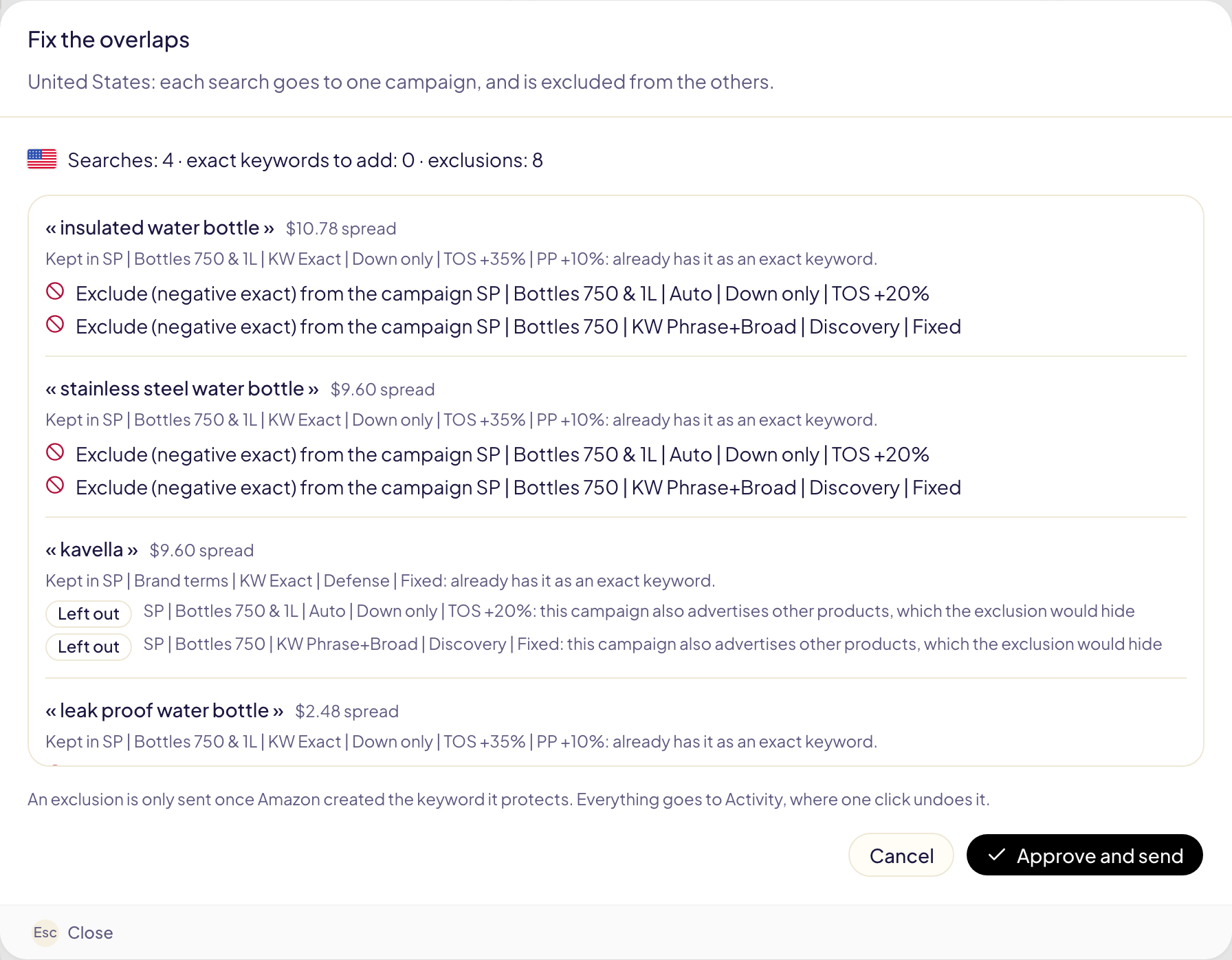
Fix shows every change before anything is sent:
- the search is added as an exact keyword in the campaign that keeps it, if it is not there yet;
- it is excluded, as a negative exact keyword, from the product's other campaigns that served it or can catch it (automatic, broad, phrase): from the campaign in Sponsored Products, from its ad groups in Sponsored Brands.
Gloriads never:
- sends an exclusion before Amazon created the keyword it protects (if the keyword fails, the exclusion is not sent);
- excludes a search from a campaign that also advertises other products: it would hide them too (the line says Left out);
- excludes what your never-negate lists protect;
- adds an exclusion that is already there.
A fix handles 200 searches at most, the most spread first; the rest goes to the next one. Approve and send sends it. It appears in Activity as « Structure correction », where Undo removes every keyword and exclusion it created.
Keep the structure clean
The switch on a product's page, off by default:
- Off: Gloriads shows the overlaps, and you fix them with the preview.
- On: Gloriads fixes this product's overlaps by itself, once a day, with the same rules as Fix. Every change is in Activity and undone in one click.
It can be turned on only once the roles of the product's campaigns are confirmed, and it only acts on campaigns whose role is confirmed: a campaign that appears later waits for you.
In rules and templates
- Rules: « Add as keyword » can send a search to the product's exact campaign, read from the confirmed roles. If the product is kept clean, the search is also excluded from its other campaigns that can catch it. See Rules.
- Templates: when you apply a template with an exact campaign and an automatic, broad or phrase one, Keep the new campaigns clean excludes each exact keyword from the new automatic, broad and phrase campaigns of the same products, once it exists.
Limits
- Overlaps are read on the last 30 complete days, ending yesterday.
- Sponsored Display campaigns count in a product's figures, but their role is always « Other »: no keyword search reaches them. Streaming TV is not on this page, as on the dashboard.
- In the demo, every screen works, but nothing is sent to Amazon.