

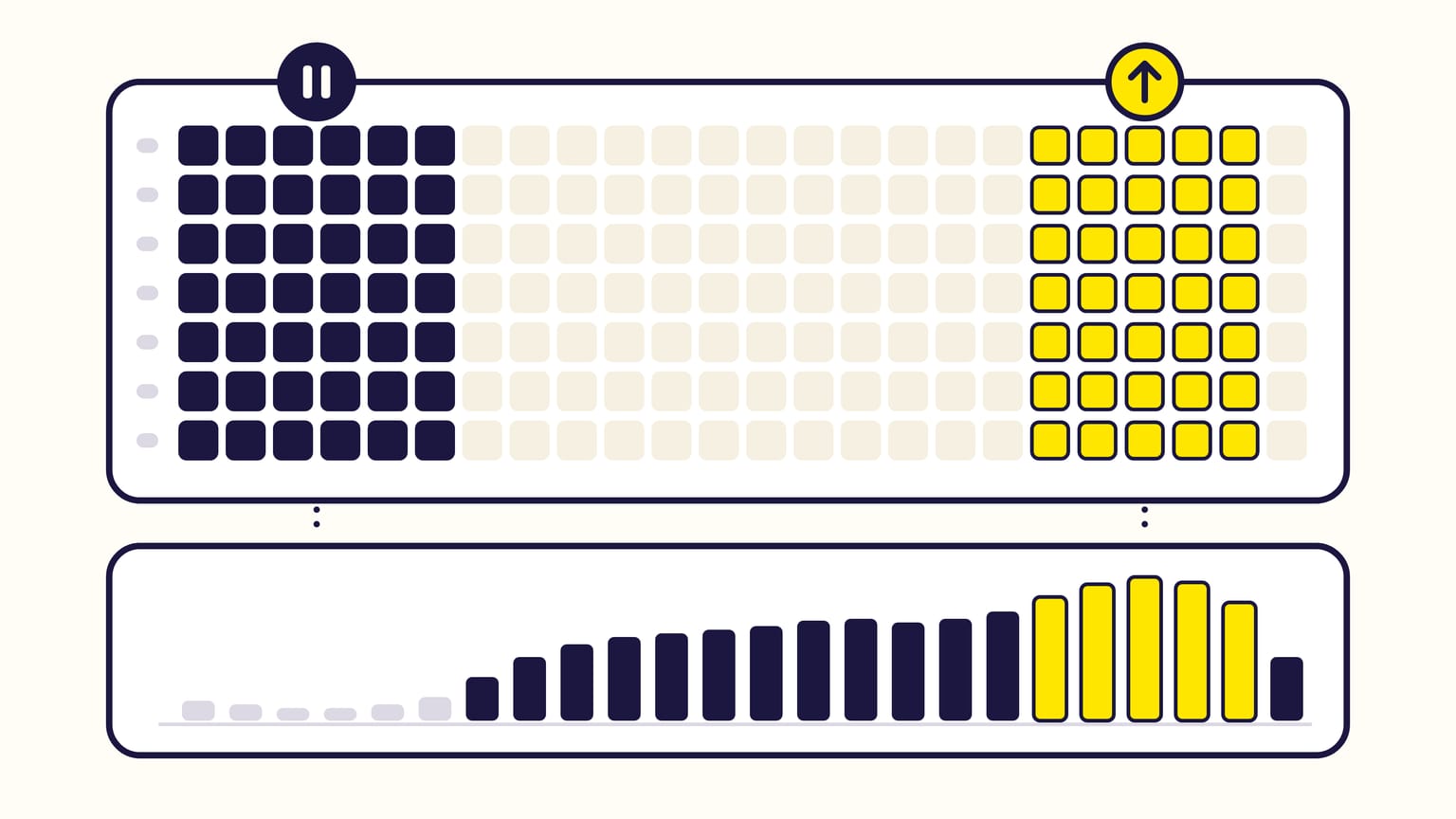
Amazon Ads dayparting means pausing campaigns, or raising and lowering their bids, at set hours of the week. It works when your own figures show hours that convert far worse than the rest: cutting them saves money that never turned into sales. Amazon's own tools only schedule increases, of Sponsored Products bids and of budgets; none pauses a campaign or lowers its bids at a set hour.
Gloriads has dayparting built in: a 7 × 24 schedule at each marketplace's own time that pauses campaigns or sets bids from 10% to 900%, then puts everything back when the slot ends. Open it in the live demo.
For sellers, vendors, KDP authors and agencies. Checked against Amazon's help pages in November 2026.
Want to see which of your hours sell? Open the live Gloriads demo: a week of 7 days × 24 hours, each hour coloured by its ACOS, no sign-up.
What does Amazon offer natively?
| Amazon tool | What it does | Limit |
|---|---|---|
| Schedule bid rules | Raise bids at set hours, days or dates | Sponsored Products only |
| Budget rules | Raise the daily budget on dates or hours | Hours in 5 countries |
| Hourly reports | Figures for each hour | 14 days back |
| Marketing Stream | Hourly figures, pushed | For developers |
- Schedule bid rules raise a Sponsored Products campaign's bids by a percentage at the hours you pick (Amazon's example: Mondays between 11 a.m. and 12 p.m.), on days, on date ranges or on events like Black Friday. Raises only, from 1% to 100% in Amazon's API, up to 20 rules per campaign, in effect within 24 hours. They add up, and apply on top of the placement adjustment: a $1.00 bid with +10% for top of search and a +20% Monday rule bids $1.30 at the top of search on Mondays. They do not run with rule-based bidding. How they fit with the bidding strategies.
- Schedule-based budget rules raise the daily budget by a percentage for an event or a date range, all day or between two hours. Hours of the day work in the US, Canada, the UK, India and Japan only.
- Hourly figures: the campaign report has an hourly time unit. Unified reporting and Amazon's reporting API keep hours for 14 days. Amazon Marketing Stream pushes hourly figures into the developer's own AWS account.
- No scheduled pause, no scheduled decrease for Sponsored Products, Sponsored Brands, Display or Streaming TV. The "Daypart" targeting in Amazon's help belongs to Display, Video, and Audio campaigns, the former Amazon DSP, not to these self-service ads (Amazon's ad types).
When does dayparting help?
- When some hours convert far worse than others. If 4% of night clicks buy, against 13% in the afternoon, each night sale costs about three times more for the same CPC.
- When your budget runs out before the evening. Amazon spends a budget "as quickly as possible", not spread over the day, and a campaign out of budget shows no ads until midnight. Pausing hours that do not sell keeps money for those that do. What a budget buys.
When does it hurt?
- Too few clicks. Two orders more or less change an hour's ACOS a lot. Group the hours into blocks (6 hours, or night and day) until each has enough clicks.
- The wrong clock. Amazon counts a campaign's hours in its marketplace's time zone: Los Angeles time for the US, Canada and Mexico, London for the UK, Paris for Germany, France, Italy and Spain, Tokyo for Japan, Sydney for Australia. 9 p.m. in New York is 6 p.m. in a US report.
- The last days. A sale counts up to 7 days after the click for sellers, 14 days for vendors and KDP authors: the most recent week, or two, is not complete yet.
- ACOS alone. A paused hour also loses its sales. Compare the profit: sales × your margin, minus the ad spend.
Amazon credits a sale to the moment of the click, not of the purchase: to the date in its reports, to the hour in its hourly Sponsored Products data. A click at 11 p.m. that buys the next morning counts for 11 p.m. The night's figures already hold those late buyers, and pausing the night loses them too.
How to decide from your hourly figures: an example
A $25 product, a 30% target ACOS, four weeks of figures (two 14-day hourly reports added up), grouped in blocks of 6 hours:
| Hours | CPC, conversion | ACOS |
|---|---|---|
| 00:00–06:00 | $0.80, 4% | 80% |
| 06:00–12:00 | $0.90, 10% | 36% |
| 12:00–18:00 | $1.00, 13% | 31% |
| 18:00–24:00 | $1.10, 16% | 28% |
The conversion rate is orders ÷ clicks: 6 orders for 150 clicks at night. ACOS is CPC ÷ (conversion rate × price): $0.80 ÷ (4% × $25) = 80%.
The most each block can pay for a click is price × conversion rate × target ACOS. Divide it by the CPC you paid to get the bid each block can afford:
| Hours | Max CPC | Bid × |
|---|---|---|
| 00:00–06:00 | $0.30 | Pause |
| 06:00–12:00 | $0.75 | 83% |
| 12:00–18:00 | $0.98 | Normal |
| 18:00–24:00 | $1.20 | 109% |
- Night: 150 clicks cost $120 for $150 of sales. With a 40% margin before ads, those hours lost $60 in four weeks ($150 × 40% − $120). Pause them, or bid 38% ($0.30 ÷ $0.80).
- Morning: lower the bids to 83% ($0.75 ÷ $0.90).
- Afternoon: within 3% of its maximum, leave it alone.
- Evening: raise the bids to 109%, if the budget lasts until midnight.
Read the figures again two weeks later. The CPC you paid is not your bid: a bid lowered by 17% does not lower the CPC by exactly 17%, and it also brings fewer clicks. The bid calculator works out the maximum CPC for you.
What does Gloriads' dayparting do?
Dayparting in Gloriads pauses and lowers, as well as raises:
- A week of 7 days × 24 hours, painted with three brushes: Normal, Pause, or Bid × from 10% to 900% (150% raises every bid by half, 80% lowers it by a fifth).
- At each marketplace's own time: "01:00" is 1 a.m. in Los Angeles for the United States, in London for the United Kingdom.
- The campaigns you choose: picked by hand, every Sponsored Products, Brands and Display campaign of a marketplace (new ones join by themselves), or those whose name contains a word. Streaming TV campaigns are picked by hand.
- The figures hour by hour under the grid: spend, sales, ACOS, CPC, orders or clicks over 14, 30, 90 or 365 days, from Amazon's hourly report read every night. Amazon keeps 14 days; Gloriads keeps them for a year from the day you first open the page.
- Suggest from my figures paints Pause on the hours whose ACOS over 30 days is above twice your target, with at least 20 clicks. You check, then save.
- Everything goes back when a slot ends, when you turn the schedule off or take a campaign out of it. Gloriads only turns back on what it paused, a bid you change during a slot becomes the new base, and every change is in Activity, where it can be undone.
To act on figures rather than on a fixed week, rules can also read the hour of day and the day of the week.
Frequently asked questions
Do Amazon ads run at night?
Yes. An Amazon Ads campaign can show ads at every hour until you pause it or its daily budget runs out. Amazon spends a budget as fast as the clicks come, and a campaign out of budget stops until midnight, when its daily budget resets.
Can you pause Amazon ads on weekends?
Not automatically with Amazon's own tools: Amazon's schedule rules only raise bids and budgets. You can pause the campaigns by hand on Friday night and turn them back on on Monday, or let a tool do it on a schedule.
How long does Amazon keep hourly data?
Amazon keeps hour-by-hour figures for 14 days in unified reporting and in its reporting API. To compare more weeks, download them every two weeks and add them up, or use a tool that keeps them.
Sources
14
- Bidding rules for Sponsored Products, Amazon Ads
- Apply Schedule bid rules for Sponsored Products, Amazon Ads
- Scheduled bid rules, Amazon Ads API
- Understand budget rules in Sponsored ads, Amazon Ads
- Create budget rules for sponsored ads campaigns, Amazon Ads
- Understand budgets in Sponsored ads, Amazon Ads
- Troubleshoot your campaign status, Amazon Ads
- Data availability in unified reporting, Amazon Ads
- Dates and historical data retention, Amazon Ads API
- Profiles (time zone of each marketplace), Amazon Ads API
- Ad campaign attribution, Amazon Ads
- Sponsored Products performance datasets (conversions by hour of the click), Amazon Marketing Stream
- Amazon Marketing Stream overview, Amazon Ads API
- Create a Display, Video, and Audio campaign ad group (daypart targeting), Amazon Ads