
Team and several Amazon accounts
Invite the people you work with, choose what each one can do, and run several Amazon Ads accounts from one Gloriads account.
One Gloriads account can have as many members as you like, at no extra cost: the price only follows your ad spend.
Invite someone
- Open Settings → Team and click Invite.
- Type their email and pick a role.
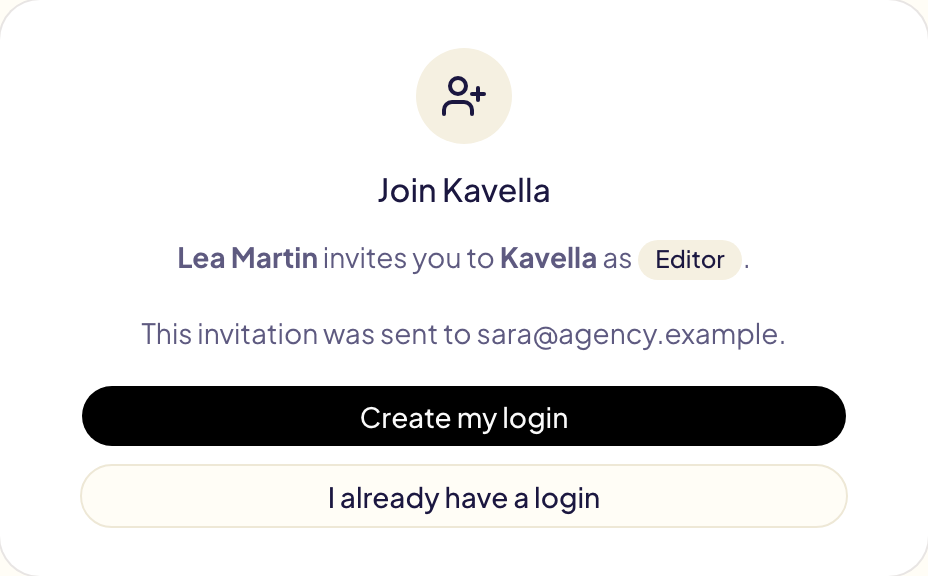
- They get an email with a link. They sign in, or create a free login with that address, then click Accept the invitation.
An invitation stays open for 7 days; you can send it again or cancel it from the same page. Someone who joins through an invitation does not get an account or a trial of their own: they work in yours.
Roles
| Role | What they can do |
|---|---|
| Owner | Everything, including billing, the Amazon connection and deleting the account. There is one owner: the person who created the account. |
| Admin | Everything except billing, the Amazon connection and deleting the account. Manages the team, API keys and settings. |
| Editor | Creates and changes campaigns, rules, lists and templates. Cannot manage the team or billing. |
| Viewer | Sees everything, changes nothing. Good for a partner, an accountant or a client. |
Every change in Activity shows who approved it.
Limit someone to some advertisers
When your Amazon login reaches several advertisers, you can limit an editor or a viewer to some of them: an agency employee to their clients, a client to their own brand. In Settings → Team, open the member's menu, choose Edit role and advertisers, then Only these advertisers.
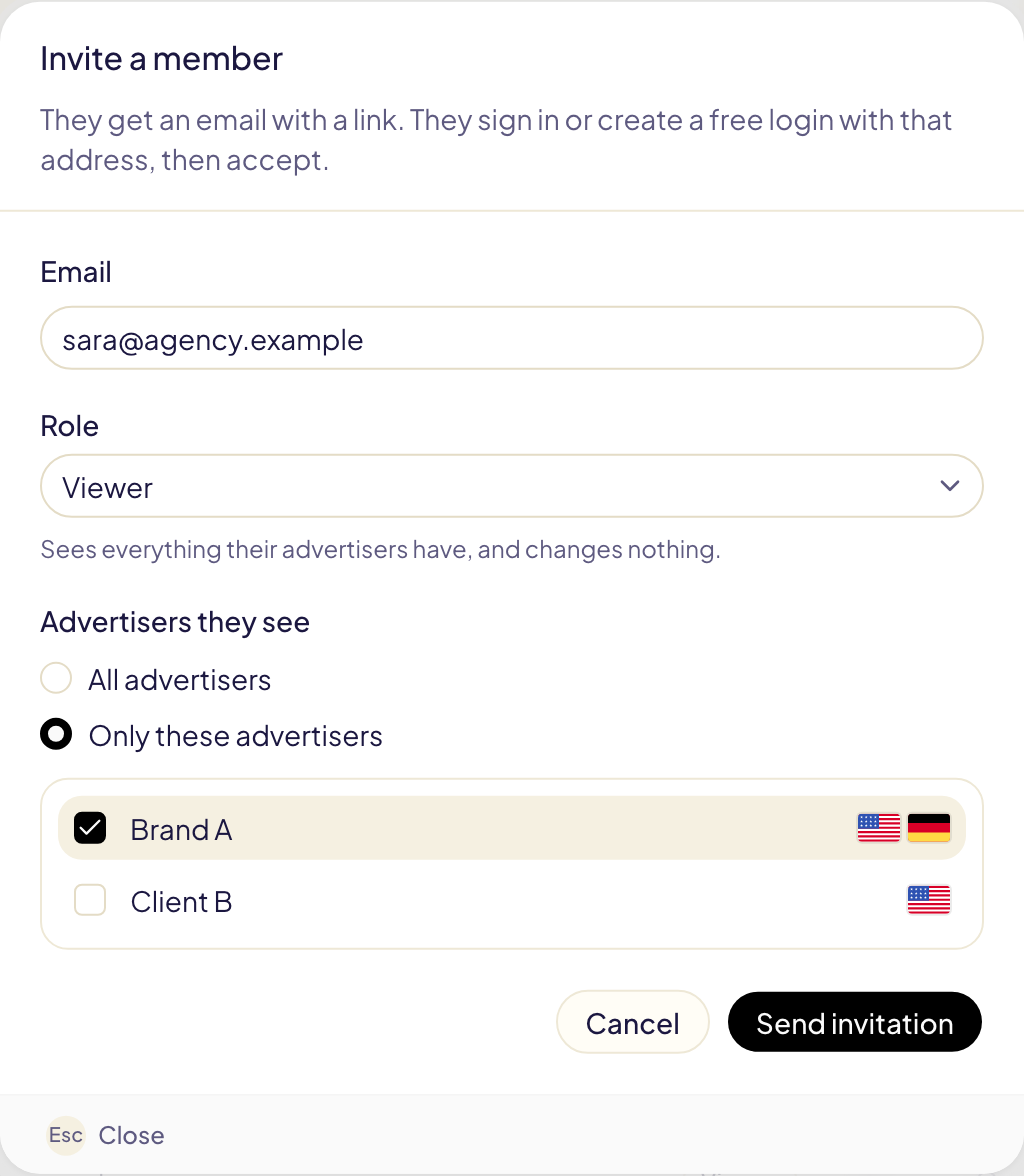
They then see only those advertisers' marketplaces, campaigns, rules, lists, templates, Activity and figures.
Several Amazon Ads accounts
A Gloriads account connects one Amazon login. To run several Amazon Ads accounts, put them behind one login first, in Amazon:
- In the Amazon Ads console, create a manager account (Administration → Account access and settings → Accounts → Add account).
- Link each advertising account to it with Editor access. Only an admin of an account can link it.
- In Gloriads, connect with a login that belongs to that manager account, or click Refresh marketplaces if you are already connected.
Gloriads then lists every advertiser, and the marketplace picker groups their marketplaces under each name. The price follows your total ad spend across all of them.
An account linked with Viewer access does not show up, and Gloriads cannot change anything in it. Link it with Editor.
Amazon's own rules still apply to your accounts: KDP and Merch on Demand, for instance, allow one account per person.
Show one advertiser at a time
When your login reaches two advertisers or more, an Advertiser picker appears at the top of the sidebar. Gloriads works on one advertiser at a time, as if each had its own account: the dashboard, campaigns, Products, rules, budgets, Activity, notifications and every marketplace picker show the advertiser you pick, and nothing of the others. A rule works on the marketplaces of one advertiser.
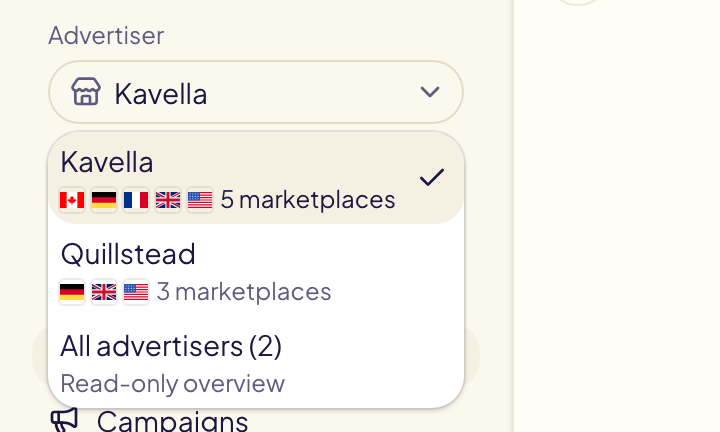
All advertisers is a read-only overview for the owner and admins: the agency dashboard below, and the settings. To change anything, pick an advertiser.
Gloriads remembers your choice for each account, in this browser.
The agency dashboard
With All advertisers picked, the dashboard shows what an agency acts on, client by client, from figures Gloriads already holds:
| Block | What it shows |
|---|---|
| Needs attention | Over the last 7 days: operations to check or that failed, rule runs that failed, ads Amazon refused, marketplaces that could not be read, and an Amazon access about to end. Open goes straight to the right page of that client. |
| Your clients | Each client's spend, share of spend, sales, ACOS against its target ACOS, purchases, campaigns on and paused, and campaigns Gloriads created or changed. Click a column to sort, the arrow to see its marketplaces, a client to open its dashboard. Export CSV downloads the table for the period. |
| Each client over time | One line per client, spend or sales. |
| Monthly budgets | Each budget of the month: spent so far, the month's end at this pace. Shown when a client has one. |
| Rules | Each client's rules on, the changes they made over the last 7 days, and failed runs. |
The totals at the top add up every client.
Each advertiser has its own lists
What you build by hand belongs to the advertiser picked when you build it, as if each had its own account:
- the Library: its lists, its folders and the two never-negate lists;
- campaign templates and their groups;
- product groups, the words never translated, rule templates and saved filters.
Pick another advertiser and you see its own. A rule, a template or a copy reads the lists of the advertiser whose marketplace it works on: Brand A's never-negate lists protect Brand A's searches, never Brand B's.
To reuse a list for another advertiser, Export it from the Library, pick the other advertiser, then Import the file. What you had built before advertisers had their own lists belongs to the first one in the picker.
Belonging to several Gloriads accounts
An agency can be invited into each client's own Gloriads account, and a client can invite their agency. When you belong to more than one, an Account picker appears at the top of the sidebar.
To leave an account you were invited to, open Settings → Team and click Leave. The owner cannot leave: they delete the account instead.