
Rename campaigns
Give many campaigns names that follow one naming convention, built from their product, ad type and targeting, with a preview before anything changes.
Names that follow one convention, like « B0X123 - SP - Exact », make the console, the reports and your rules easier to read. Open Toolkit → Rename campaigns, then pick the marketplace at the top.
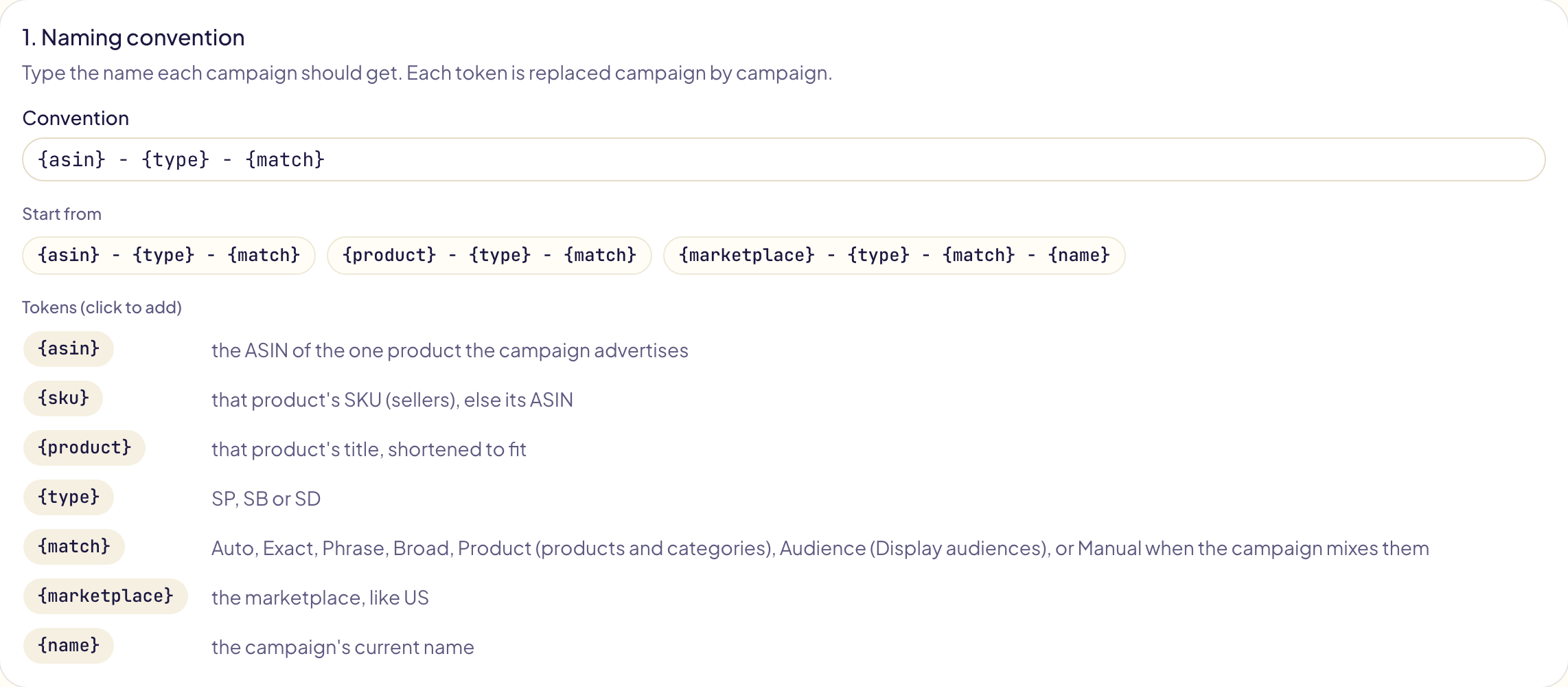
1. Naming convention
Type the name each campaign should get, or start from an example. Each token is replaced campaign by campaign; anything else is written as it is.
| Token | Becomes |
|---|---|
{asin} | the ASIN of the one product the campaign advertises |
{sku} | that product's SKU for a seller, else its ASIN |
{product} | that product's title, shortened to fit |
{type} | SP, SB or SD |
{match} | Auto, Exact, Phrase, Broad, Product (products and categories), Audience (Display audiences), or Manual when the campaign mixes them |
{marketplace} | the marketplace, like US |
{name} | the campaign's current name |
The values are the same in every language: they are written into the names on Amazon.
2. Campaigns
Tick the campaigns to rename, 1,000 at most at once: the Sponsored Products, Sponsored Brands and Display campaigns of the marketplace. Search by name, filter by type. Global campaigns and Streaming TV campaigns are renamed in the Amazon Ads console.
3. Preview and approve
Click Preview. When your convention uses {asin}, {sku}, {product} or
{match}, Gloriads first reads the campaigns' ads or targets from Amazon (a few
seconds to a few minutes). Each campaign then shows its name now and the one it
gets, and the list follows your convention as you edit it.
- A name another campaign already has gets a number at its end: « … 2 », « … 3 ». Names are unique across Sponsored Products, Brands and Display.
- A campaign keeps its name when the convention names a product and the campaign advertises more than one (or none), and when it is global.
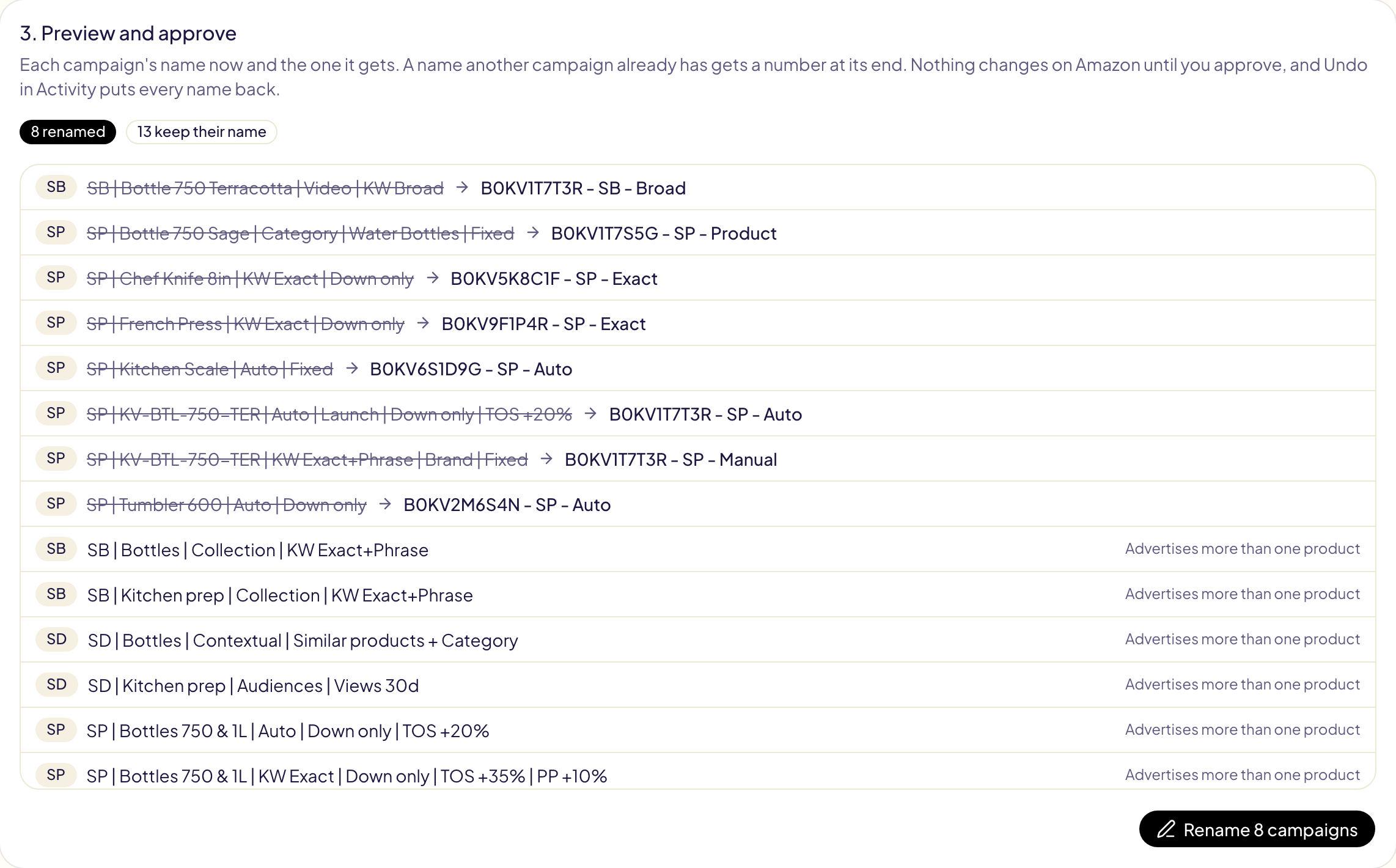
Click Rename. The names change on Amazon in one operation, which opens in Activity: Undo there puts every name back.