
Bulk edit
Turn on, pause, or change the budget or bid of many campaigns, ad groups or targets at once, after a line-by-line preview.
Bulk edit changes many rows in one go: turn them on, pause them, or change a daily budget, a default bid or a bid. Gloriads always shows every line before and after, and sends nothing until you approve.
Select campaigns and ad groups
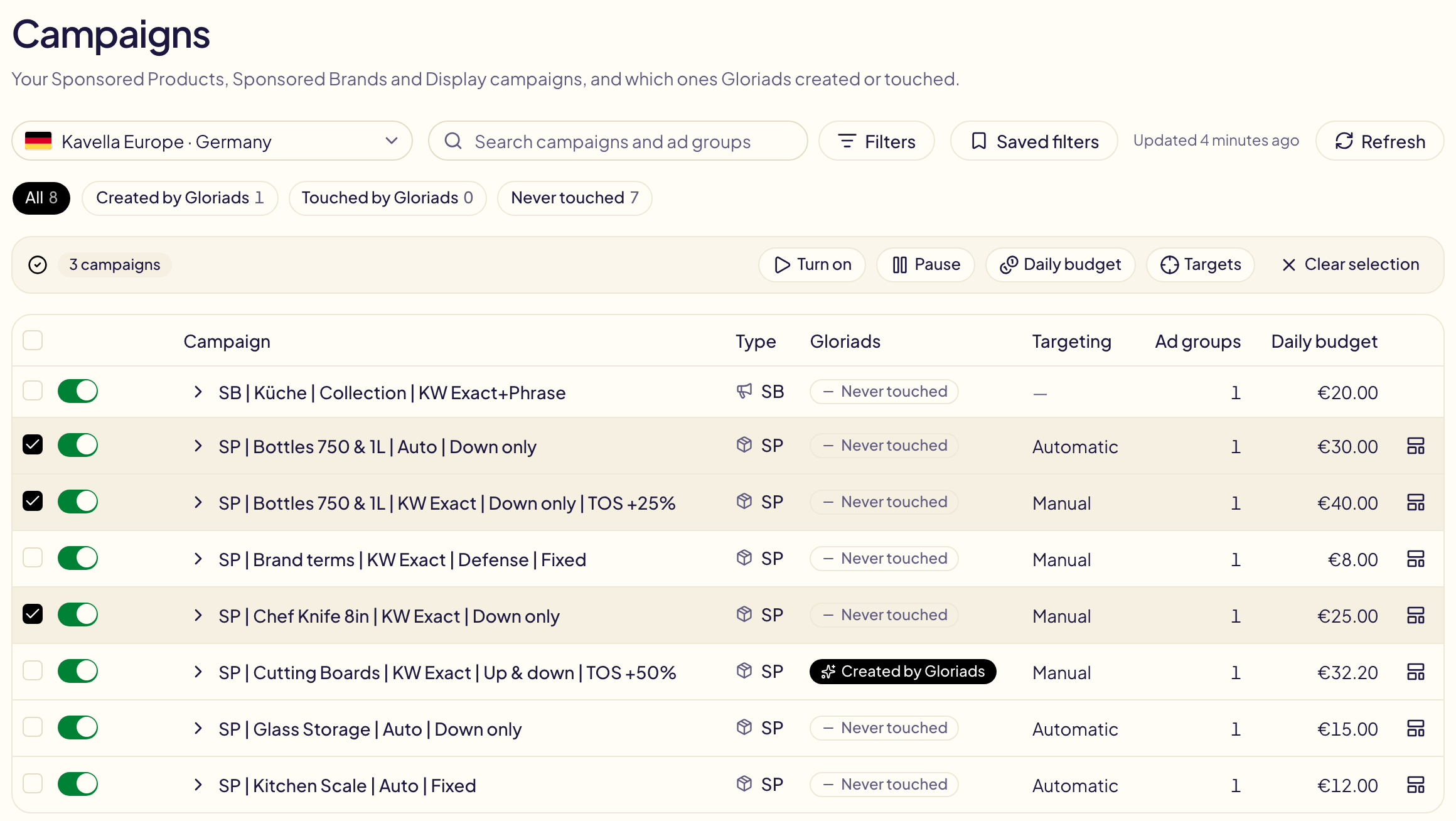
On Campaigns, tick the box at the start of a row. Open a campaign with its arrow to tick its ad groups too. A bar appears above the table, with what you can do:
| Button | What it does |
|---|---|
| Turn on / Pause | Turns the ticked rows on or pauses them. |
| Daily budget | Changes the daily budget of the ticked campaigns. |
| Default bid | Changes the default bid of the ticked ad groups. |
| Targets | Opens the targets of the ticked campaigns (100 campaigns at most). |
| Search terms | Opens what shoppers typed before seeing the ticked campaigns' ads (Search terms). |
| Clear selection | Unticks everything. |
With campaigns and ad groups ticked together, the bar shows one menu for each.
The box in the table's header ticks the whole page. When the list has more than one page, Select all ticks every campaign that matches your filters and search, on every page. A new filter or search starts with nothing ticked.
To tick many rows in one go, press on a box and move the mouse up or down, or scroll while you hold the button: every row you pass over takes the same state. Shift + click ticks every row from the last one you clicked.
All | Selected, next to the filters, shows only what you ticked, across every page, so you can check your choice before changing it. A row you untick there stays on screen until you click All. Every list you tick in Gloriads has it: the Campaigns, Targets and Search terms tables, and the campaign and ad group lists of the Toolkit, Dayparting and rules.
Change a budget or a bid
Choose how the amount moves:
| Choice | Example |
|---|---|
| Set to | every budget becomes $20 |
| Increase by % / Decrease by % | +10 %: $30 becomes $33 |
| Increase by an amount / Decrease by an amount | +$0.05: a $0.40 bid becomes $0.45 |
For an increase, Never above is an optional ceiling; for a decrease, Never below is an optional floor. An amount already past it does not move.
Preview, apply, undo
Preview reads the current values on Amazon, then shows each line: what it is now, crossed out, and what it becomes.
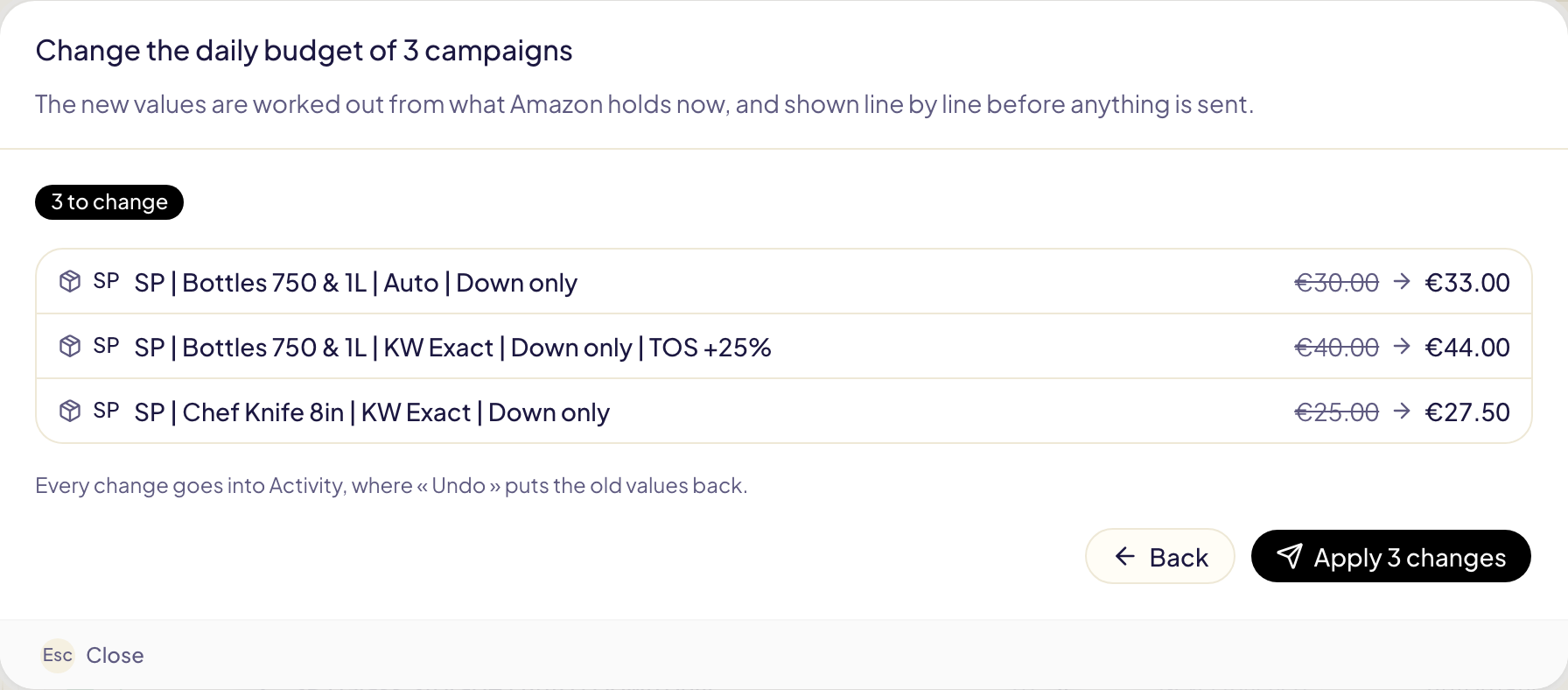
Apply sends the changes and closes the window. A message follows them until Amazon has answered, with View in Activity. Every change is in Activity as « Bulk edit », where Undo puts the old values back.
A rule leaves what you changed alone for 7 days, as with any change you make.
Targets
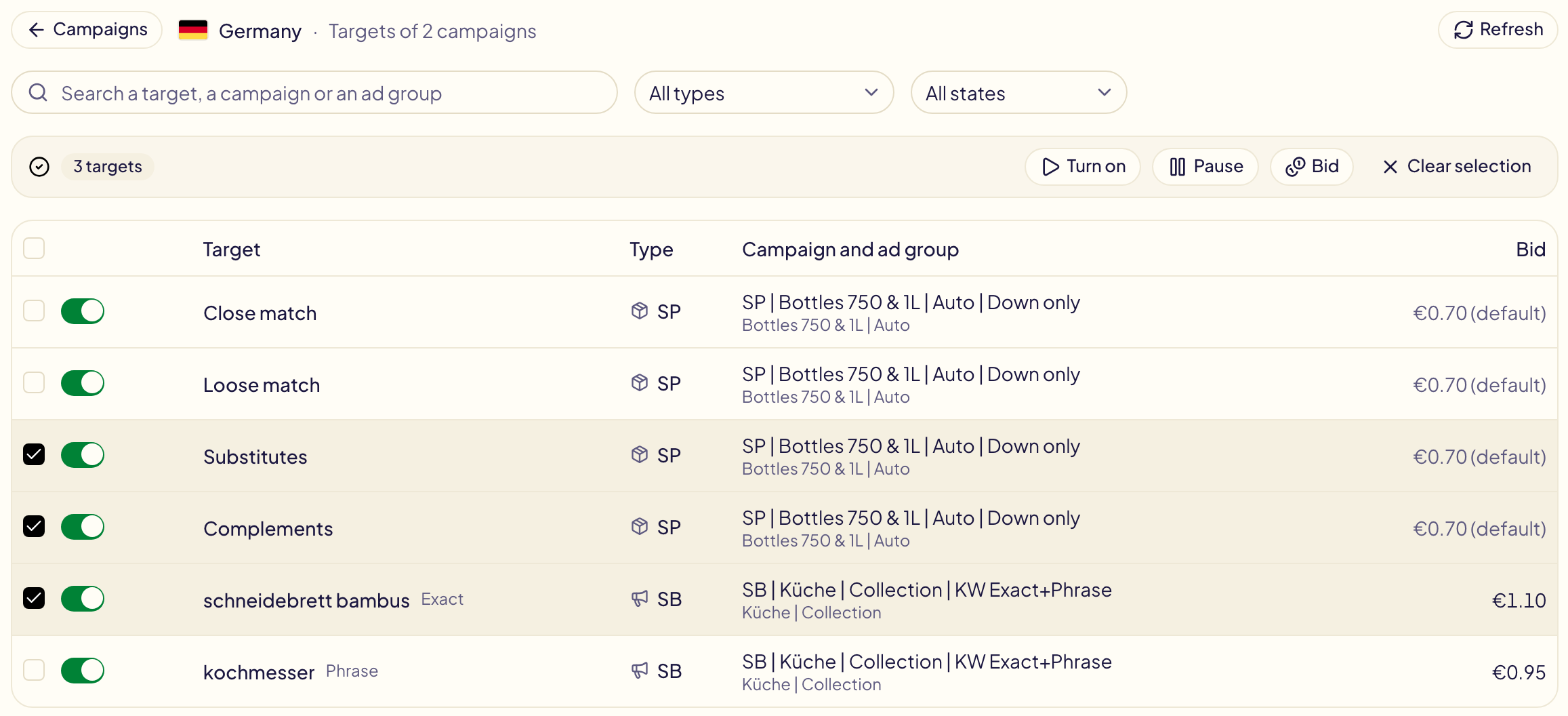
Targets lists the targets of the ticked campaigns (or of the ticked ad groups only): keywords, products, categories, auto targeting groups and audiences, read live from Amazon. Search them, filter by type or state, tick them, then Turn on, Pause or Bid.
A bid followed by « (default) » is the ad group's default bid: that target has no bid of its own. A bid change gives it one. Negative targets are not listed: they have no bid and cannot be paused.
Each target has its own on/off switch, as on Campaigns: one click turns that target on or pauses it.
What is left as it is
The preview says why a line does not change:
- Global campaign: change it in the Amazon Ads console.
- Lifetime budget: there is no daily budget to change.
- No default bid: a Sponsored Brands ad group has none, each target has its own.
- No longer on Amazon: it was archived since you ticked it.
- Already set: it already has that value.
A new value outside what Amazon accepts is brought to Amazon's minimum or maximum, and the line says so. One bulk edit changes 20,000 rows at most.