
Turn products on or off
Pause a product in every ad that advertises it, on all your marketplaces and ad types at once, or turn it back on, with a preview first.
A product out of stock, a book being rewritten, a price change you are waiting for: Turn products on or off stops a product in every ad that advertises it, then turns it back on when you are ready. Open Toolkit → Turn products on or off.
When to use it
- Stock running out, or a product recall: stop a product everywhere in one click, before Amazon stops it for you.
- A price, listing or margin change: pause it while you fix it, then turn the same ads back on.
- A listing taken down, an intellectual property complaint, a Merch design removed: stop all spend on that ASIN at once.
- A book being revised or getting a new edition: pause it on every marketplace in one go.
- Seasonal products: turn them off out of season and back on when it returns.
- Focus the budget on a few best-sellers during a peak (Prime Day, the holidays).
- Agencies: carry out a client's « stop product X everywhere » in a minute.
Choose the products and where
- Products: paste or type ASINs, one per line or separated by commas. A seller can paste SKUs too. Amazon links work.
- Off or on: Turn off pauses their ads; Turn on turns their paused ads back on.
- Where: every marketplace and every ad type (Sponsored Products, Sponsored Brands, Sponsored Display, Streaming TV) is picked. Untick what you want to leave alone.
What changes
Only the ads of the products change. Their campaigns and ad groups stay as they are, so the other products in them keep running.
- A Sponsored Brands ad shows several products. Pausing it pauses all of them, so the preview names the other products and leaves that ad unticked: tick it only if you want it.
- An ad in a global campaign is left as it is: change it in the Amazon Ads console.
- An ad turned back on in a paused campaign or ad group shows nowhere until that campaign or ad group is on. The preview says so.
Preview, then approve
Preview reads, live from Amazon, every ad of these products, marketplace by marketplace. Each line shows the product, the ad type, the marketplace, the campaign and ad group, and the state it goes to. Ads already in that state are counted, not sent.
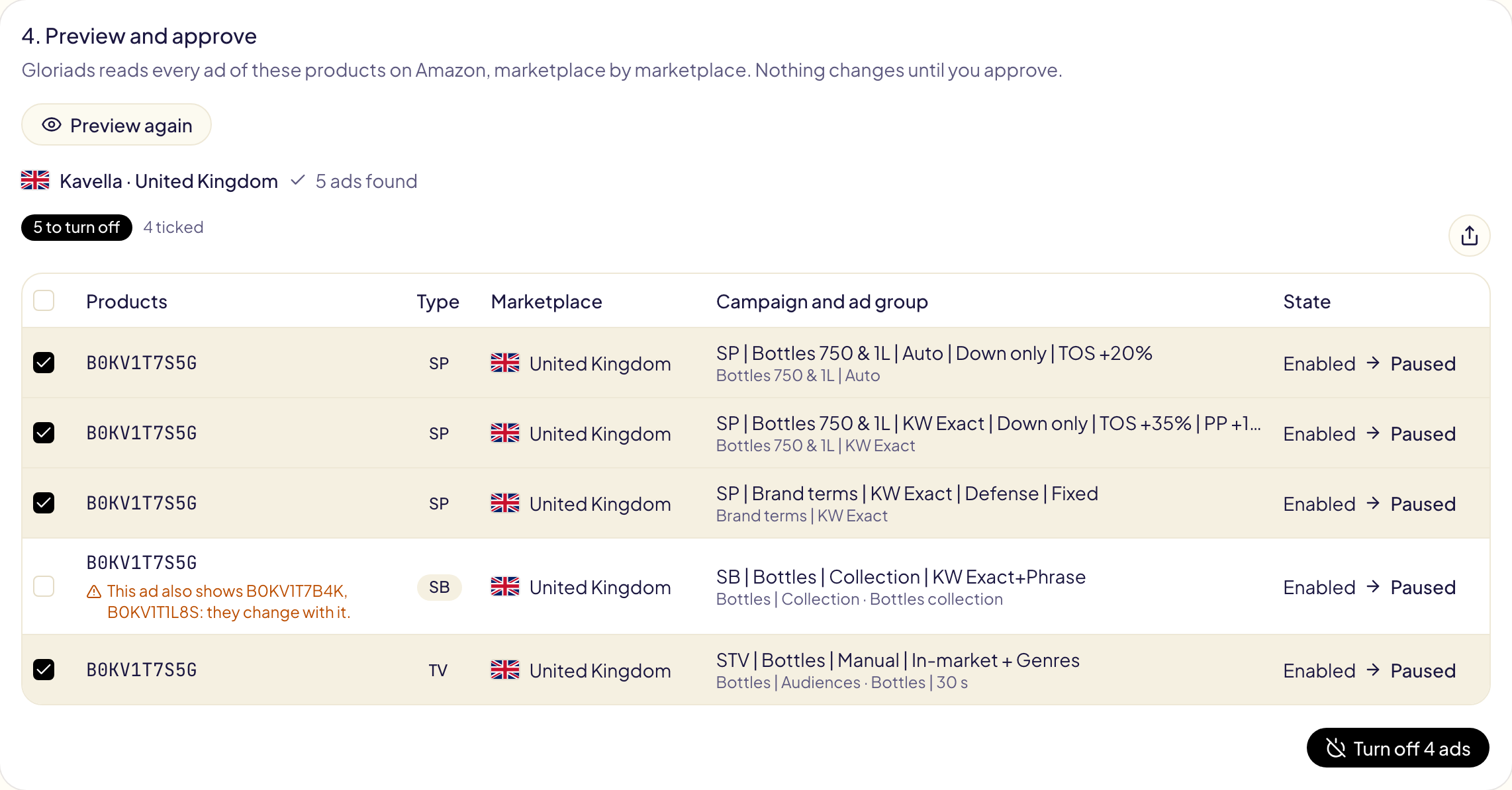
Turn off (or Turn on) sends the ticked ads, one operation per marketplace. They appear in Activity as « Turn products on or off », where Undo puts every ad back as it was.