
Campaign goals
Give a campaign its own target ACOS and a minimum and maximum bid. Your rules use them, and every bid Gloriads sets stays inside.
A campaign goal is a setting of Gloriads, never sent to Amazon. It changes what Gloriads does next in that campaign: what your rules aim for, and how high or low any bid it sets may go.
Target ACOS
Your rules compare with a target ACOS and compute bids from it. By default each campaign uses its marketplace's, set in the Settings tab of the Rules page. A campaign with its own target uses that one instead.
Example: the marketplace aims for 30 %. A book in launch can accept 60 %, a book that already sells well should stay under 25 %. Give each campaign its target, and the same rule treats each one by its own goal.
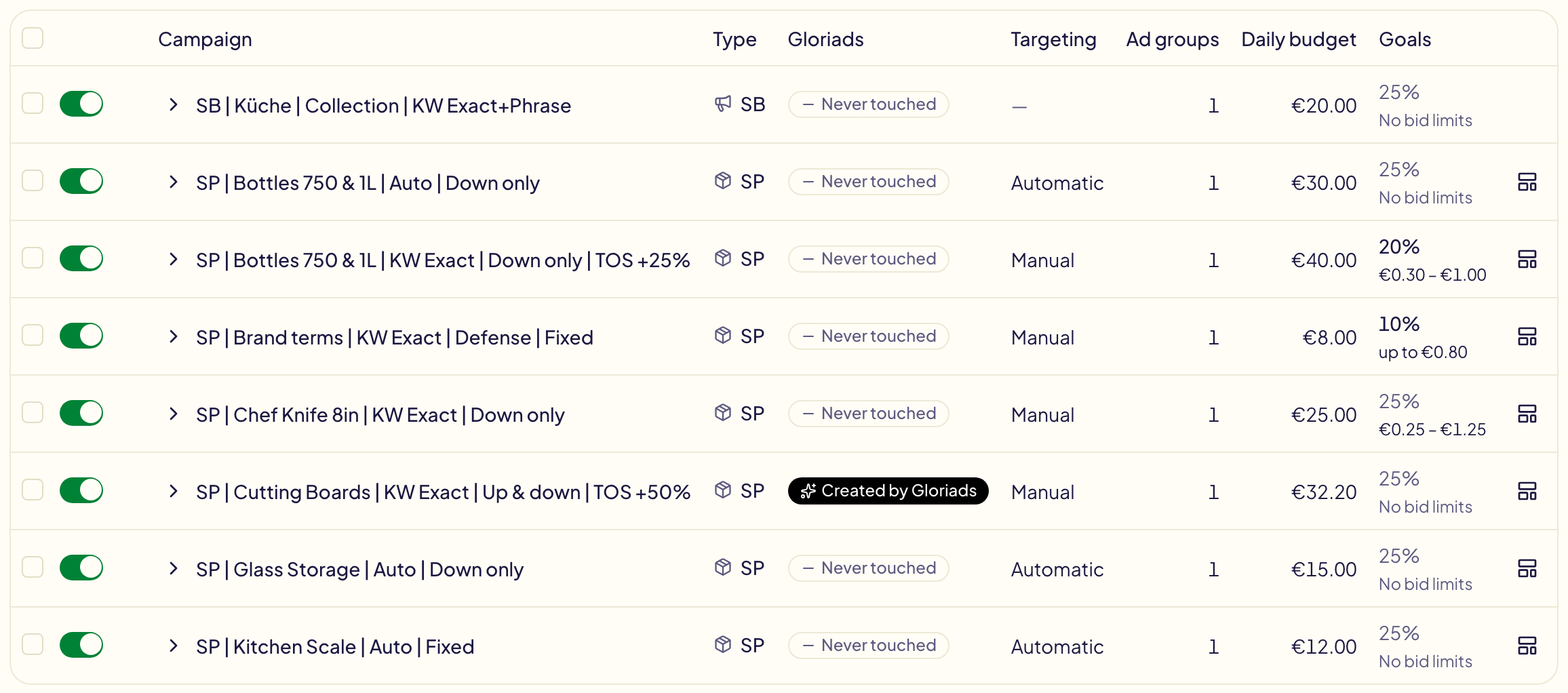
On Campaigns, the Goals column shows the campaign's own target on its first line, or its marketplace's in grey. Click it to change it. Leave the box empty to follow the marketplace again.
Bid limits
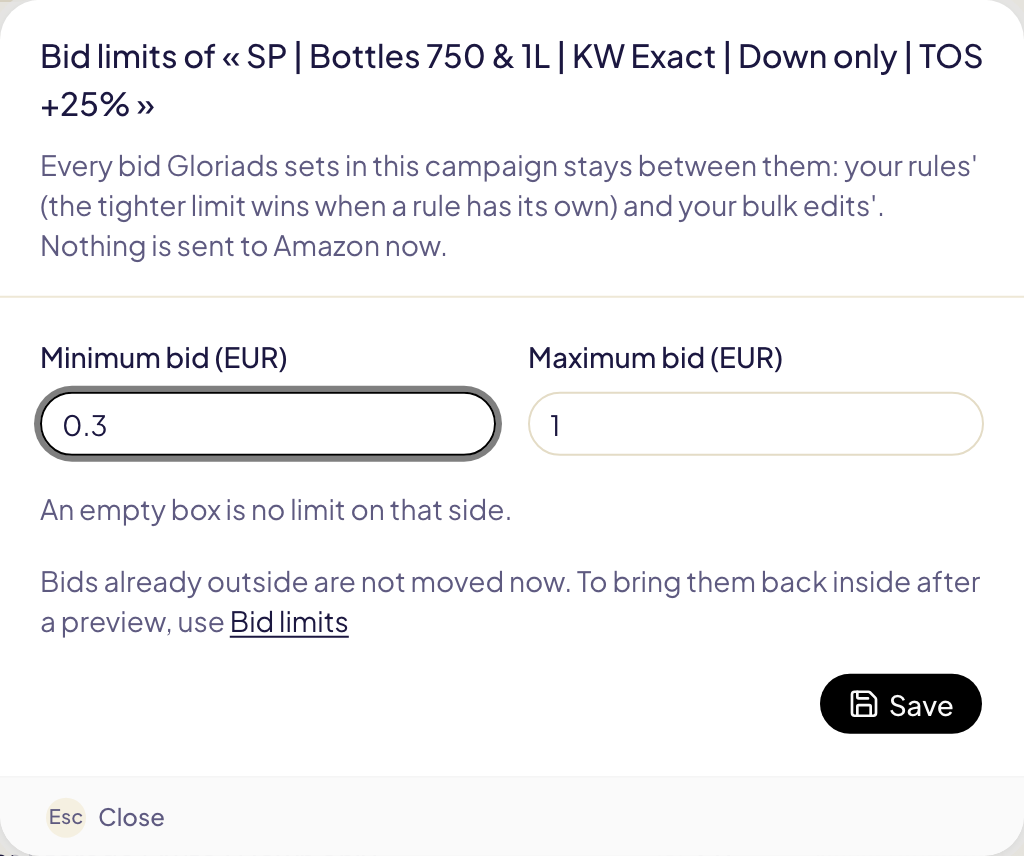
Bid limits are a minimum and a maximum bid for a campaign, in its marketplace's currency. Every bid Gloriads sets in that campaign stays between them: ad groups' default bids and targets' bids. Leave one box empty to have no limit on that side.
They are the second line of the Goals column: click it to set them. To set a target or limits on many campaigns at once, tick them and use Target ACOS or Bid limits in the bar above the table.
What rules do with them
| A rule… | In a campaign with goals |
|---|---|
| compares with the target ACOS, or bids from it | uses the campaign's target, else the marketplace's |
| sets a bid above the campaign's maximum | sends the maximum |
| sets a bid below the campaign's minimum | sends the minimum |
| raises a bid already above the maximum | leaves it where it is: a raise never becomes a cut |
When a rule has its own floor or ceiling too, the tighter one wins. A rule that may go up to $2.00 in a campaign whose maximum is $1.50 stops at $1.50.
You are told before and after:
- Before saving, the rule editor lists the campaigns with their own goals the rule can reach, and each conflict: « This rule can bid up to €2.30, above the maximum of 3 campaigns ».
- At each run, the run's page says how many bids a campaign's limits moved, and each line in Activity reads « Campaign's maximum. The rule asked $2.10 ».

The same limits hold in a bulk edit: a bid you type above the maximum is brought down to it, and the preview says so.
Bids already outside
Setting limits moves no bid by itself. Bids set before, or changed in the Amazon Ads console, can still be outside. Bid limits in the Toolkit finds them and brings them back inside, after a preview.