
Reach on and off Amazon
Limit many Sponsored Products campaigns to Amazon at once, or let them reach shoppers off Amazon again, with a preview before anything changes.
By default, Amazon also shows Sponsored Products ads outside Amazon: on other websites, in apps and in creators' content, in 19 countries, on the same bids and budget. In the Amazon Ads console, it is the Adjust reach on and off Amazon setting of each campaign, one campaign at a time.
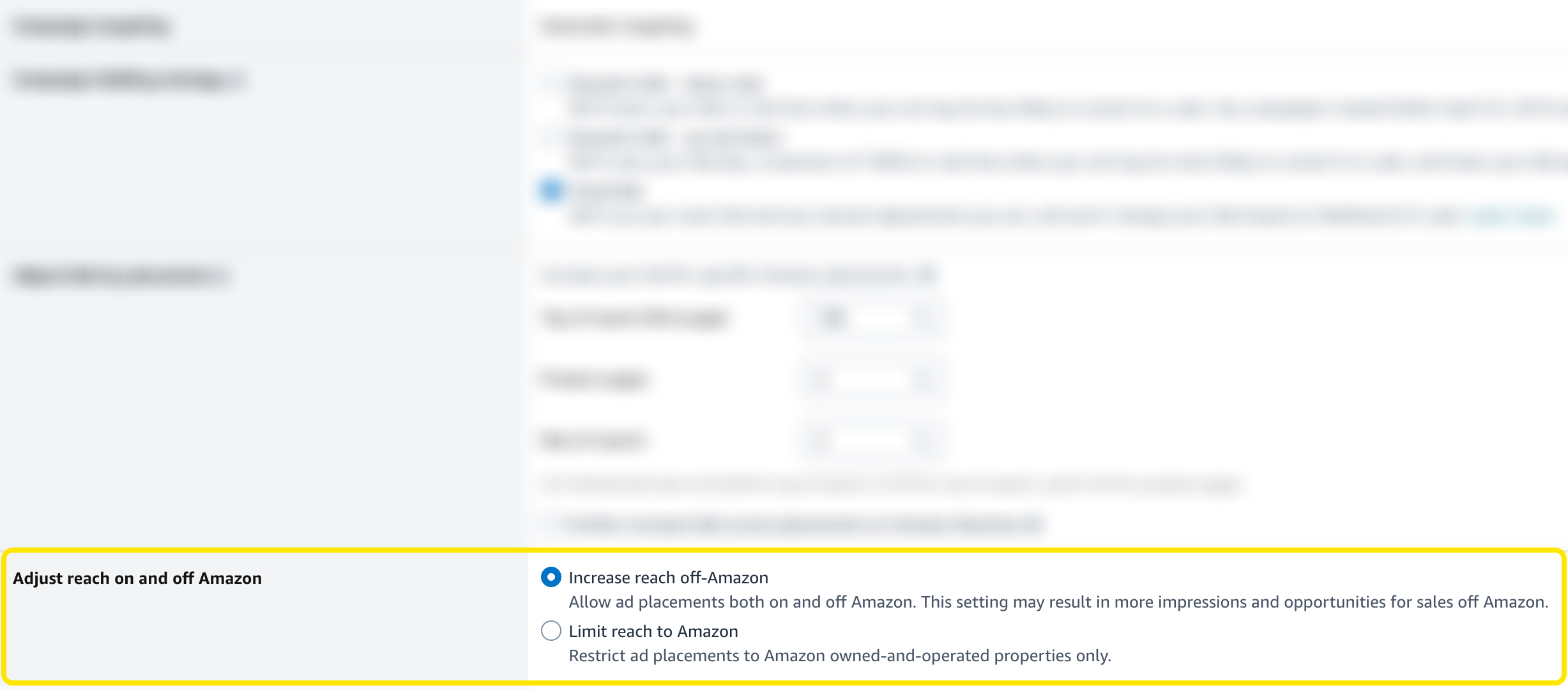
This tool switches many campaigns at once. Open Toolkit → Reach on and off Amazon, then keep Every campaign of the account, chosen by default, or choose Campaigns I pick (some campaigns of one marketplace, steps below). Limit reach to Amazon is chosen by default.
1. Where the ads show
Pick what every campaign you tick gets:
| Choice | Where the ads show |
|---|---|
| Limit reach to Amazon | On Amazon only, creator storefronts on Amazon included |
| Increase reach off-Amazon | Amazon's default: on Amazon, other sites and apps, and creators' content |
Nothing else changes: bids, budgets and states stay as they are.
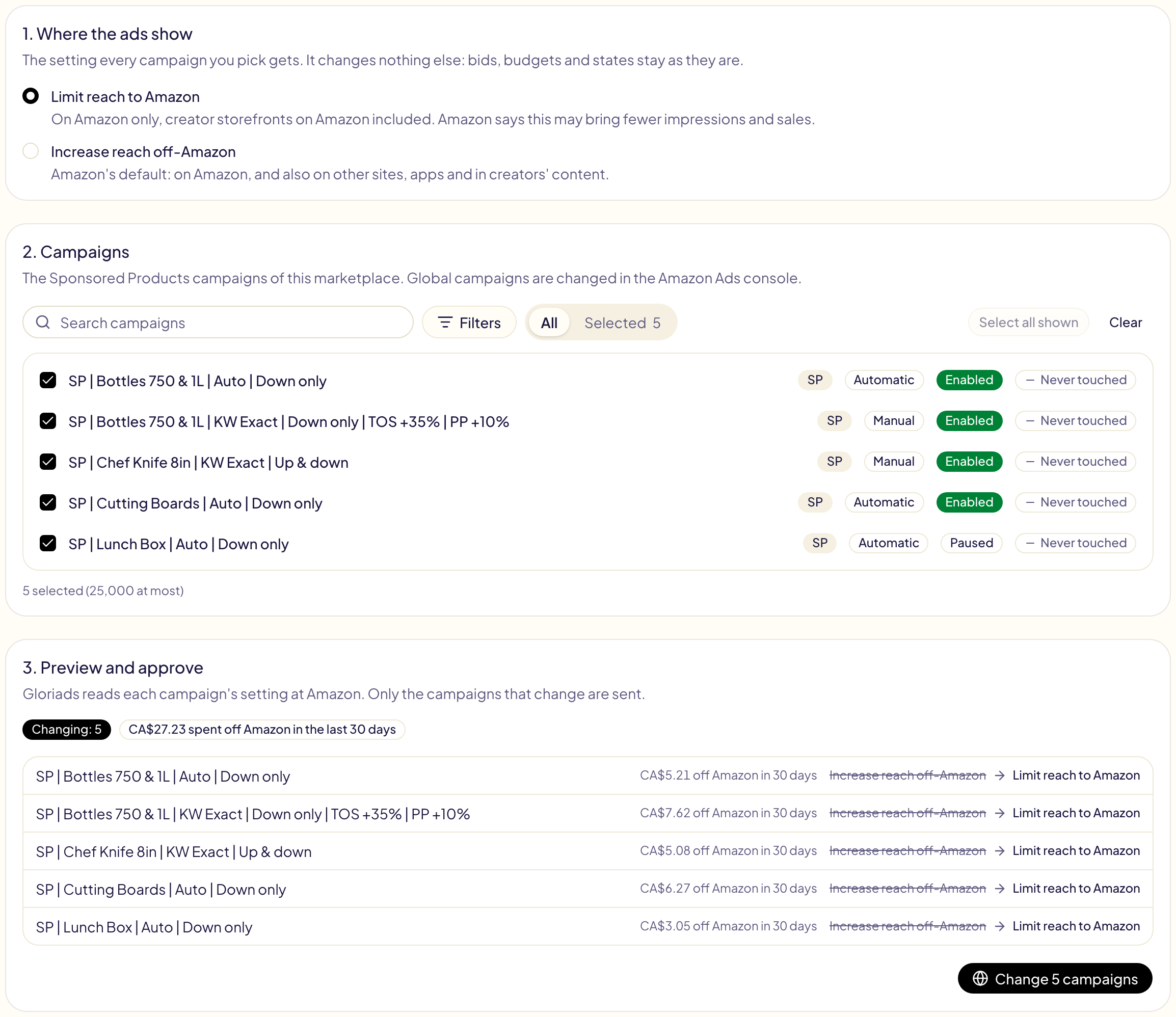
2. Campaigns
Pick the marketplace at the top, then tick its Sponsored Products campaigns, up to 25,000 at once. No other ad type has this setting. Global campaigns, which run on several marketplaces, are changed in the Amazon Ads console.
3. Preview and approve
Click Preview: Gloriads reads each campaign's setting at Amazon and shows what it becomes. Only the campaigns that change are sent. The others stay as they are:
| In the preview | Why |
|---|---|
| Already so | The campaign already has this setting. |
| Amazon Business only | It never shows off Amazon, so the setting changes nothing. |
| Not found at Amazon | Amazon did not return it, usually because it was archived. |
Next to each campaign, the preview says what it spent off Amazon over the last 30 days, and a badge adds up what the campaigns that change spent there. The dashboard shows these figures in full.
Click Change … campaigns to approve. You land in Activity, one line per campaign, where Undo puts every campaign back as it was.
Every campaign of the account
Choose Every campaign of the account to change every enabled and paused Sponsored Products campaign of one marketplace or of all of them, without ticking campaigns:
- Where the ads show: the same two choices.
- Marketplaces: every marketplace of the account is ticked; untick the ones to leave alone (Select all shown and Clear tick or untick them all). Each one says what its Sponsored Products spent off Amazon over the last 30 days, and their share of its Sponsored Products spend.
- Preview: Gloriads reads every campaign of each marketplace at Amazon and shows, for each one, how many campaigns change, are already so, or are left out. Click Change … campaigns in … marketplaces to approve.
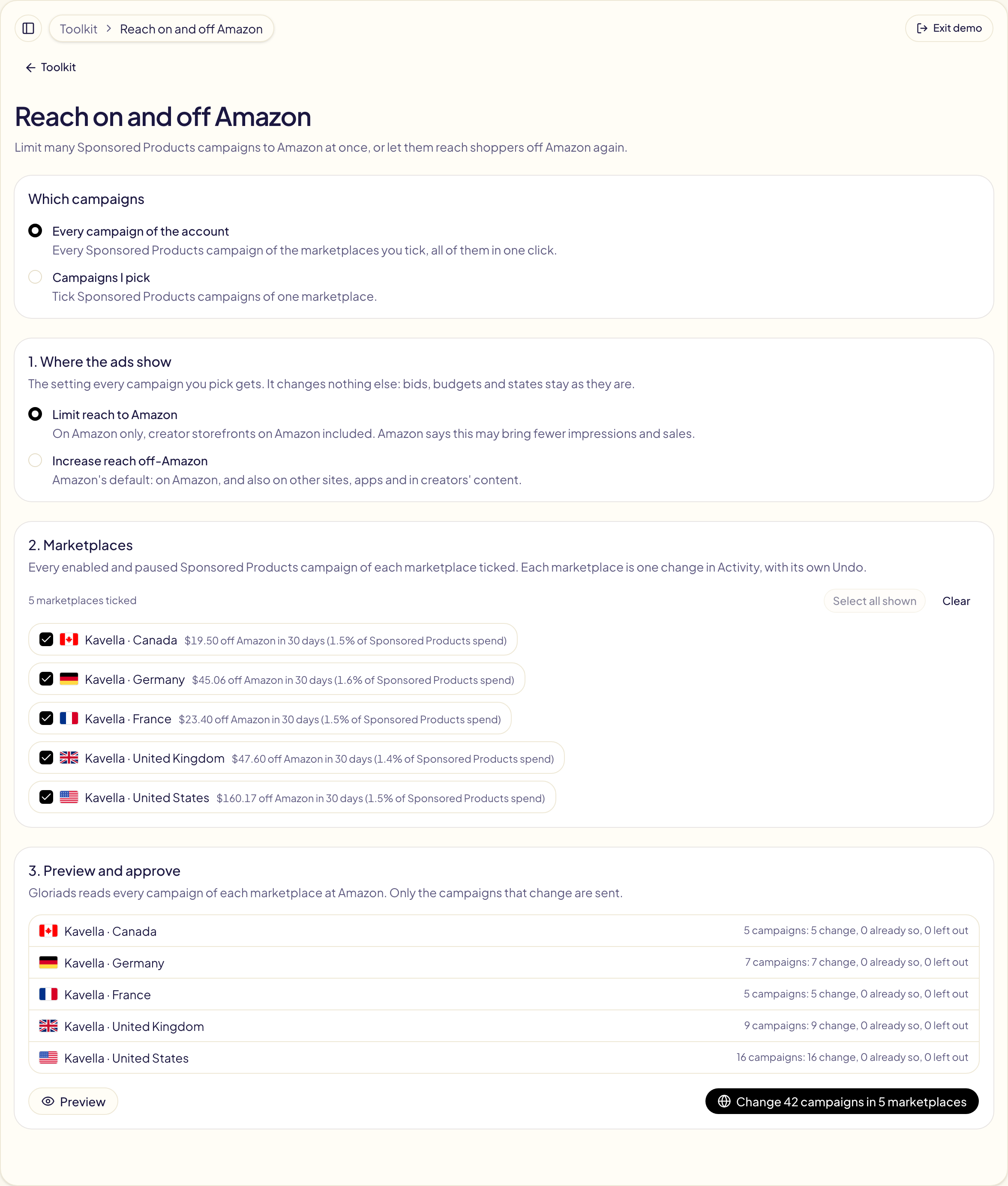
Each marketplace is one change in Activity, with its own Undo. A marketplace takes up to 25,000 campaigns that change. If Amazon does not return all of a marketplace's campaigns in time, nothing is changed there and the preview says so.
New campaigns get the same choice when you create them.