
Reports
Send a report of an advertiser's Amazon ads, to yourself, your team or a client, as a private link, a PDF and an e-mail every month, under your own brand if you want.
A report is a page that shows one advertiser's Amazon ads for a period. Send it to yourself, your team or a partner, or, for an agency, to each client under your brand. It opens from a private link, without an account, downloads as a PDF, and Gloriads can e-mail it every month.
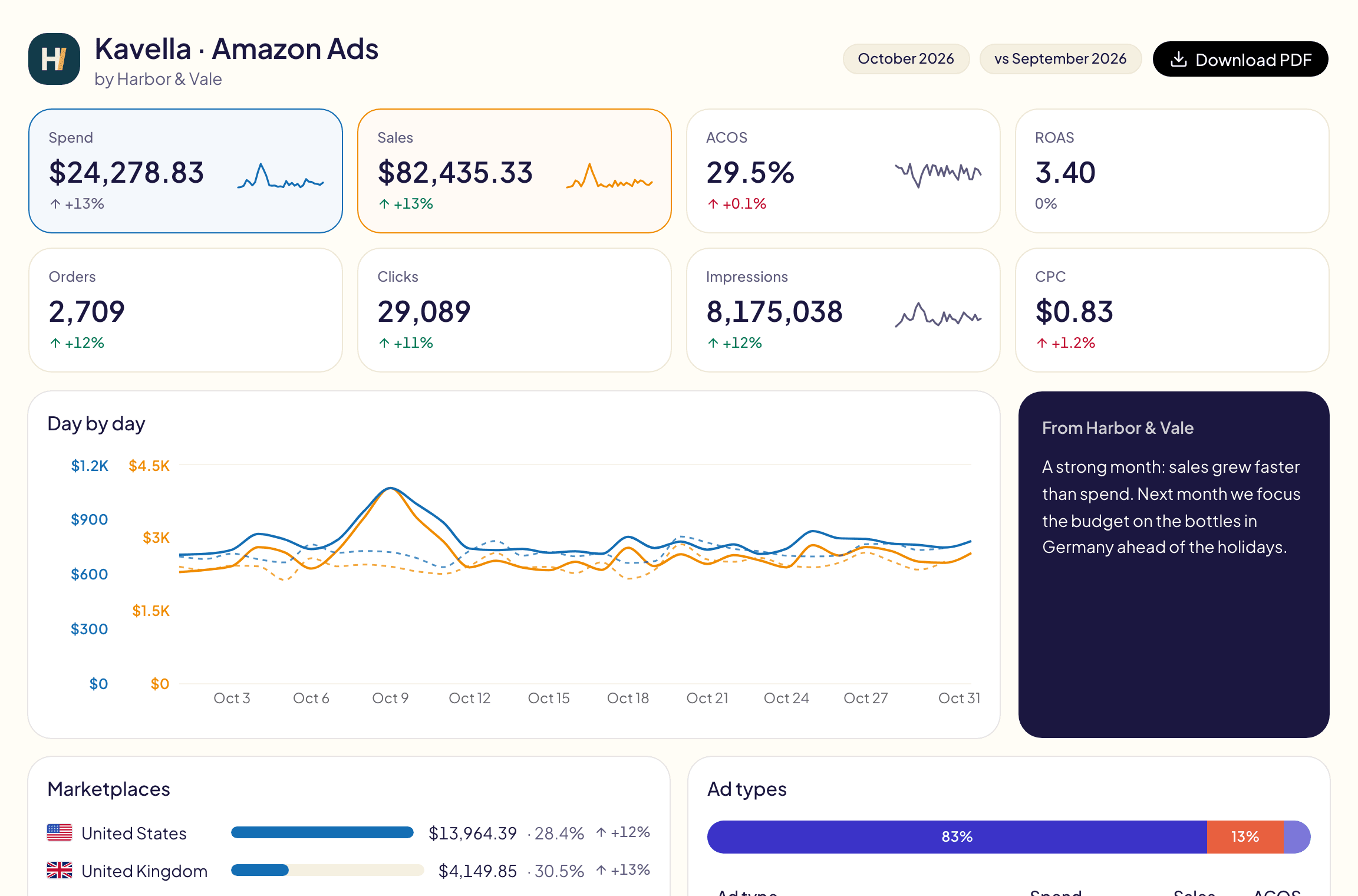
What a reader gets
- A private link. Anyone who has it can open the report, without an account. It is never listed by search engines. It keeps working until you revoke it.
- A PDF in one click (Download PDF), laid out for A4 and Letter.
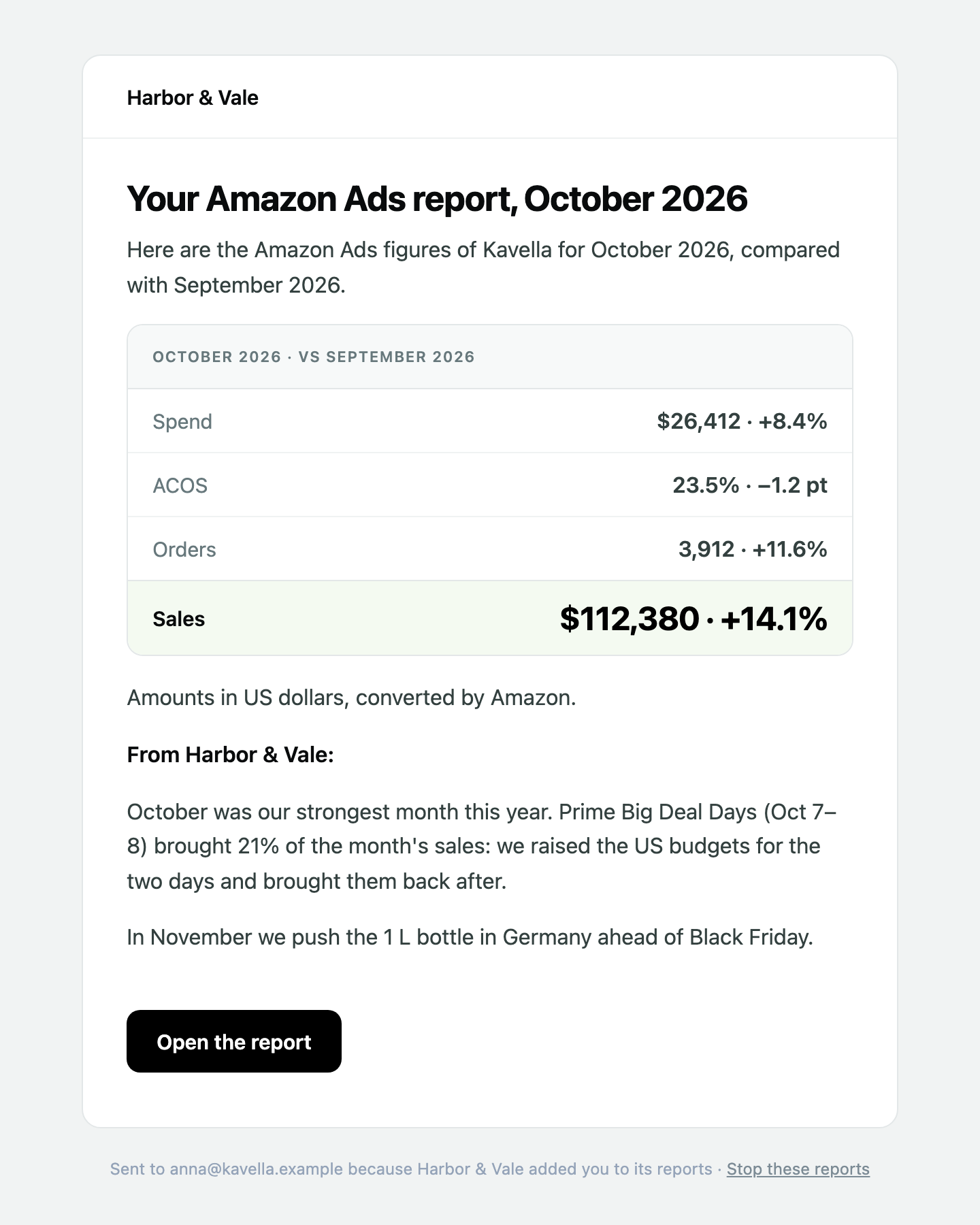
- An e-mail every month with the key figures, your note and a button to open the report.
- Your brand, or Gloriads': with a name in Branding, your logo and your name, and Gloriads named nowhere unless you turn the mention on. Without a name, the report and its e-mail come with the Gloriads logo.
Amounts are in the report's currency, picked when you create it (your account's by default, see Settings), each day converted at its own exchange rate.
Create a report
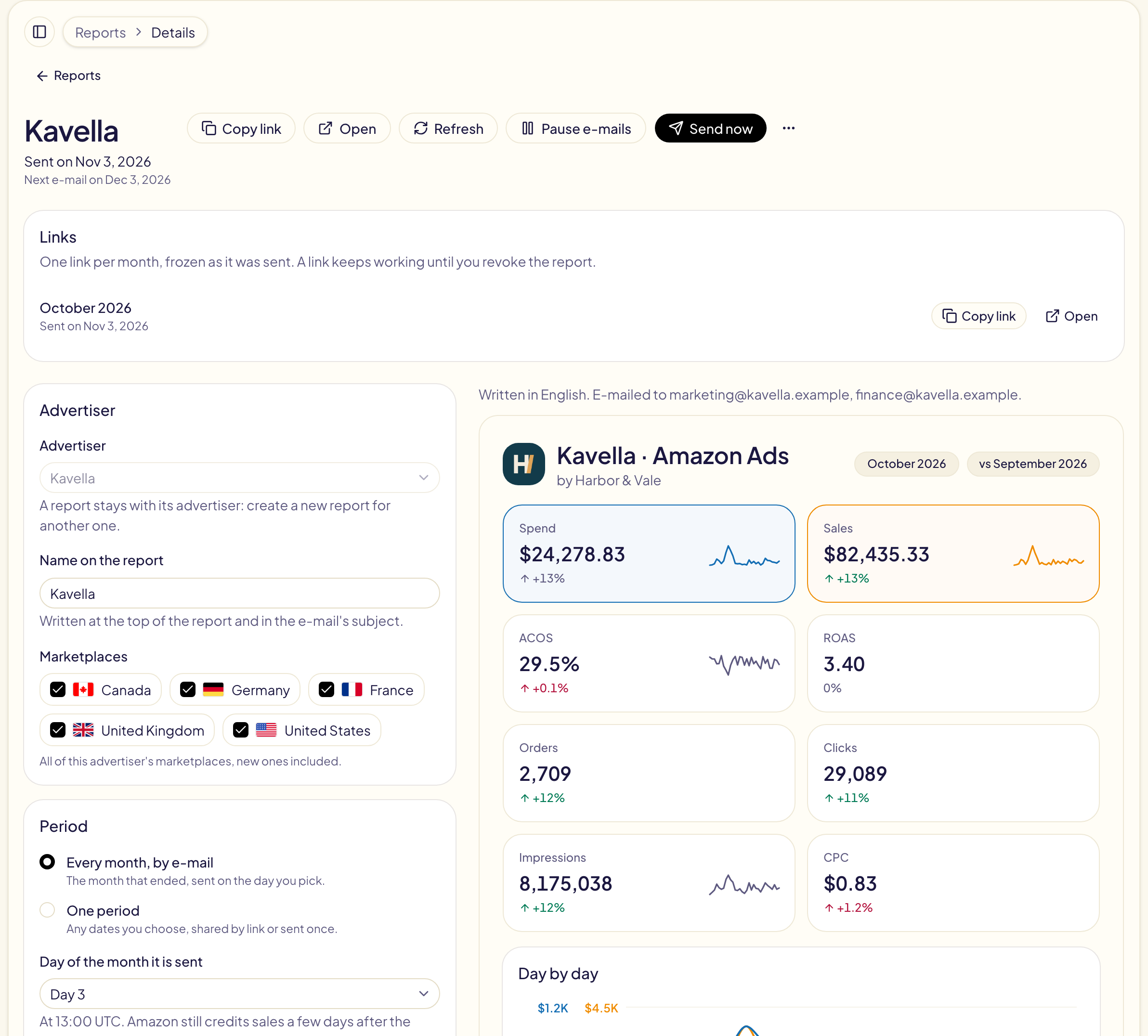
Pick the advertiser in the sidebar, then Reports → New report.
- Advertiser: one of your advertisers. A report stays with its advertiser.
- Name on the report: written at the top and in the e-mail's subject.
- Marketplaces: all of the advertiser's (new ones included), or only some.
- Period: Every month, by e-mail (the month that ended), or One period (any dates, shared by link).
- Compare with: the period before, the same period last year, or nothing.
- What the report shows: tick the blocks (below).
- Report language: the report and its e-mail are written in it.
- Report currency: every amount of the report, its link, its PDF and its e-mail is in it. By default, your account's currency.
- Sending: the addresses it goes to (yours, if the report is for you), your own address for replies, and a copy for you.
The report as it will be read is drawn beside the form while you fill it in. Create report makes its link at once.
What a report shows
| Block | What it shows |
|---|---|
| Key figures | Spend, sales, ACOS, ROAS, orders, clicks, impressions and CPC, with their change. |
| Day-by-day chart | Sales and spend each day (each month over a long period), the compared period dotted. |
| Marketplaces | Each marketplace's spend, ACOS and change. |
| Ad types | Sponsored Products, Brands, Display and Streaming TV, side by side. |
| Top 10 products | The products that spent most, with their sales and ACOS. |
| What moved | The marketplaces and ad types that changed most. |
| Optimizations made | The changes Gloriads made at Amazon over the period, by rules and tools. |
| Your note | Your words to the reader. |
| Monthly budgets | Each marketplace's spend against its monthly budget. Whole months only. |
| Placements | Top of search, rest of search, product pages and off Amazon. |
| Targeting types | Exact, phrase and broad keywords, products, categories, auto targeting and audiences. Always every marketplace of the advertiser: Amazon keeps these figures per account. |
| New customers | The share of Sponsored Brands and Display orders from shoppers new to the brand, with one bar per marketplace (new customers). |
| Kindle Unlimited | Pages read (KENP) and estimated royalties, for authors: at their own Kindle+ rate from KDP, « — » without it. |
The first eight are ticked by default; add the others when they help.
Each link keeps the figures as they were when it was made: a month sent stays the same. Refresh recomputes the newest link with today's figures (once every 5 minutes at most).
The monthly e-mail
- When: on the day of the month you pick, from the 3rd to the 28th, at 13:00 UTC. The 3rd is the default: Amazon still credits sales a few days after the click.
- From: the name in Branding, on Gloriads' reports address (with « via Gloriads » only if you turn the mention on); « Gloriads » when no name is set.
- Replies: go to your own address.
- To: up to 5 addresses, plus a copy to you if you ticked it.
- Your note: written for the next e-mail, sent with it, then cleared for the month after. Left empty, the e-mail leaves without one.
Send now e-mails the newest link at once. An address that already received it is not sent it again.
Your brand
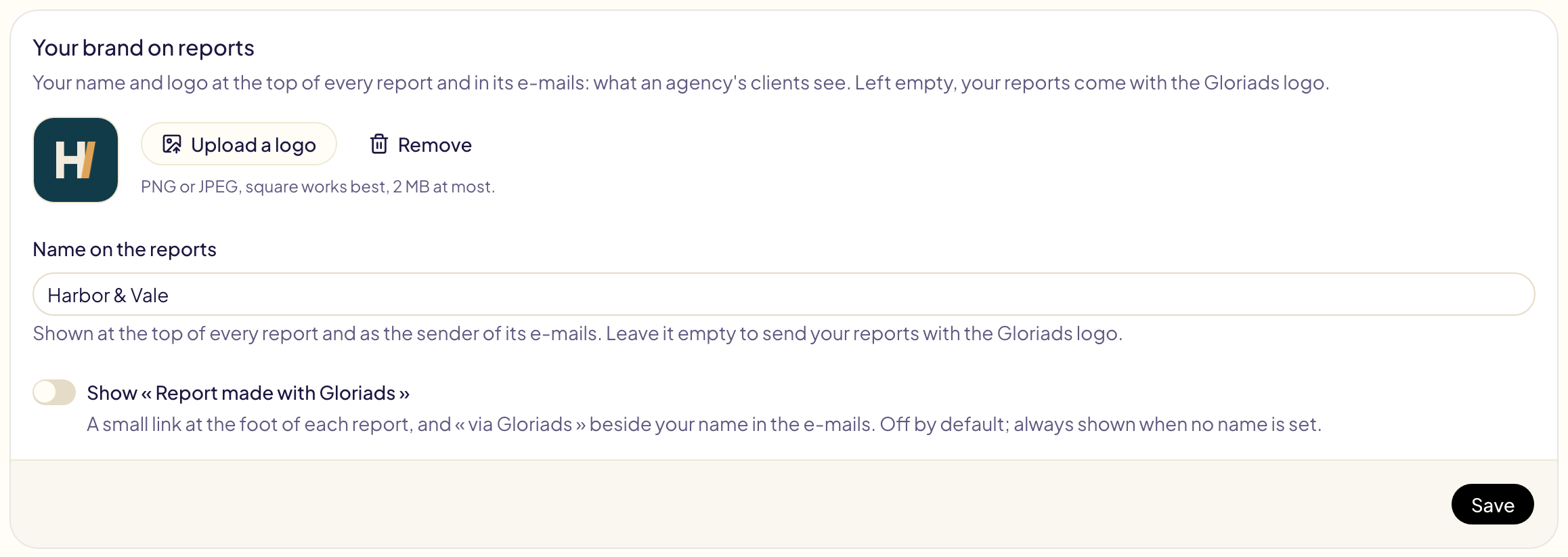
Settings → Branding (owners and admins). Optional: it is for an agency whose clients should see its name, not Gloriads'.
- Name on the reports: shown at the top of every report and as the sender of its e-mails. Left empty, the reports come with the Gloriads logo and « Report made with Gloriads ».
- Logo: PNG or JPEG, 2 MB at most, square works best. Shown with your name; without a logo, the report shows your initials.
- Show « Report made with Gloriads »: off by default. On, the report ends with a small link and the e-mails come from « your name via Gloriads ».
Who sees what
A report shows one advertiser only, never another one's figures, even when two advertisers sell in the same marketplace.
| Role | Reports |
|---|---|
| Owner, Admin | Every advertiser's reports. |
| Editor | The reports of the advertisers they are limited to, or every advertiser. |
| Viewer | Sees the list, changes nothing. |
Follow your reports
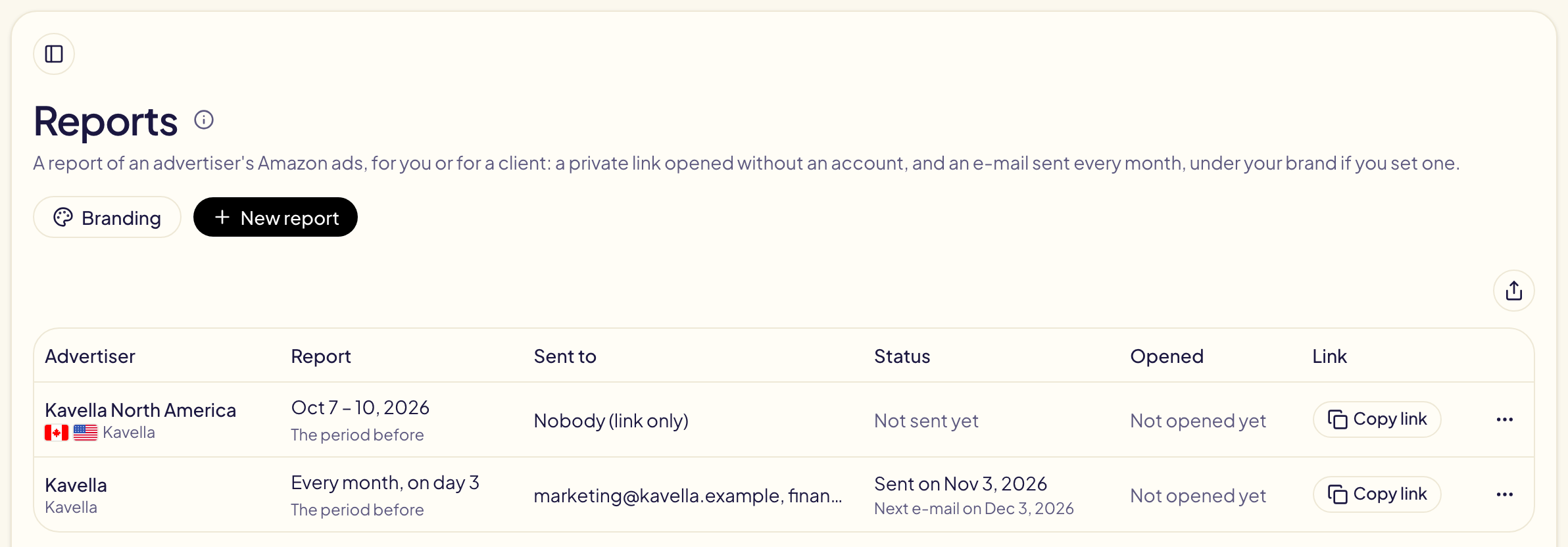
The list shows, for each report, when it was sent, when the next e-mail leaves, and how often its link was opened. Your own Open is not counted. When an e-mail could not leave (no address, the month's limit reached), the report says why.
Pause, stop or revoke
| Action | What happens |
|---|---|
| Pause e-mails | No more monthly e-mails; the links keep working. Resume e-mails starts them again. |
| A reader stops them | Each e-mail has « Stop these reports »: it stops this report for that address only. |
| Revoke links | Every link of the report stops working for good, and nothing is sent any more. Whoever opens one sees « This report is not available ». |
| Delete | The report, its links and the record of its e-mails are deleted. |
Limits
- 200 reports e-mailed per account and calendar month.
- 500 reports per account, 5 addresses per report, a note of 1,500 characters.
- One currency per report, the same for whoever opens it.
- The demo shows reports but sends and saves nothing.
- With All advertisers picked, pick one advertiser in the sidebar to see its reports.