
Campaign labels
Your own names for groups of campaigns, read by rules, strategies, Dayparting and Activity, with a target ACOS if you want one.
A label is your own name for a group of campaigns: « Brand defense », « Water bottles », « Black Friday ». A campaign can carry several. Rules, strategies, Dayparting and Activity can then take every campaign of a label, the ones you label later included, without listing them one by one.
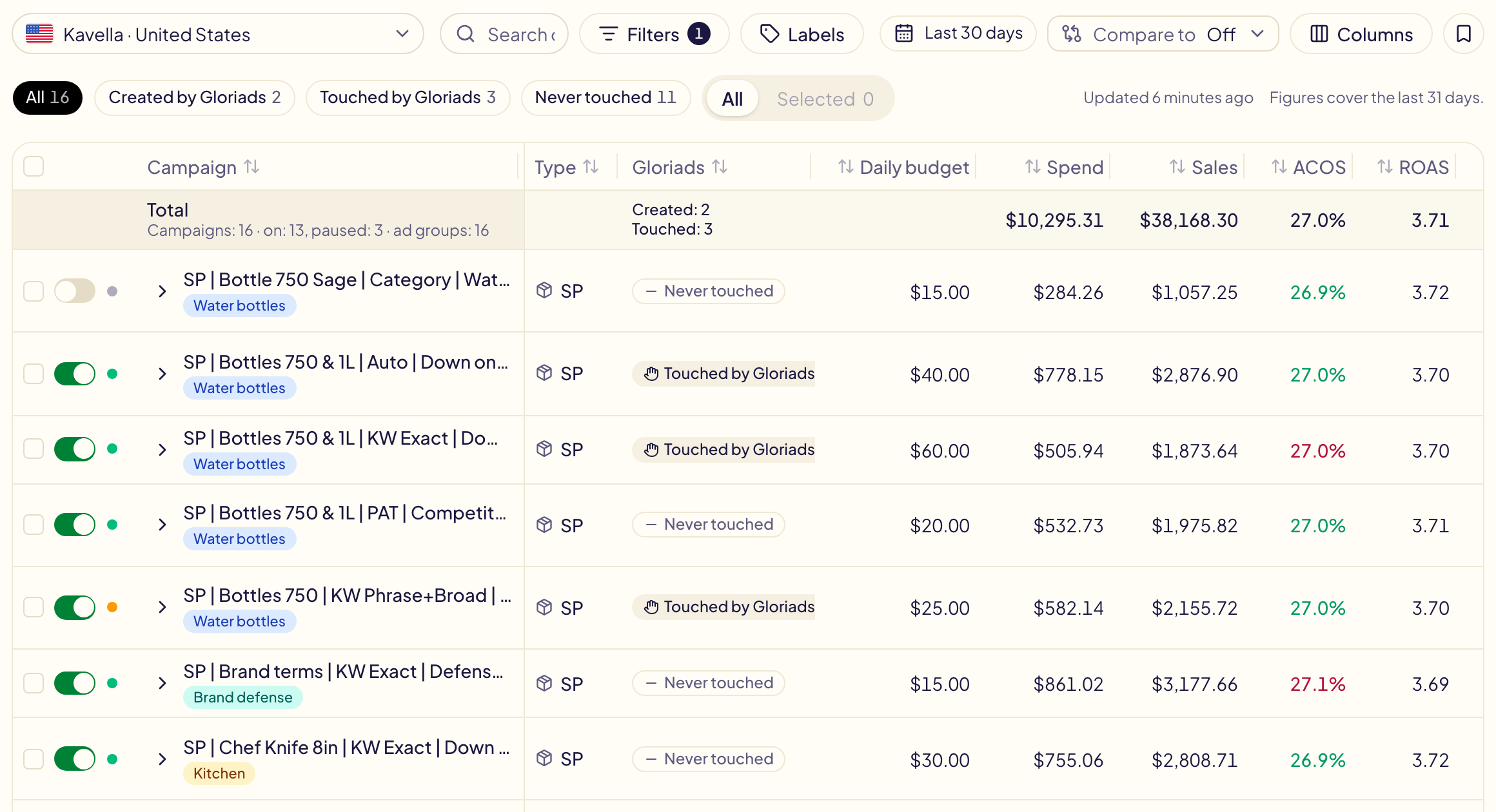
Put labels on campaigns
- On Campaigns, tick the campaigns.
- In the bar above the table, click Labels.
- Tick a label to put it on every ticked campaign; untick it to take it off. A label only some of them carry shows « 2 of 5 ». Type a new name to create a label and put it on them at once.
Find a label's campaigns
The Labels button next to the filters keeps only the campaigns that carry one of the labels you tick, or those with No label. The number next to each label counts its campaigns in the marketplace shown. Saved filters keep it, and the export has a Labels column.
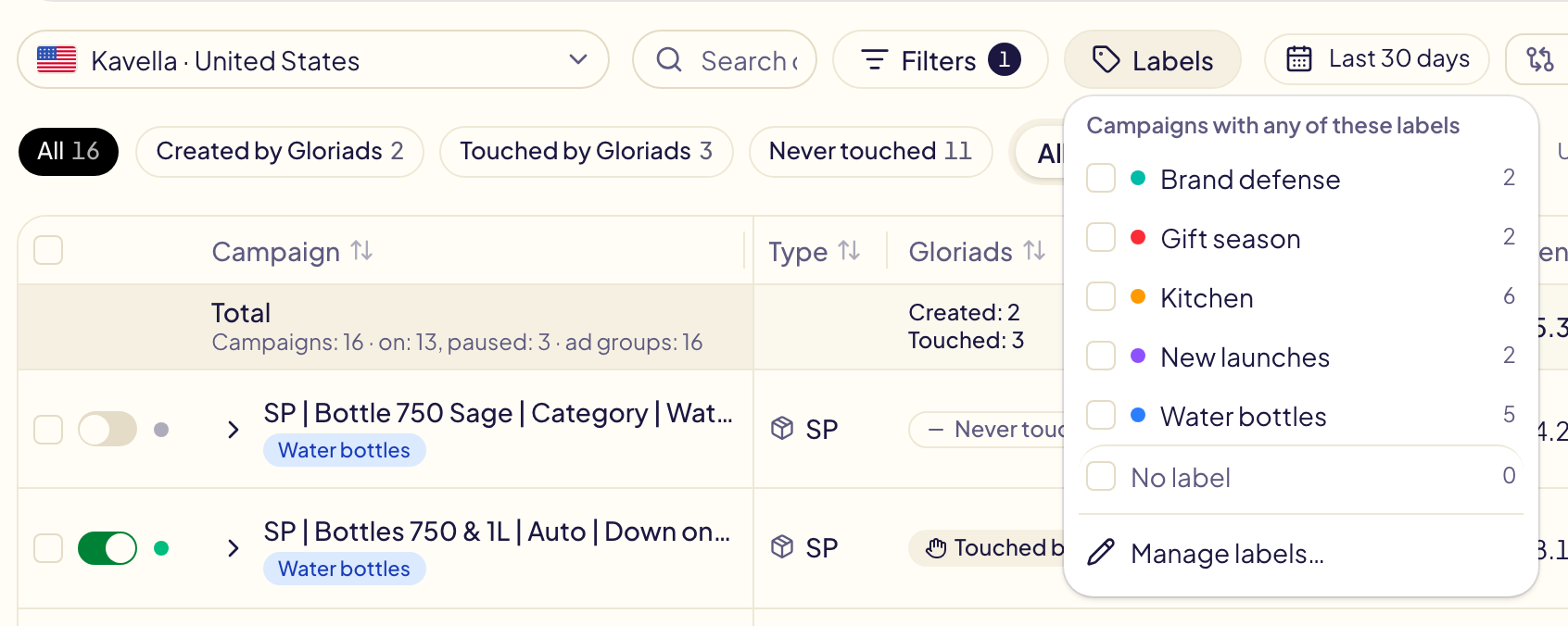
Manage your labels
Manage labels…, at the bottom of the filter, lists your labels with their number of campaigns and their target. There you create one, rename it, change its colour or its target, and delete it.
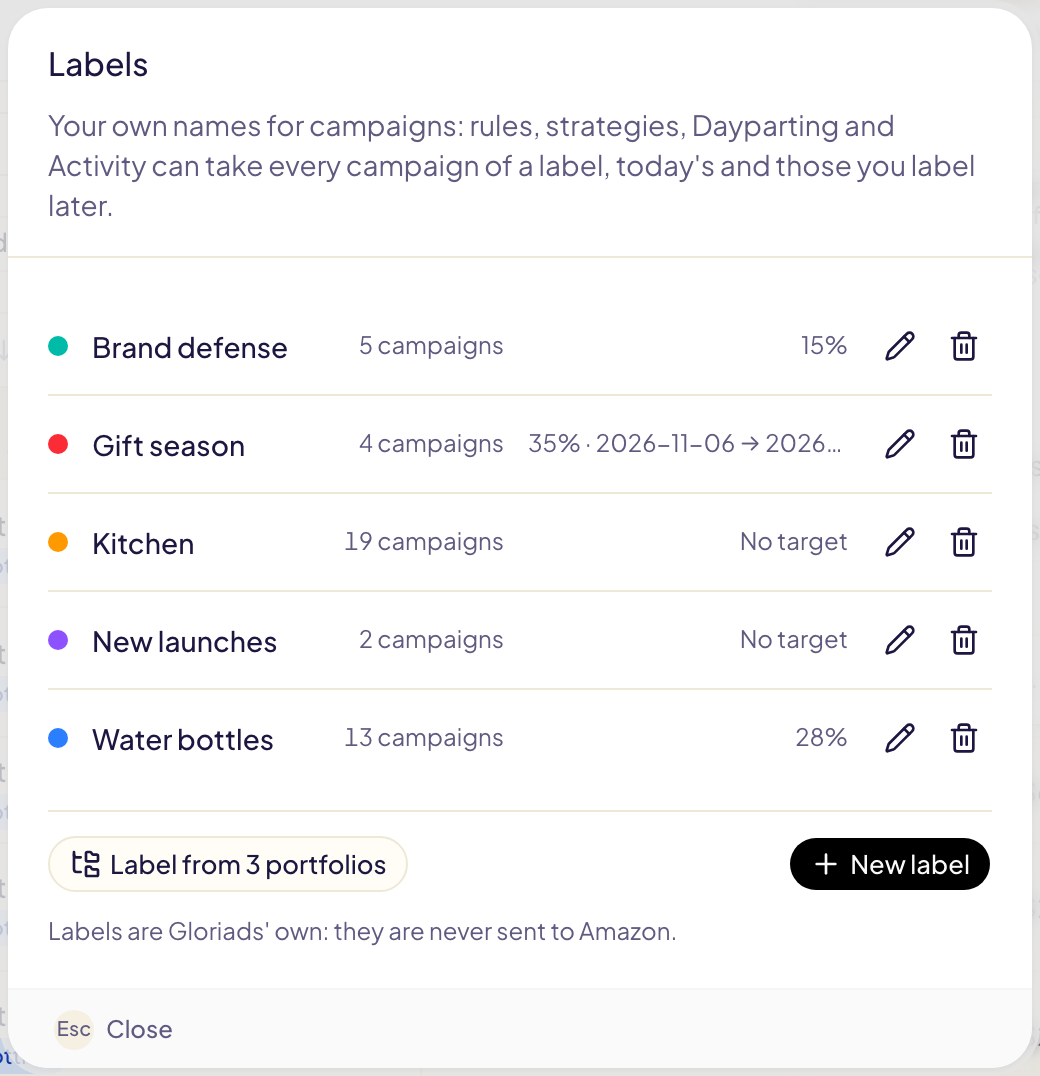
A label's target ACOS
A label can carry a target ACOS. Its campaigns aim at it, unless they have their own: see Campaign goals for the order.
- With dates, the target counts only from the first day to the last, each marketplace's day: a 35 % target for the Black Friday week, then the campaigns go back to their usual target by themselves.
- Two labels with a target on one campaign: the lower target wins.
What reads a label
| Where | What it does with a label |
|---|---|
| Rules, Where it acts | Takes the campaigns that carry one of some labels, or none of them. |
| Strategies | Turn rules on for the campaigns of some labels. |
| Dayparting | A schedule takes the campaigns of some labels. |
| Activity | Shows only what changed in a label's campaigns. |
A campaign you label later joins at the next run, the next Dayparting hour, or the next time you open Activity.
Label from portfolios
Label from portfolios, in the labels window, makes one label per Amazon portfolio of the marketplace shown and puts it on that portfolio's campaigns. Run it again whenever you want: a label that already exists is reused.
Limits
- Labels are Gloriads' own: they are never sent to Amazon, and the Amazon Ads console does not show them.
- Each advertiser has its own labels, 200 at most, and a campaign carries 10 at most.
- A label a rule, a strategy or a Dayparting schedule uses cannot be deleted: take it off them first.